
What is a character sheet?
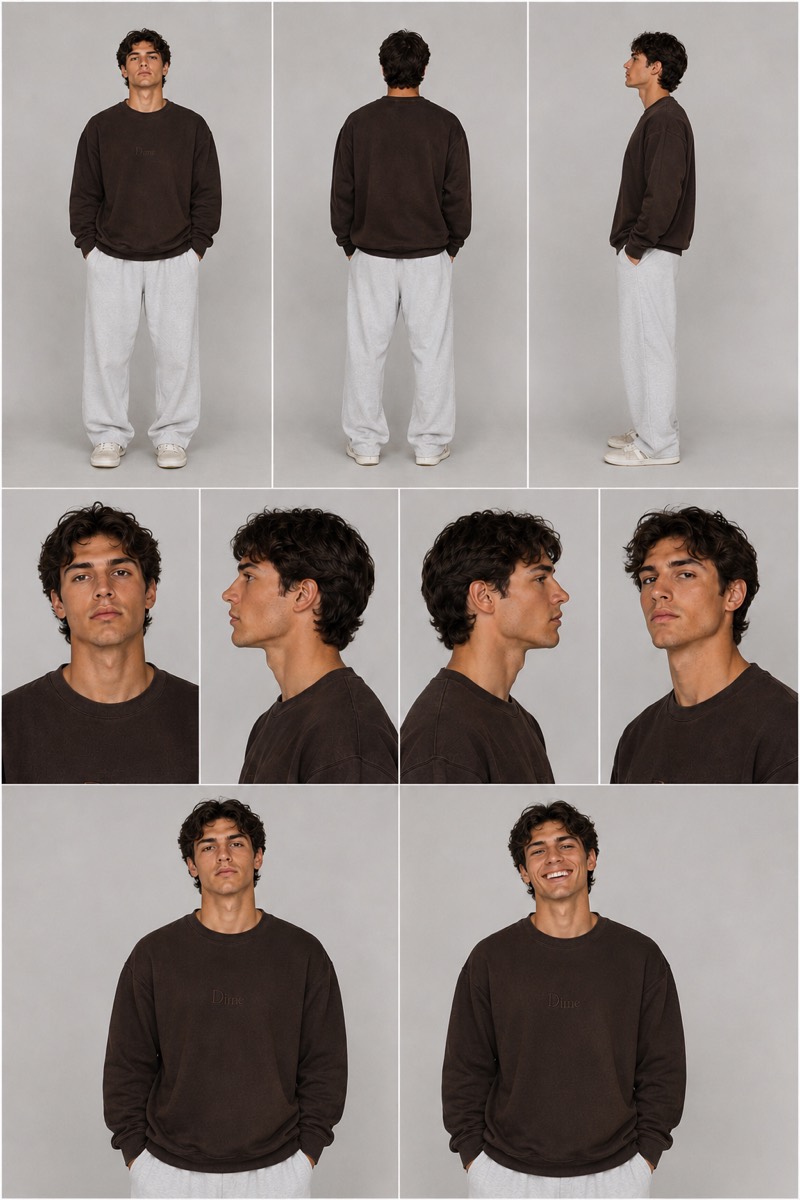
A character sheet, also called a character reference sheet or model turnaround, is a single image that shows one character from multiple angles: full-body front, side and back views, plus close-up portraits, arranged in clean panels on a neutral background with identical lighting. Animation studios have used model sheets for a century to keep characters on-model between artists. In AI workflows they do the same job for the model: every time you generate the character, the sheet is attached as a reference image so the AI has something concrete to check against instead of reinventing the face from your text description.
Why AI characters drift, and how a sheet fixes it
Generate the same described character twice and you usually get two different people: same vibe, different face. That drift compounds in video, where facial features, skin and hair can slowly change even within a single clip. It happens because a text prompt underspecifies a face, so the model fills the gaps differently every run. A character sheet closes those gaps visually. Because it documents the character from every angle, it keeps working when the character turns around, walks away from camera, or appears in a new outfit or lighting setup, which is exactly where single reference photos fail. It also makes multi-character scenes possible: attach one sheet per character and tell the model who is who.
How to make a character sheet
There are two paths, and this page covers both. From text: describe the character in deep detail (hairstyle and color, facial features, skin tone, body type, wardrobe, signature props, any distinctive detail) and ask an image model for a professional reference sheet with a specific panel layout. Every ready-made character below is exactly that, already written. From an image: upload one clear picture of your character and use a sheet style template, which instructs the model to rebuild that exact character as a multi-view sheet while matching the reference's style. Either way, be specific about the layout (which views, which order), demand identical lighting across panels, ask for the phrase "of the same character," and add realism keywords like DSLR or 35mm film for photoreal results. If a panel comes back wrong, upload the sheet again and describe the correction. Used either way, this page doubles as a character prompt generator: copy a ready-made character prompt, or generate one for your own character, with no prompt-writing from scratch.
How to use a sheet in AI video
In your video generator, add the sheet as a reference image (different tools call these references, ingredients or elements) and write the scene as usual. Two rules carry most of the result. First, include the character sheet even when you already have a start image: the start frame sets where the clip begins, but the sheet is what holds the identity as the character moves and turns. Second, for longer sequences, keep re-attaching the same sheet in every clip while chaining each clip's last frame into the next, so the scene flows and the character never drifts. When you hit Create video on any character here, we pre-fill a video prompt built for that character; generate the sheet first and attach it as a reference for best results.
The ready-made characters
Six photoreal characters, each with a downloadable full-resolution sheet, a complete sheet prompt (no reference image needed) and a matching video prompt behind the Create video button.
VTubers
Luna, Anime VTuber
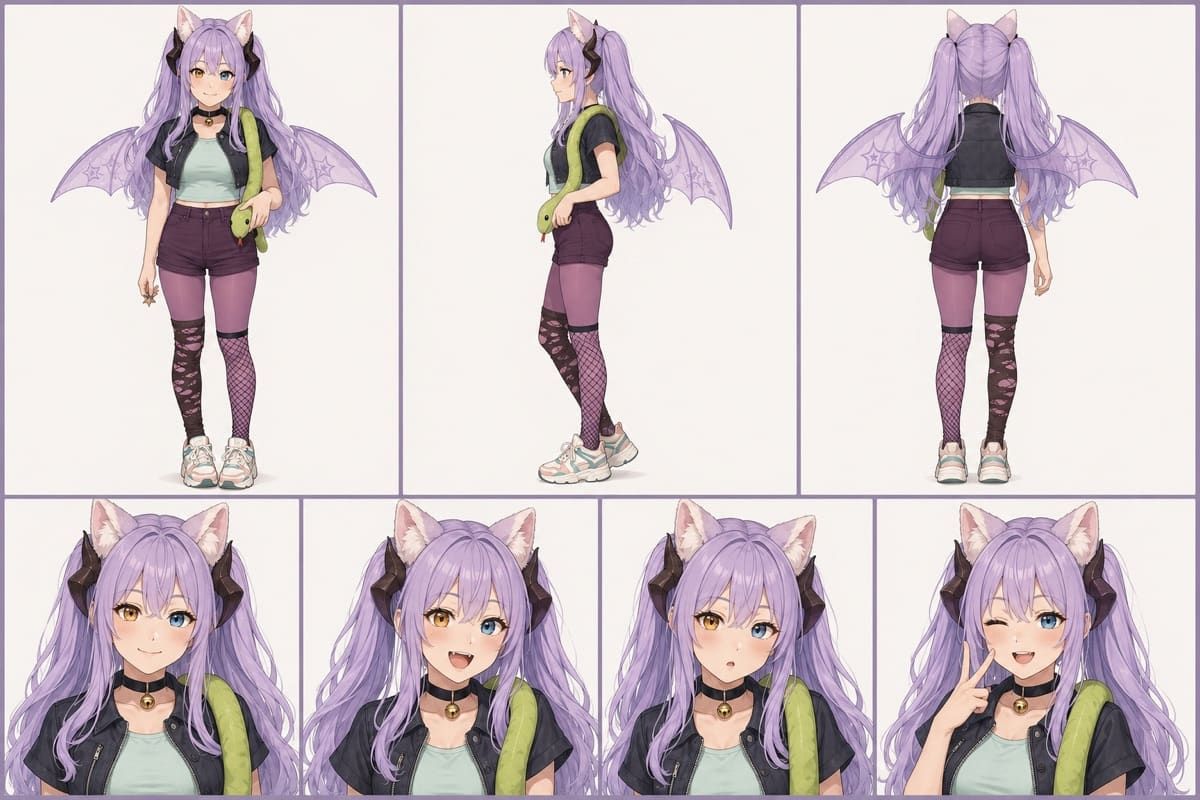
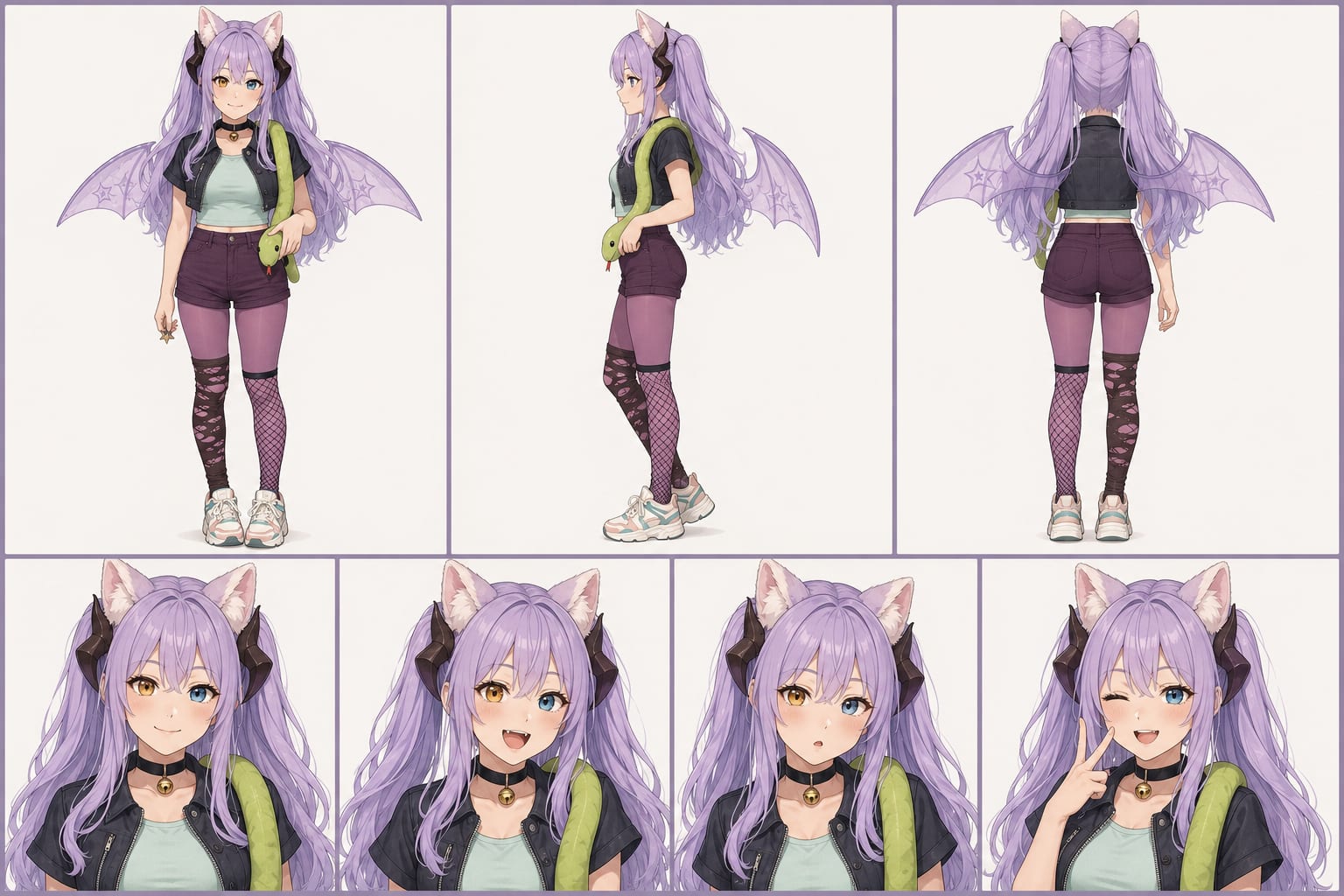
An anime character reference sheet is what keeps a stylized VTuber-style character on-model when a photoreal casting sheet would fight the art style, and Luna is built exactly for that: a six-panel anime turnaround with full-body front, side profile and rear views on top, then calm, smiling and winking peace-sign portraits underneath, all on a clean off-white studio background. Her identity is stacked with the details that normally drift between generations: long pastel-lavender twin tails, large matching cat ears with small black accents, heterochromia eyes (one golden amber, one sky blue), a cropped black jacket over a mint tank, deep-plum shorts, ripped patterned tights and chunky sneakers, large translucent lavender bat wings with star-patterned membranes, and a relaxed pastel-green snake draped over her shoulders in every panel. Rendered in crisp cel-shaded anime with clean linework and pastel color harmony, it is the reference to attach when you want a cute fantasy VTuber or anime OC that stays the same character across a stream overlay, a short or a full video instead of being redrawn every generation.
Mei, Cosplay VTuber
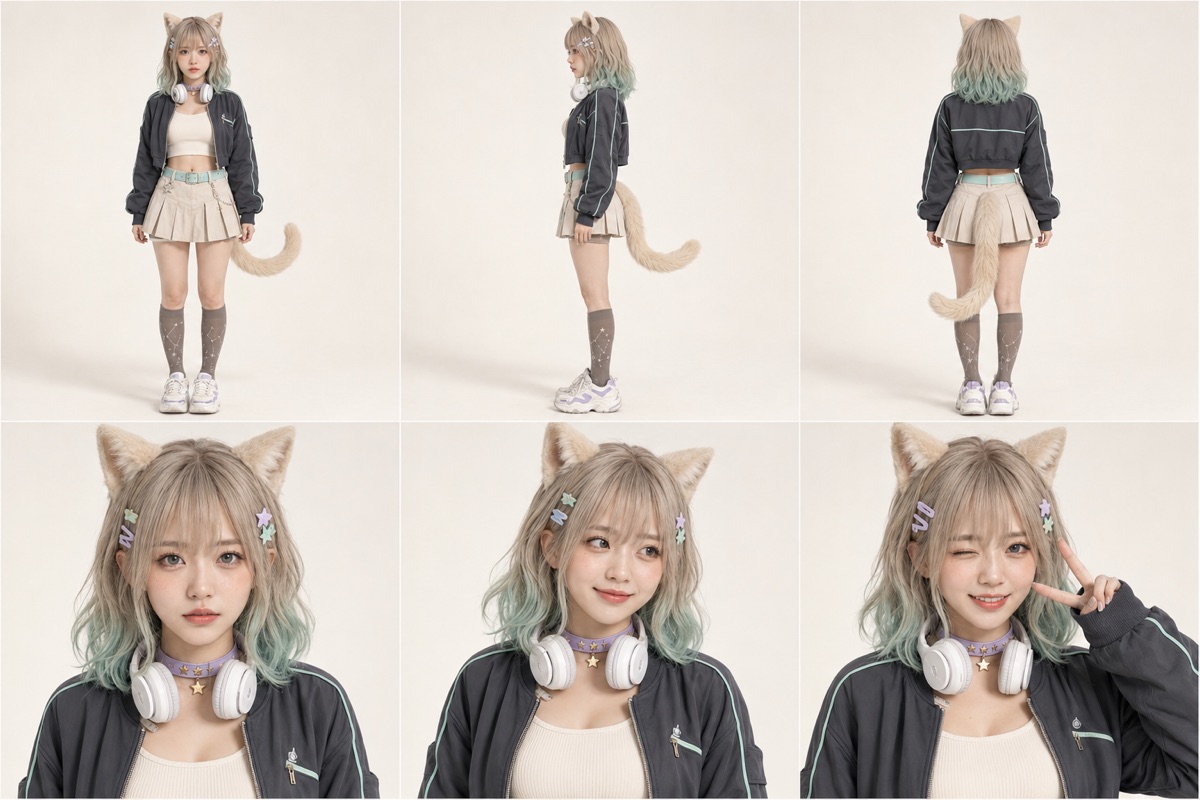
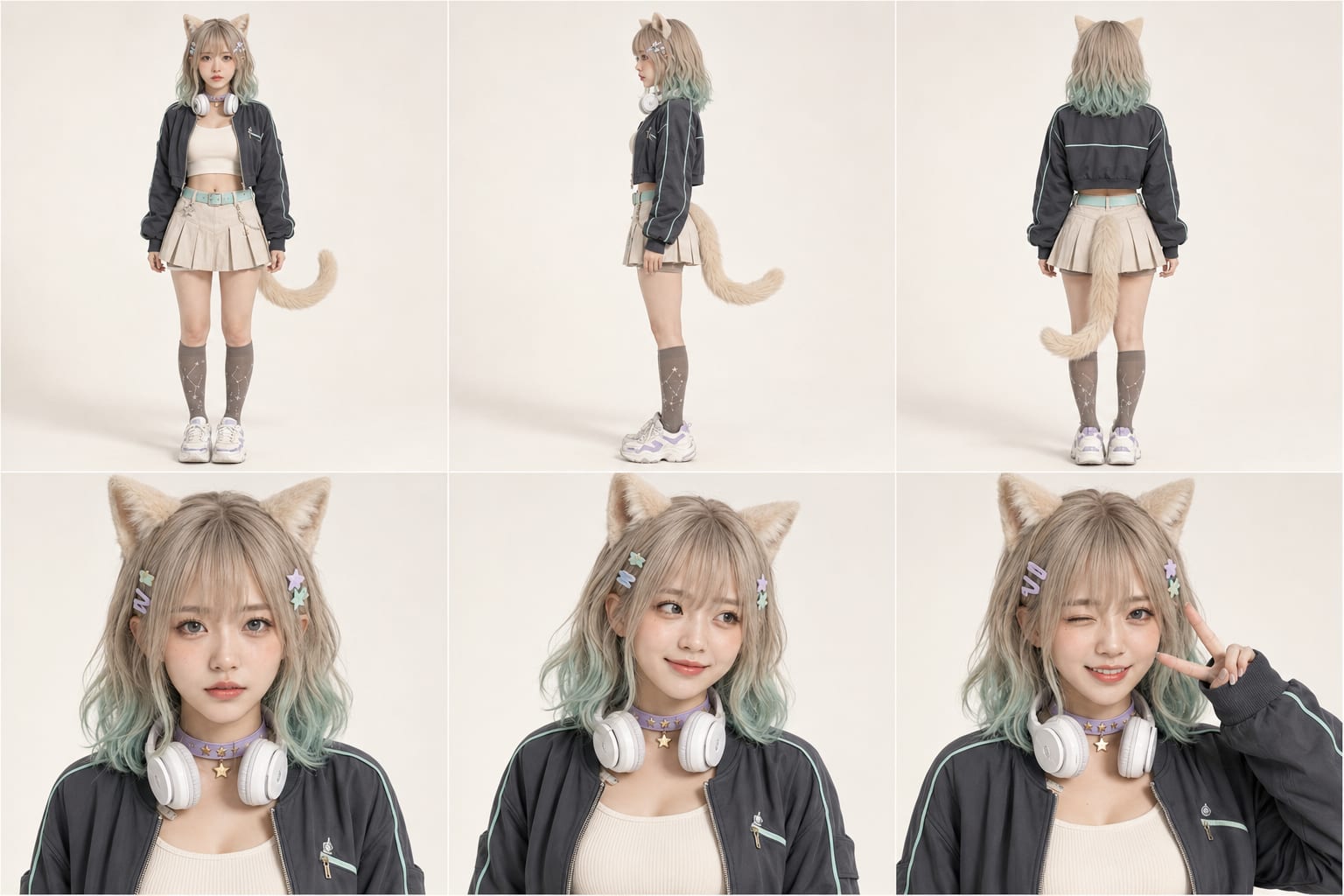
A cosplay character reference sheet has to survive real skin, fabric and lighting, which is where most AI cosplay characters fall apart, and Mei is documented to hold together: a six-panel photoreal turnaround with full-body front, side and rear views on top, then neutral, soft-smiling and winking peace-sign portraits underneath, on a clean off-white studio background in soft daylight. Her look is anchored by fluffy cream cat ears and a matching tail visible in every full-body panel, shoulder-length ash-blonde hair fading into pastel mint-green tips with curtain bangs, pastel star hair clips, white over-ear headphones resting on her neck, a lavender star choker, a cropped charcoal bomber over an ivory ribbed tank, a pleated beige skirt, constellation knee-high socks and chunky white sneakers. Rendered as premium cosplay photography with realistic skin texture, accurate fabric and true-to-life color, it is the reference to attach when you want a believable cosplay VTuber or catgirl streamer persona that stays the same person from a webcam clip to a full studio short.
Women
Nina, Natural Portrait Lead
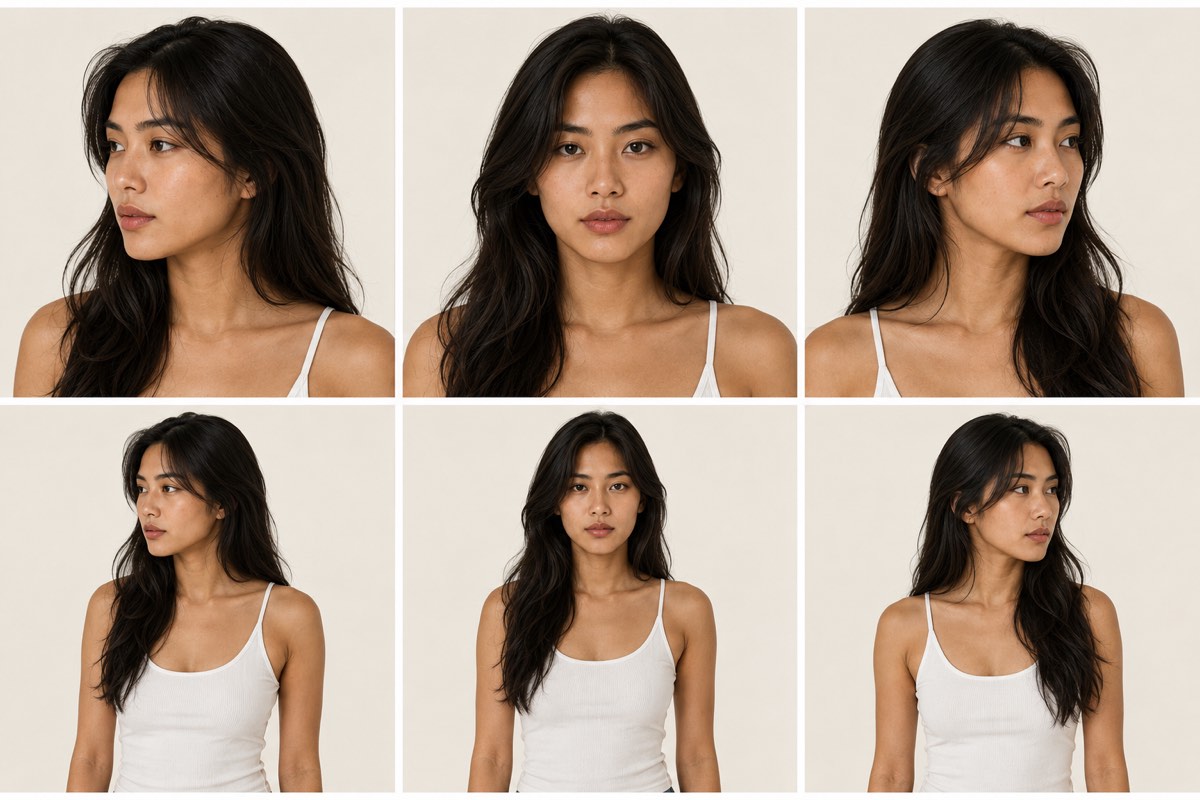
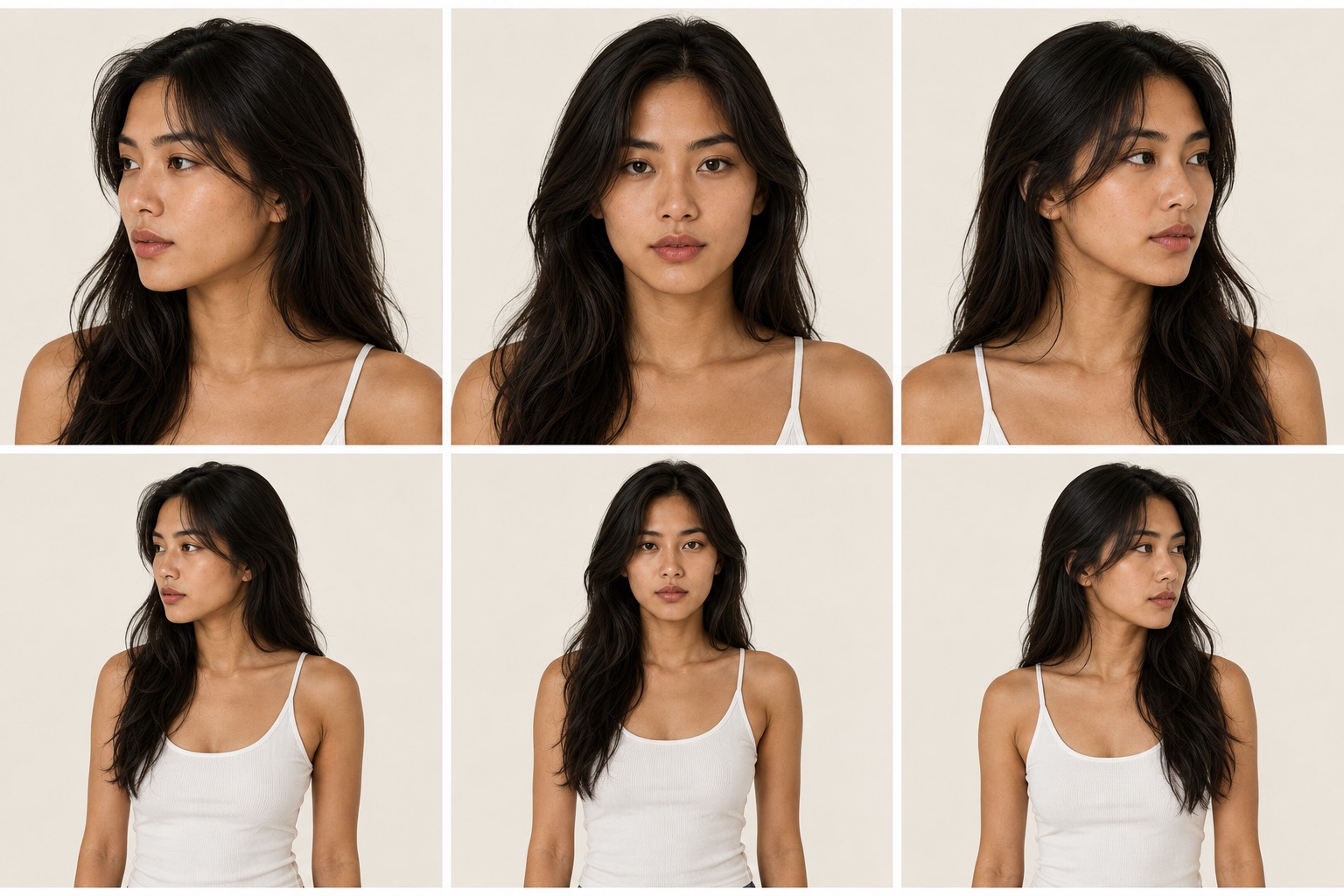
Bare-face beauty is the hardest identity for an AI model to hold, because there is no makeup, no hairstyle and no wardrobe doing the work: change the lighting and it quietly hands you a different woman. Nina's reference sheet exists to pin that down. She is an Asian woman in her mid-20s with a realistic feminine facial structure, warm light-medium skin with visible pores and fine facial texture, dark brown almond-shaped eyes, soft natural eyebrows, full natural lips and long thick dark brown-to-black hair with a natural middle-to-soft-side part, loose flowing waves and individual strands framing the face, shown across six panels on a plain warm off-white background: three-quarter left, straight-on and three-quarter right face close-ups on the top row, then the same three angles waist-up in a simple fitted white ribbed tank top. The whole sheet is deliberately unstyled, no makeup, no jewelry, no props, so the anchors are the face and hair themselves. That is what you attach when you need a skincare demo, a bare-face UGC testimonial and a lifestyle b-roll clip to show the same woman rather than three different models.
Yuna, Studio Portrait Lead
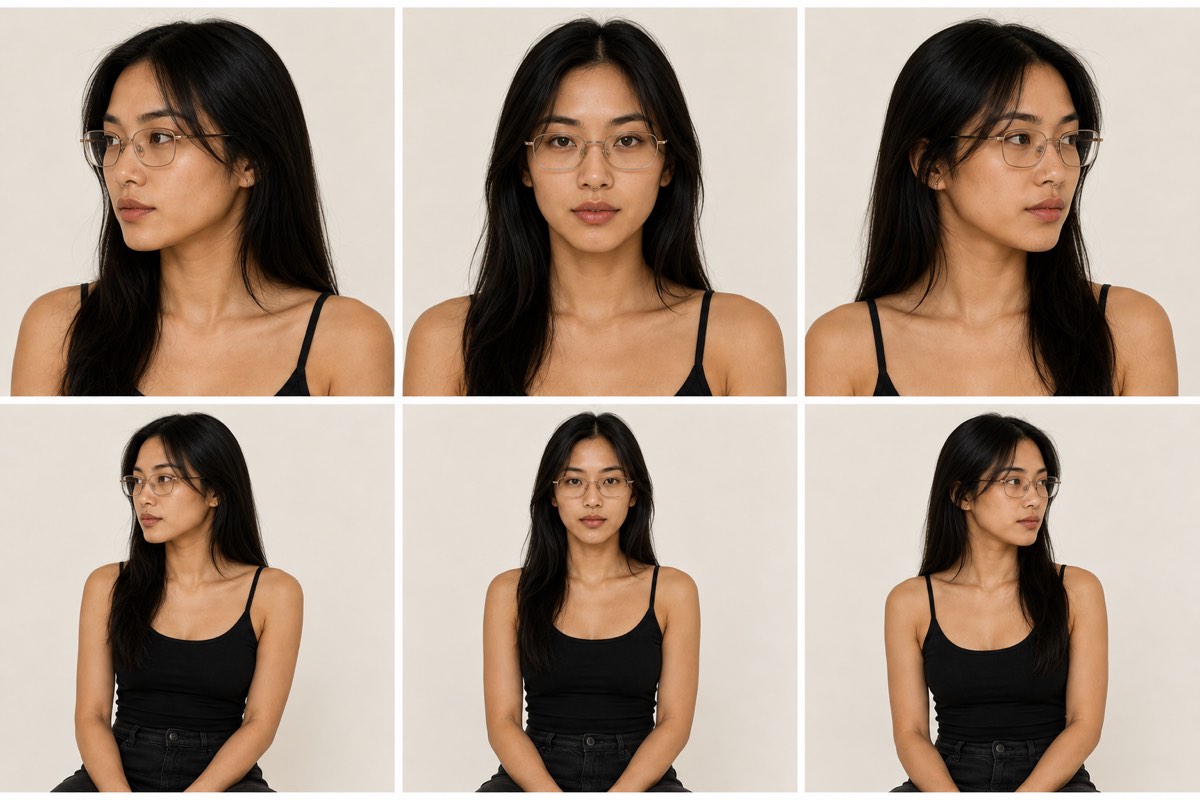
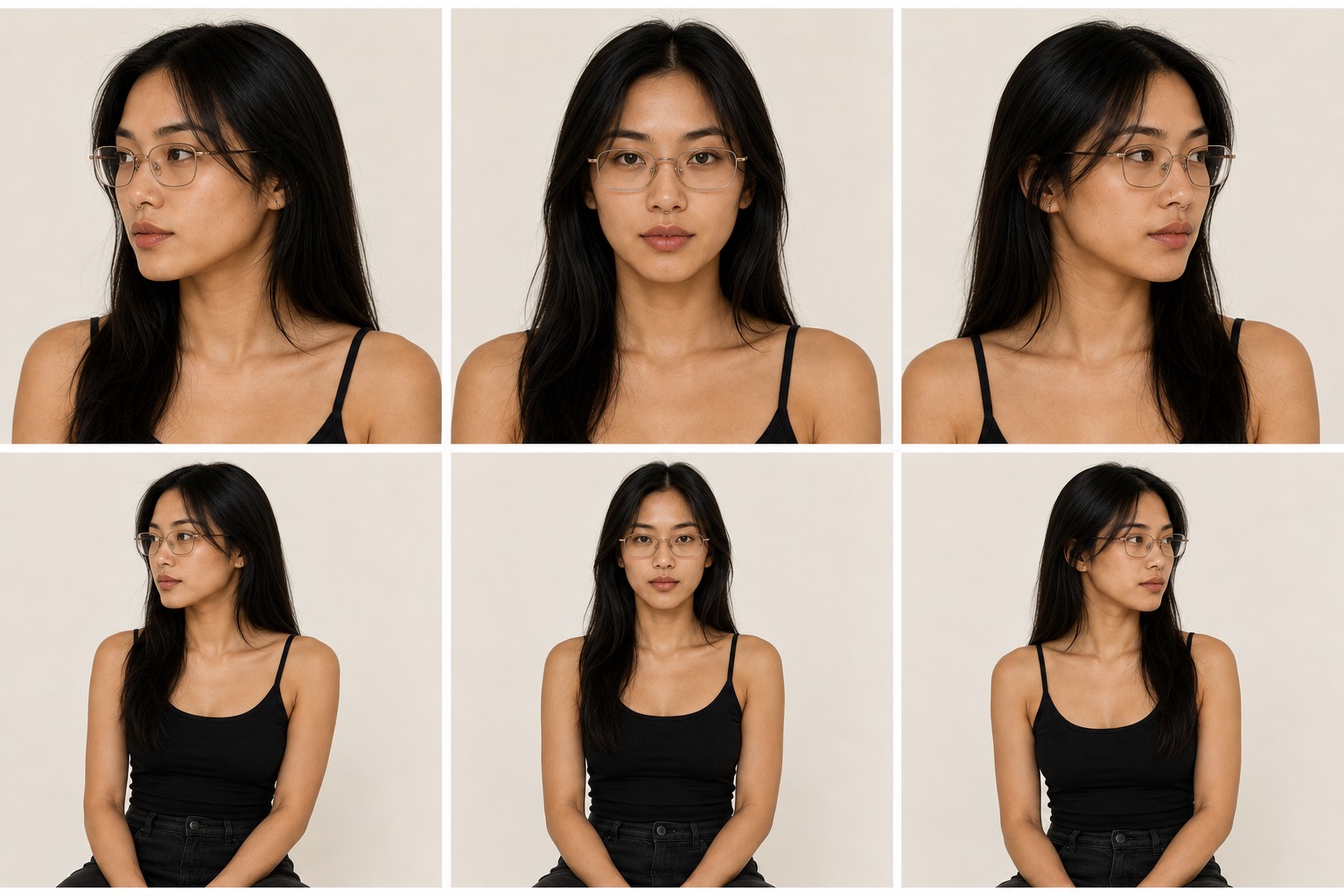
Fine details are the first thing an AI model loses: thin wire glasses turn thick, a small nose ring disappears, and a straight center part quietly becomes a side part. Yuna's reference sheet is built around exactly those fragile anchors. She is an Asian woman in her mid-to-late twenties with warm light-medium skin and realistic pores, a softly defined jawline, dark brown almond-shaped eyes, natural full lips, a small subtle nose ring, thin gold and champagne-metal rectangular eyeglasses with clear lenses, and straight medium-to-long black hair with a center part falling around her shoulders with a few loose face-framing strands, shown across six panels on a plain warm off-white background: three-quarter left, straight-on and three-quarter right face close-ups on the top row, then the same three angles seated in a simple fitted black spaghetti-strap tank top. Because the wardrobe is deliberately minimal, the sheet forces the model to carry the face, the frames and the piercing instead of leaning on a costume, which is what a recurring on-camera host, a quiet-luxury brand face or a studio talking-head series needs to stay one consistent person.
Greta, Retro Sportswear Lead
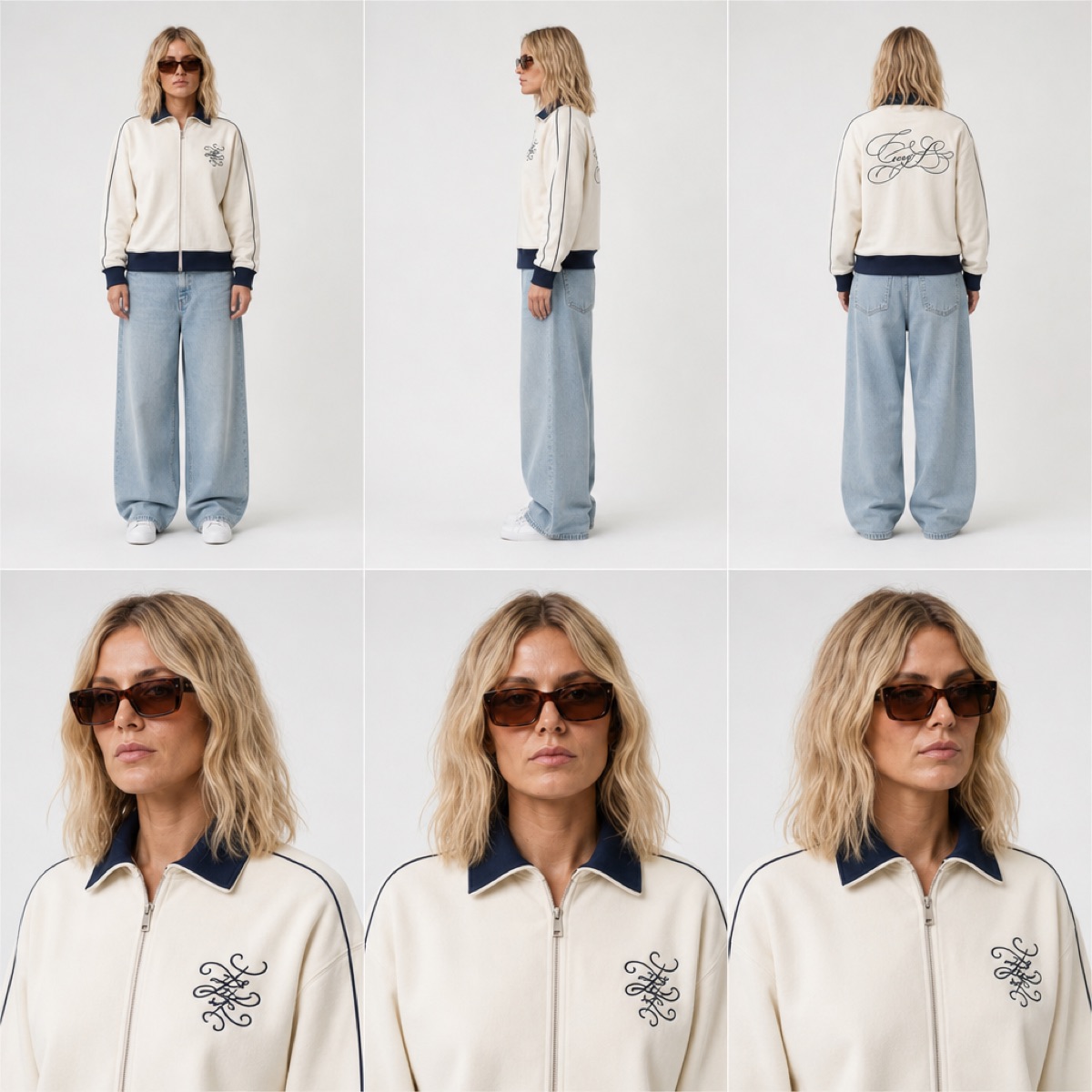
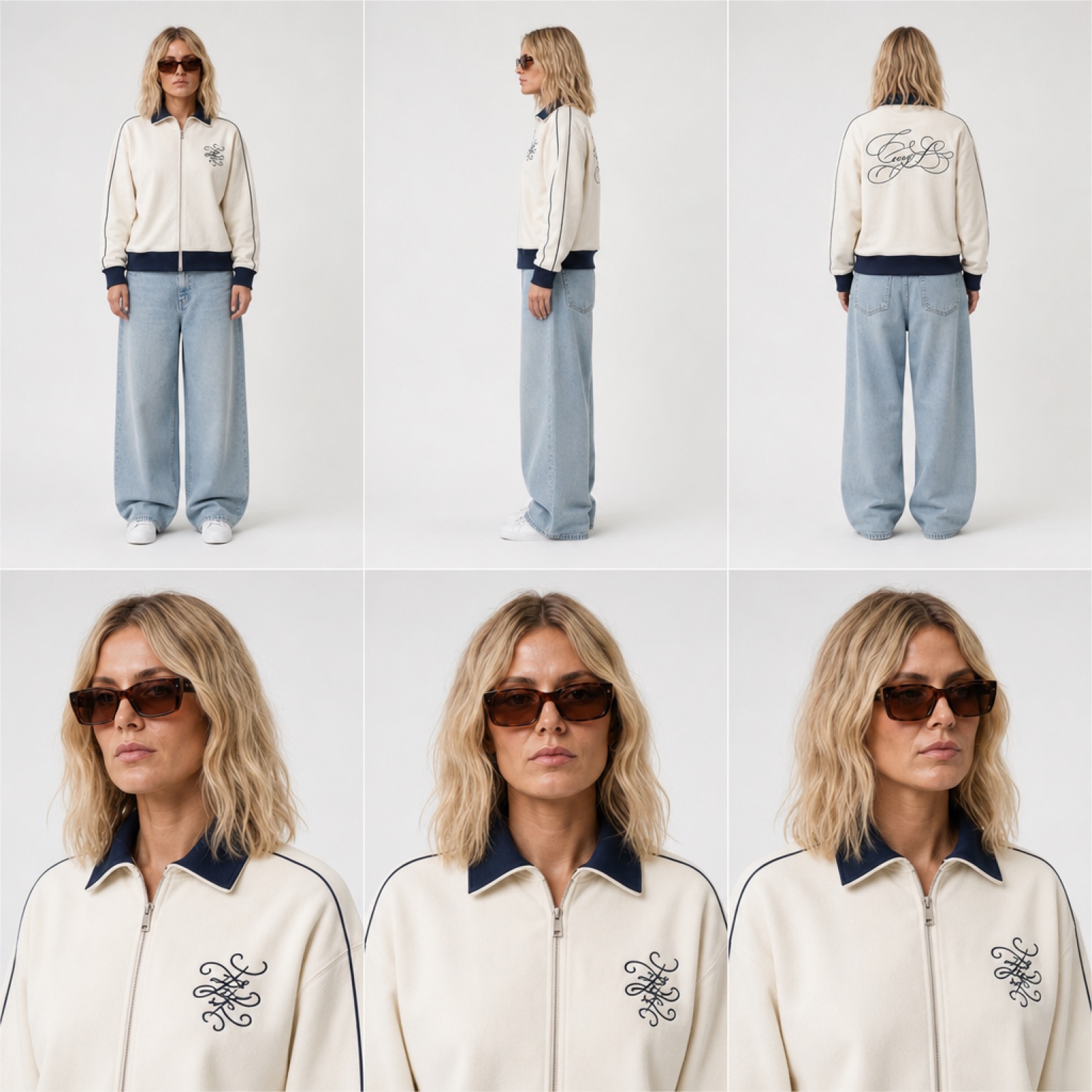
Retro sportswear is a wardrobe-led look, which is exactly where AI character consistency falls apart: the model holds the face but quietly redraws the piping, the collar and the chest embroidery every generation, and suddenly it is a different jacket on a different woman. Greta's sheet pins both. She is a white woman in her early thirties with fair skin, a soft oval face, light freckling and shoulder-length wavy blonde hair with darker roots and a loose center part, wearing brown tortoiseshell rectangular sunglasses, documented across six panels on a seamless light gray studio background: full-body front, right-side profile and rear views on the top row, then three head-and-shoulders close-ups underneath. The outfit is specified as tightly as the face, an ivory zip-up track jacket with a navy ribbed collar, navy ribbed cuffs and hem, thin navy piping running down each shoulder and sleeve, a small navy embroidered ornamental monogram on the left chest and a larger navy embroidered script emblem across the back, worn with baggy light-wash wide-leg jeans and plain white low-profile sneakers. That combination of full turnaround plus front and back garment detail is what lets her stay one model in one outfit from a static lookbook frame to a walking clip, which is what retro sportswear, athleisure and vintage-fashion content actually needs.
Bianca, All-Black Streetwear Lead
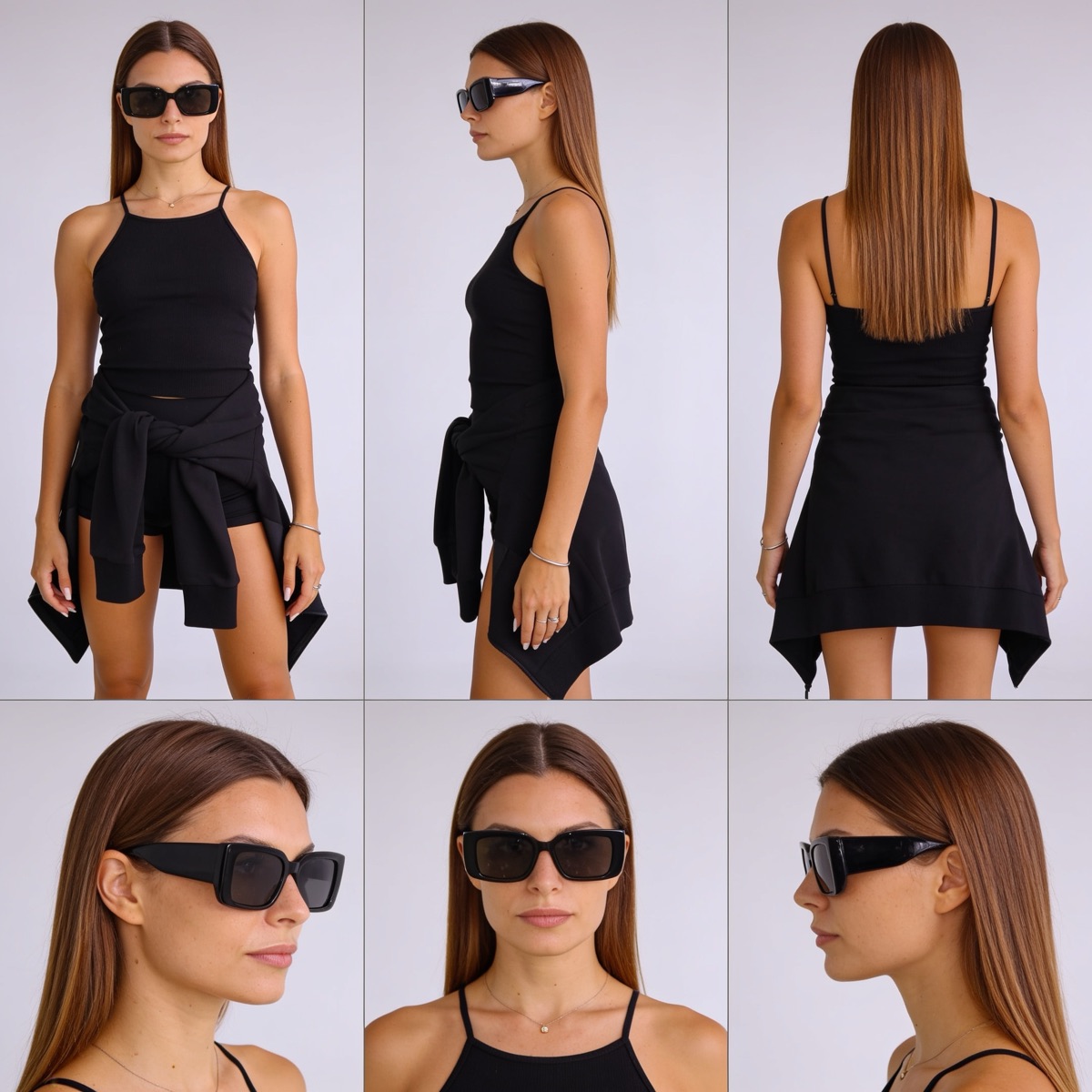
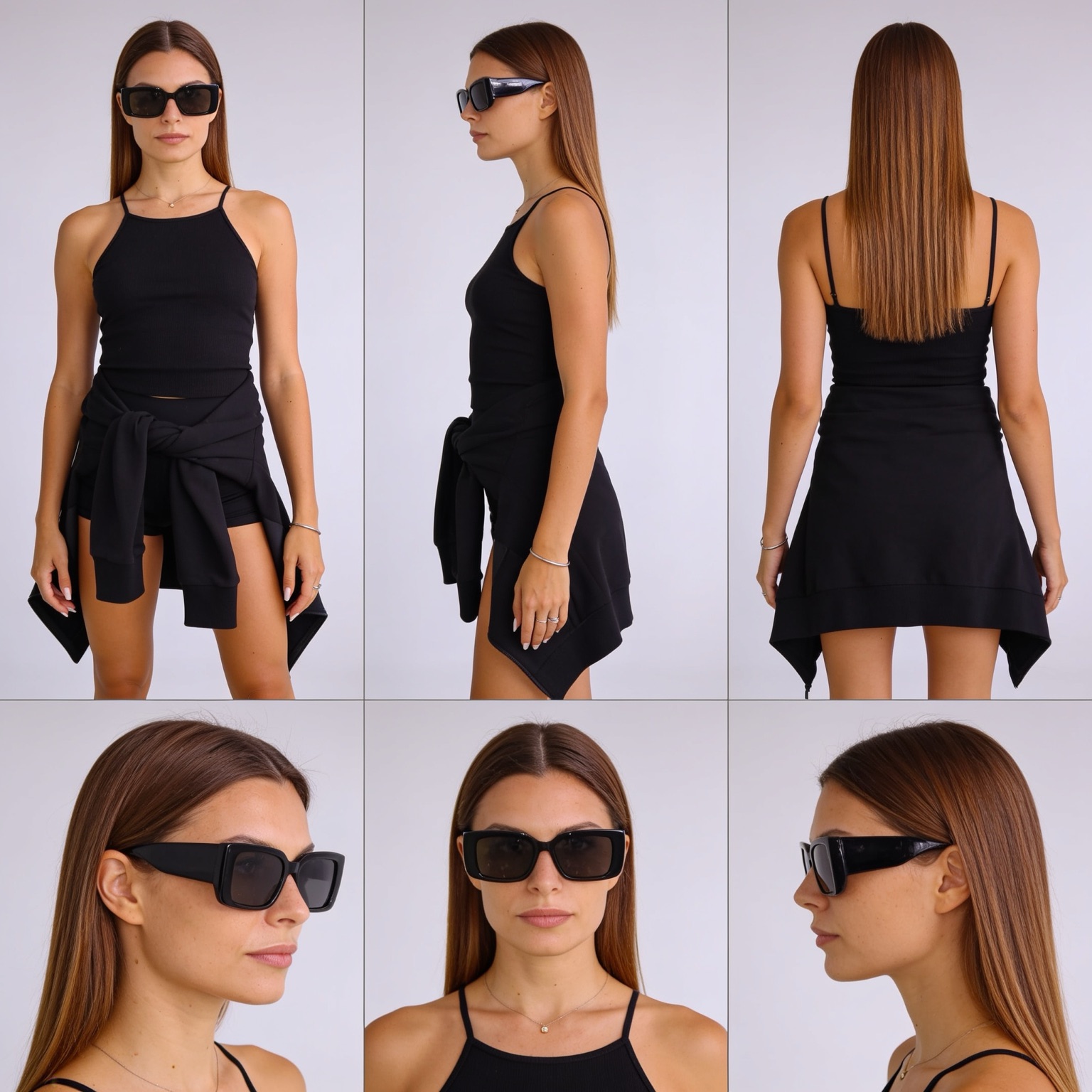
An all-black outfit is the worst case for AI character consistency, because black absorbs the detail the model normally uses to keep a garment stable: the hem shape drifts, the tied sleeves vanish and the silhouette quietly changes every generation. Bianca's sheet is built against exactly that. She is a light-skinned woman in her mid-twenties with a slim build, an oval face, defined brows and full neutral lips, with very long straight glossy caramel-brown hair parted at the center and falling well past her chest, wearing chunky black rectangular sunglasses, documented across six panels on a seamless light gray studio background: front, three-quarter and rear body views on the top row, then a three-quarter left, straight-on and right profile head close-up underneath. Every black layer is named separately so the model cannot merge them, a fitted black ribbed halter tank with thin straps, a black asymmetric handkerchief-hem mini skirt over black shorts, and a black sweatshirt tied at the waist with its sleeves knotted at the front and the body hanging to one side, finished with a fine gold chain necklace, a thin silver bangle and pale manicured nails. That is the reference to attach when you need an off-duty, streetwear or night-out character who stays one person in one outfit across a static frame, a walking clip and a talking shot.
Hana, Travel Creator
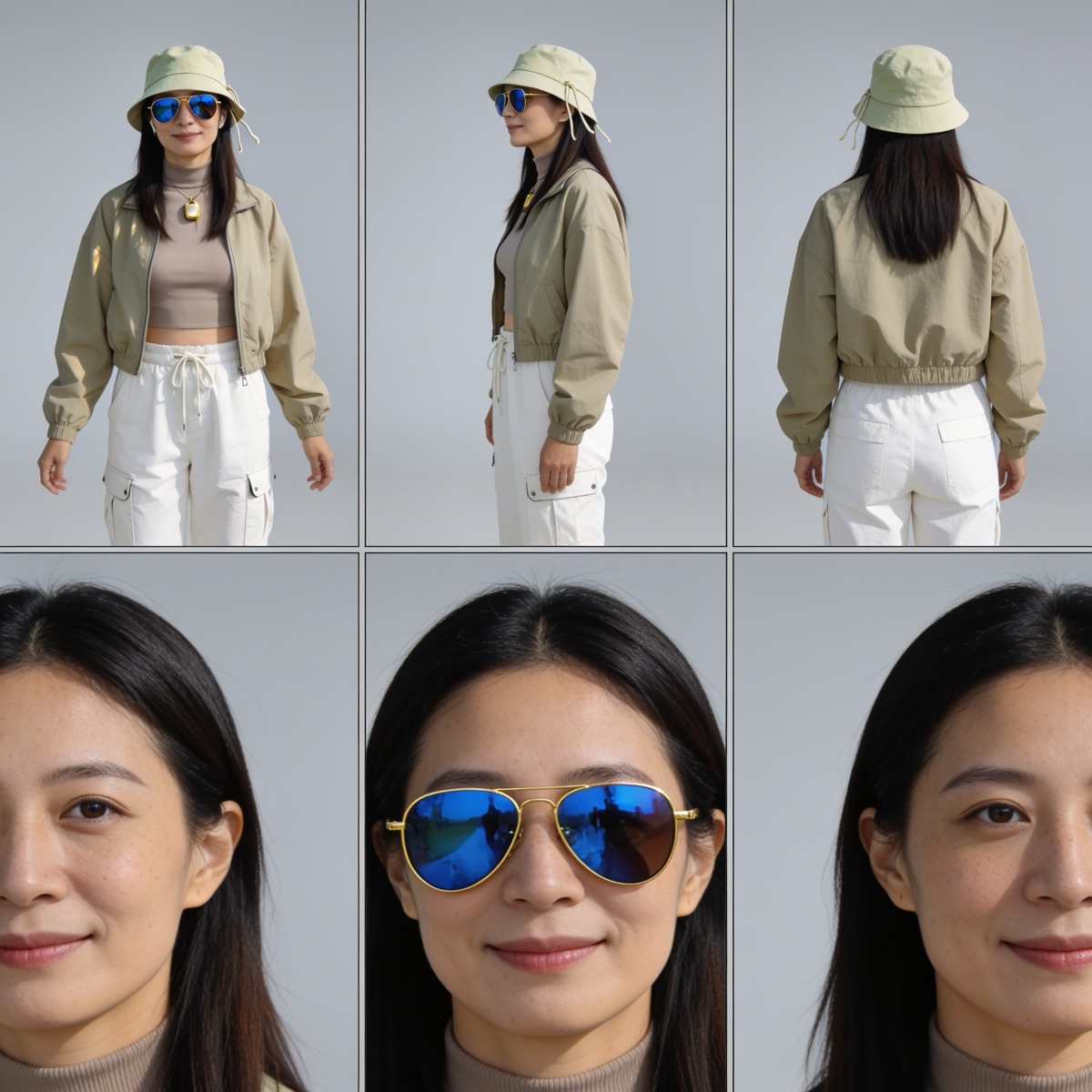
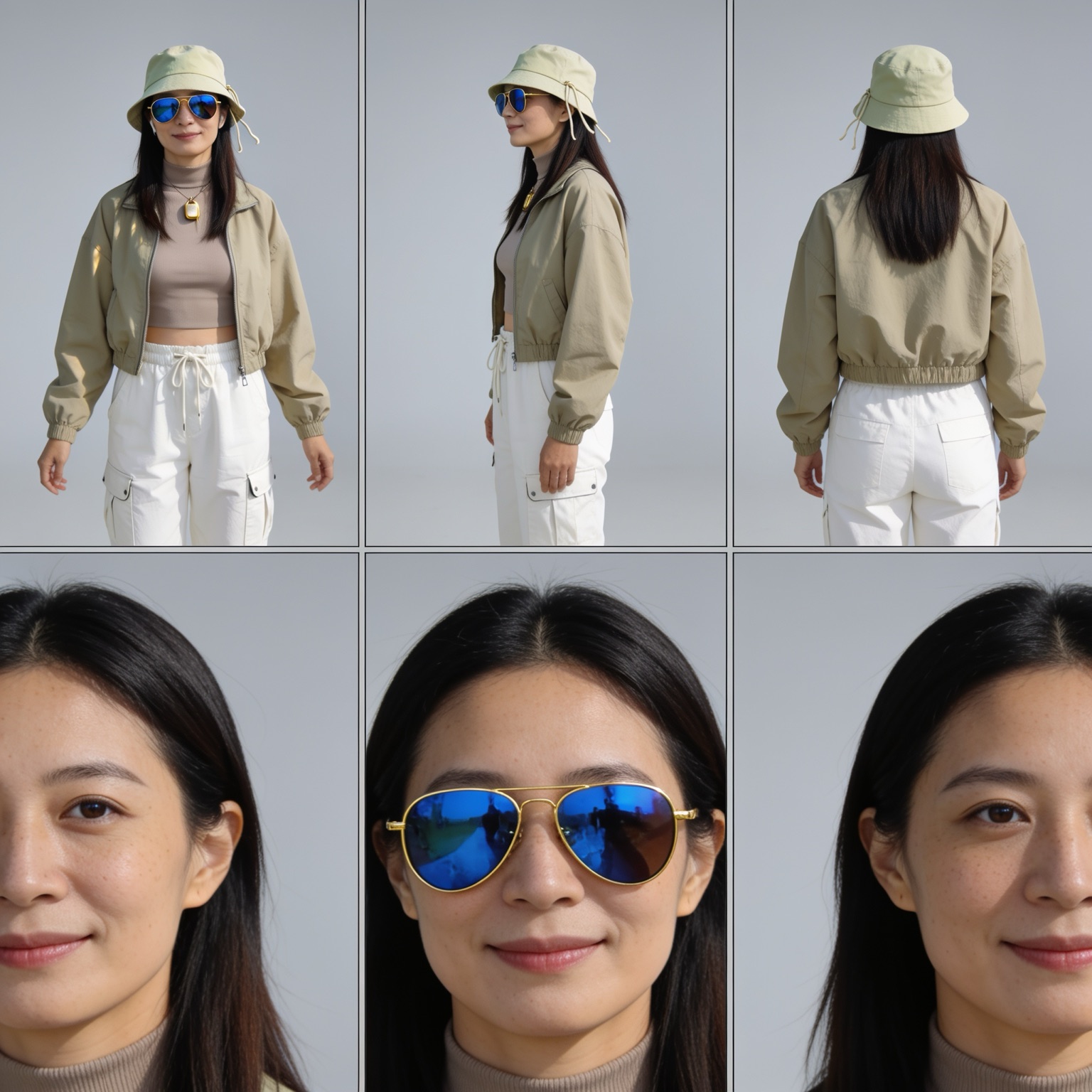
Sunglasses and a hat are the two accessories most likely to break an AI character, because between them they hide the hairline, the brow and the eyes, which is exactly what the model uses to rebuild a face. Take them off in one shot and it hands you a stranger. Hana's sheet solves that by showing both states. She is an East Asian woman in her thirties with warm light skin, faint freckles across her cheeks, dark brown eyes, a soft closed-mouth smile and straight black shoulder-length hair, documented across six panels on a seamless light gray studio background: full-body front, three-quarter and rear views on the top row, then a three-quarter left face close-up with the sunglasses off, a straight-on close-up wearing them, and a three-quarter right close-up with them off again. The outfit is pinned just as tightly, a pale sage bucket hat with a chin drawstring, gold-framed blue mirrored aviator sunglasses, a taupe ribbed high-neck crop top, a cropped khaki zip windbreaker with an elasticated hem and cuffs, white cargo trousers with a drawstring waist, and a slim gold chain with a small rectangular pendant. That is the reference to attach when a travel, hiking, outdoor or city-break character has to stay one identifiable woman whether her eyes are covered or not.
Camila, Everyday Basics Model
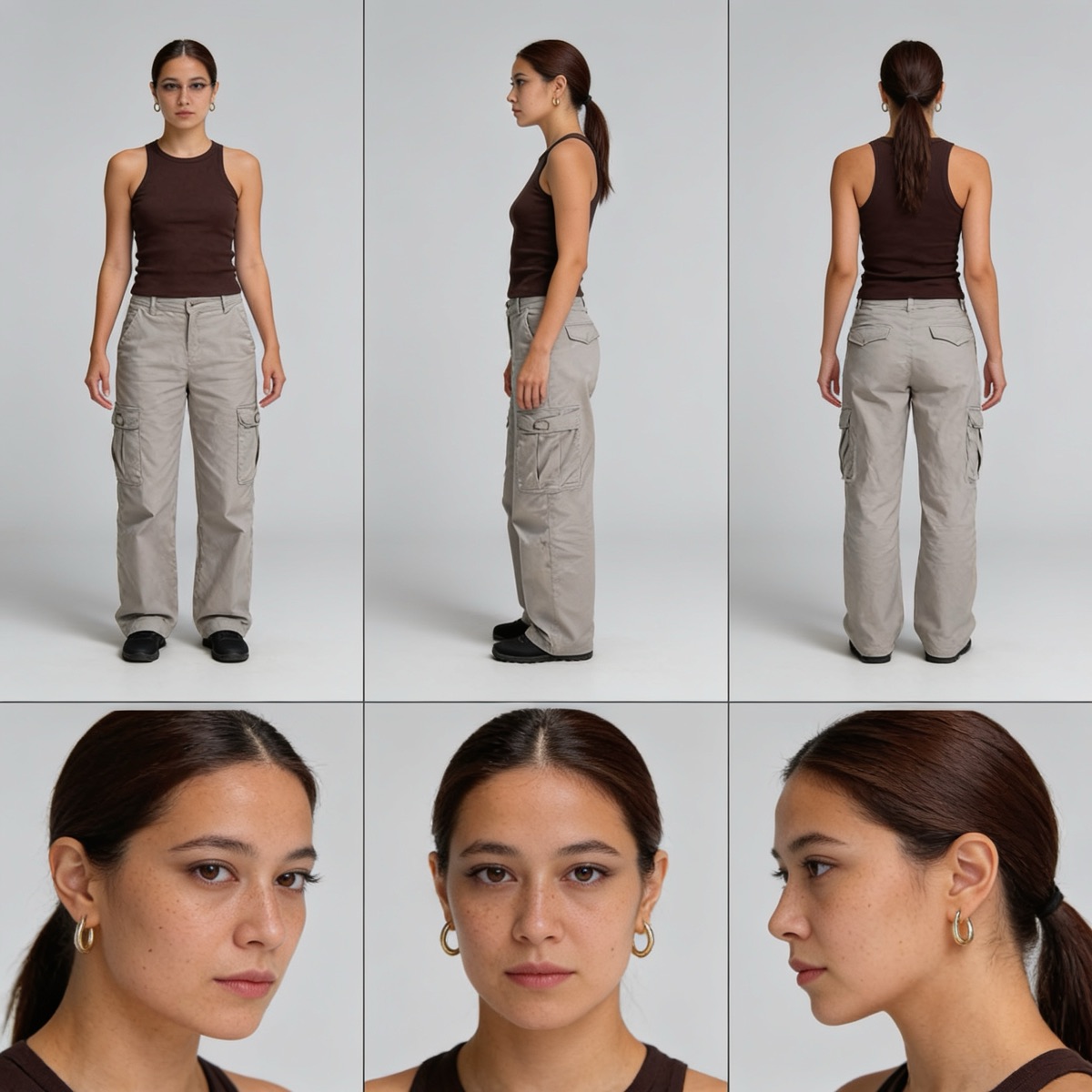
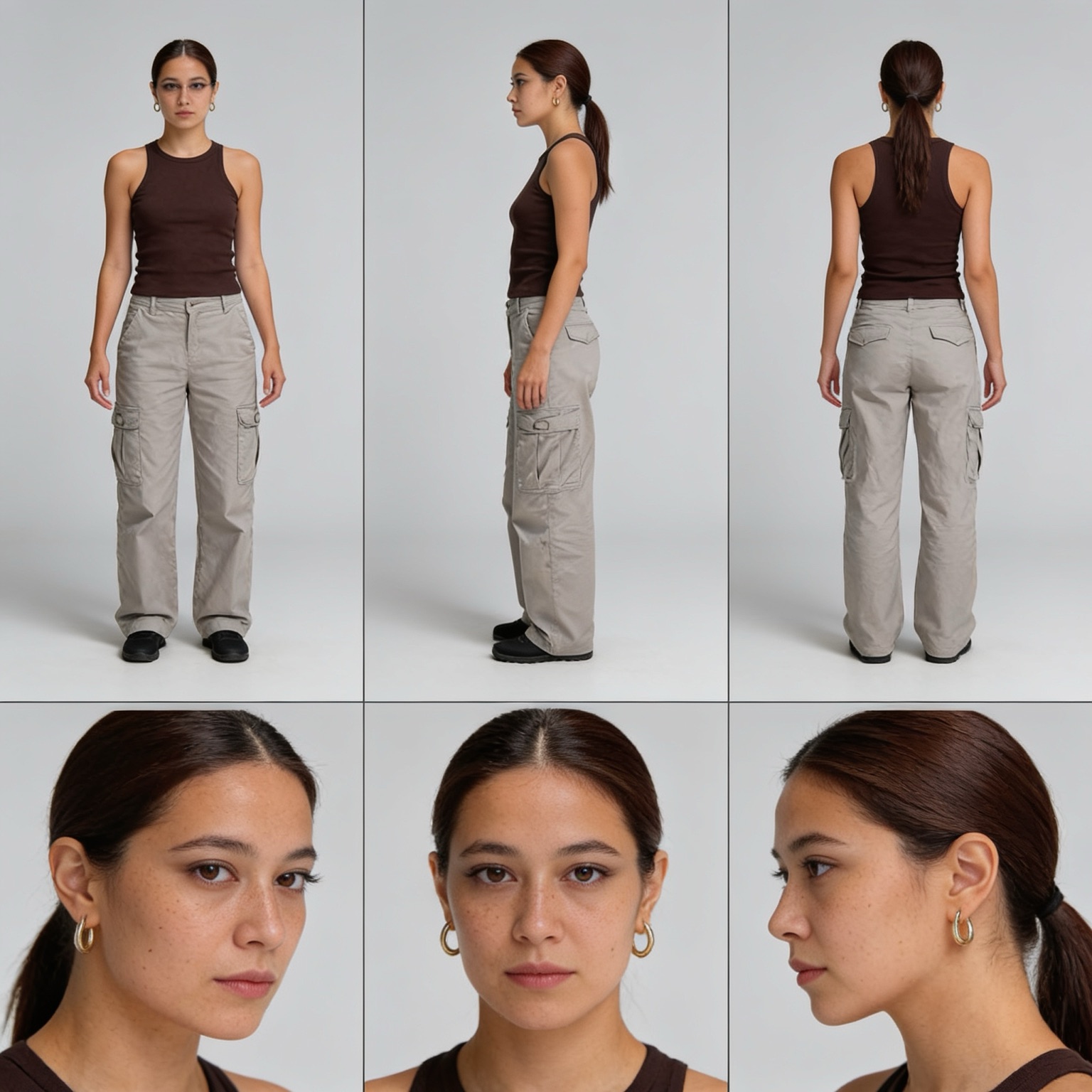
E-commerce and catalogue work is the strictest test of an AI character sheet, because the clothes are deliberately plain and the model has nothing dramatic to hold on to: swap the angle and the face resets, the ponytail loosens and the trousers change cut. Camila's sheet is designed for exactly that job. She is a Latina woman in her mid-twenties with a slim build, warm medium olive skin, natural freckling across her cheeks and nose, dark brown almond eyes, softly defined brows and neutral lips, with dark brown hair pulled back into a sleek low ponytail, documented across six panels on a seamless light gray studio background: full-body front, left-side profile and rear views on the top row, then a three-quarter left, straight-on and right profile face close-up underneath. The wardrobe is deliberately minimal and precisely specified, a fitted dark chocolate-brown ribbed racerback tank, greige wide-leg cargo trousers with flap side pockets, black slip-on shoes and small thick gold hoop earrings, with no makeup beyond a natural finish. That is the reference to attach when a product page, a basics lookbook and a fitting-room clip all need the same model, or when you need a neutral base character to dress in something else entirely.
Alma, Monochrome Minimal Lead
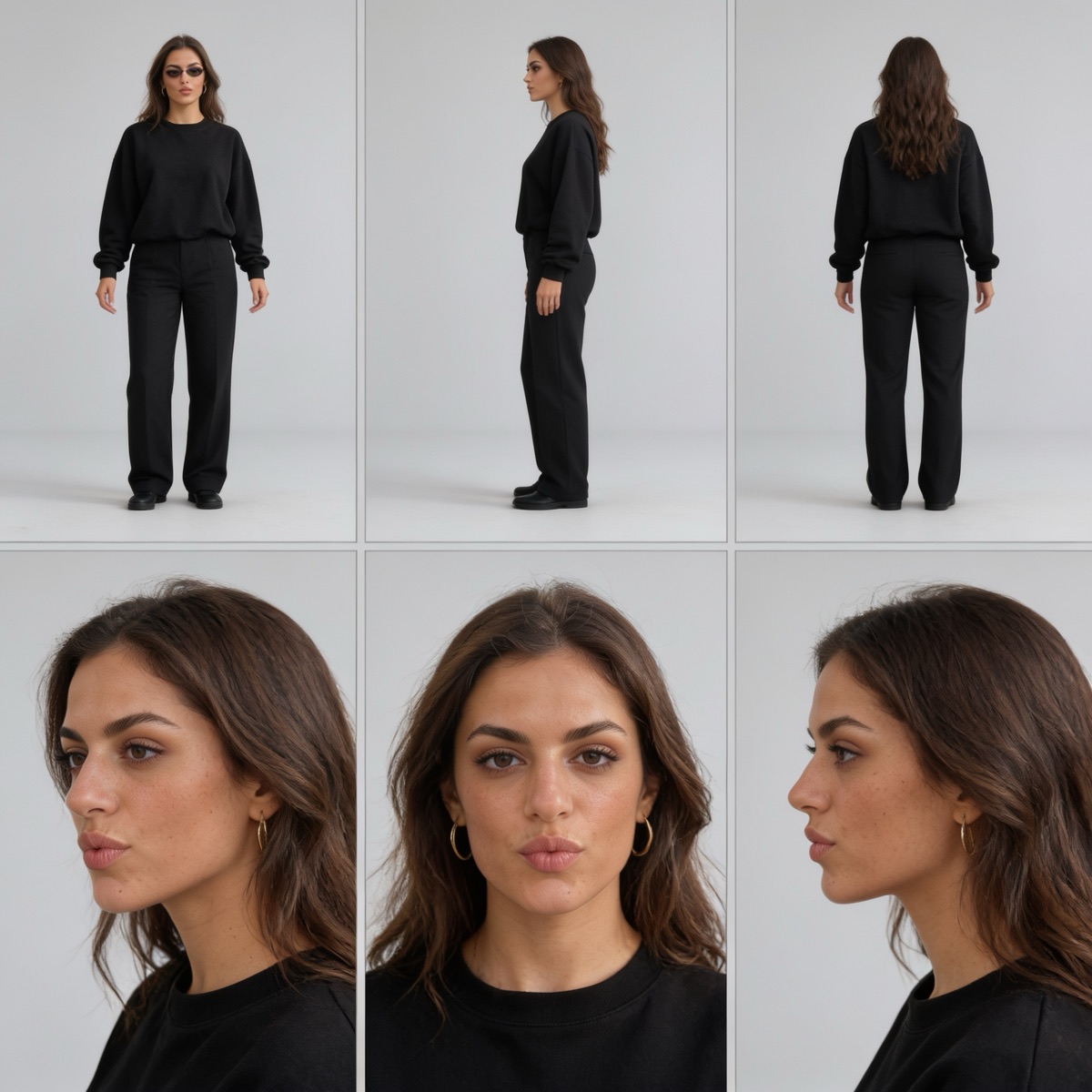
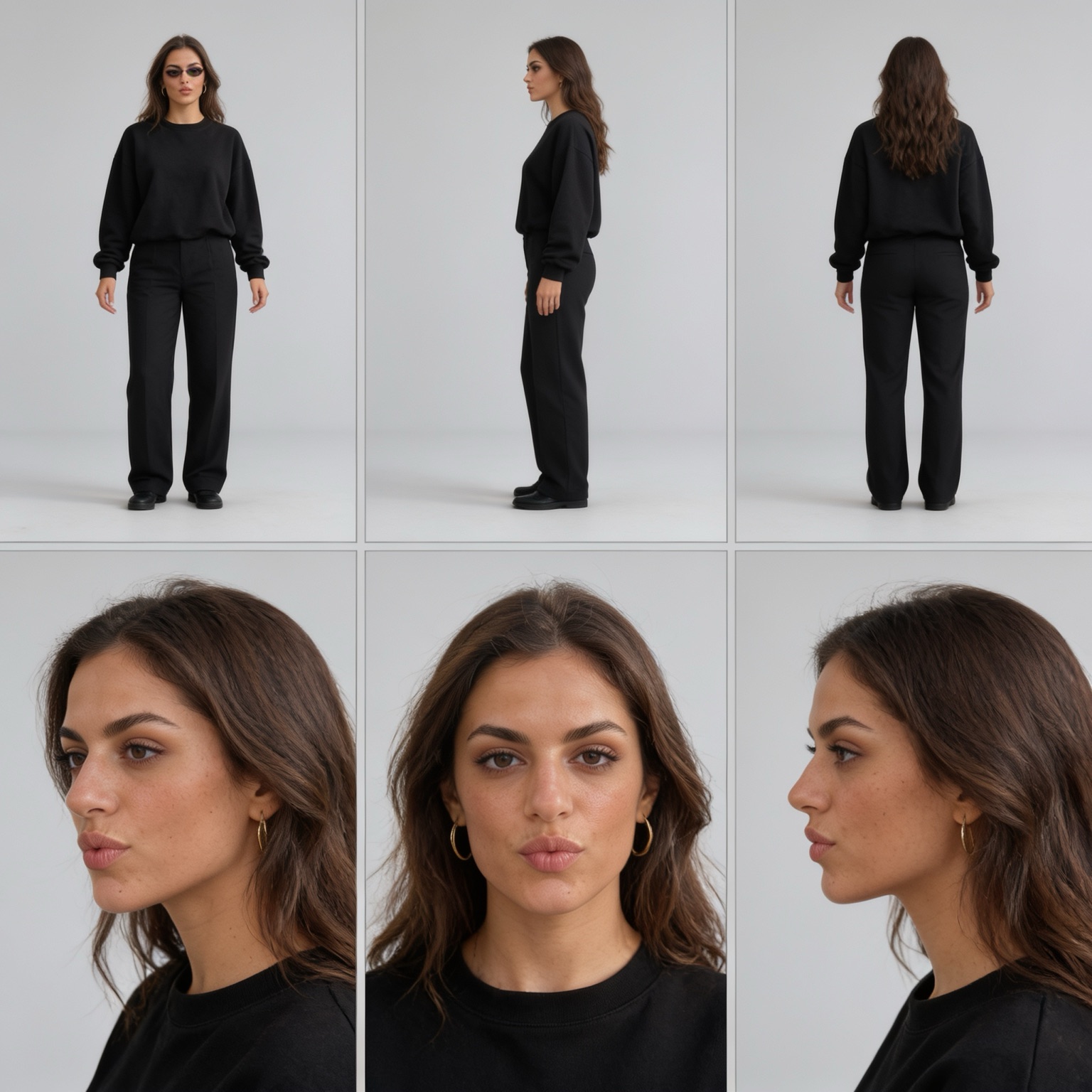
Minimal styling is the honest test of an AI character reference, because when the outfit is a plain black sweatshirt and plain black trousers there is nothing for the model to hide behind: if the face is not pinned, every generation gives you a different woman in the same clothes. Alma's sheet is built for that. She is a Mediterranean woman in her late twenties with a slim build, warm olive skin, a strong straight nose, thick softly arched dark brows, hooded hazel-brown eyes and notably full lips, with long wavy dark brown hair with lighter sun-lifted lengths falling past her shoulders, documented across six panels on a seamless light gray studio background: full-body front, left-side profile and rear views on the top row wearing small black oval sunglasses, then a three-quarter left, straight-on and right profile face close-up underneath with the sunglasses off. The wardrobe stays deliberately quiet, an oversized black crewneck sweatshirt with dropped shoulders and ribbed cuffs, black wide-leg tailored trousers with a pressed front crease, black chunky loafers and thick gold hoop earrings. That is the reference to attach when a minimal, editorial or monochrome character has to stay one recognisable woman across a still, a walking clip and a talking shot.
Iris, Modern Lead
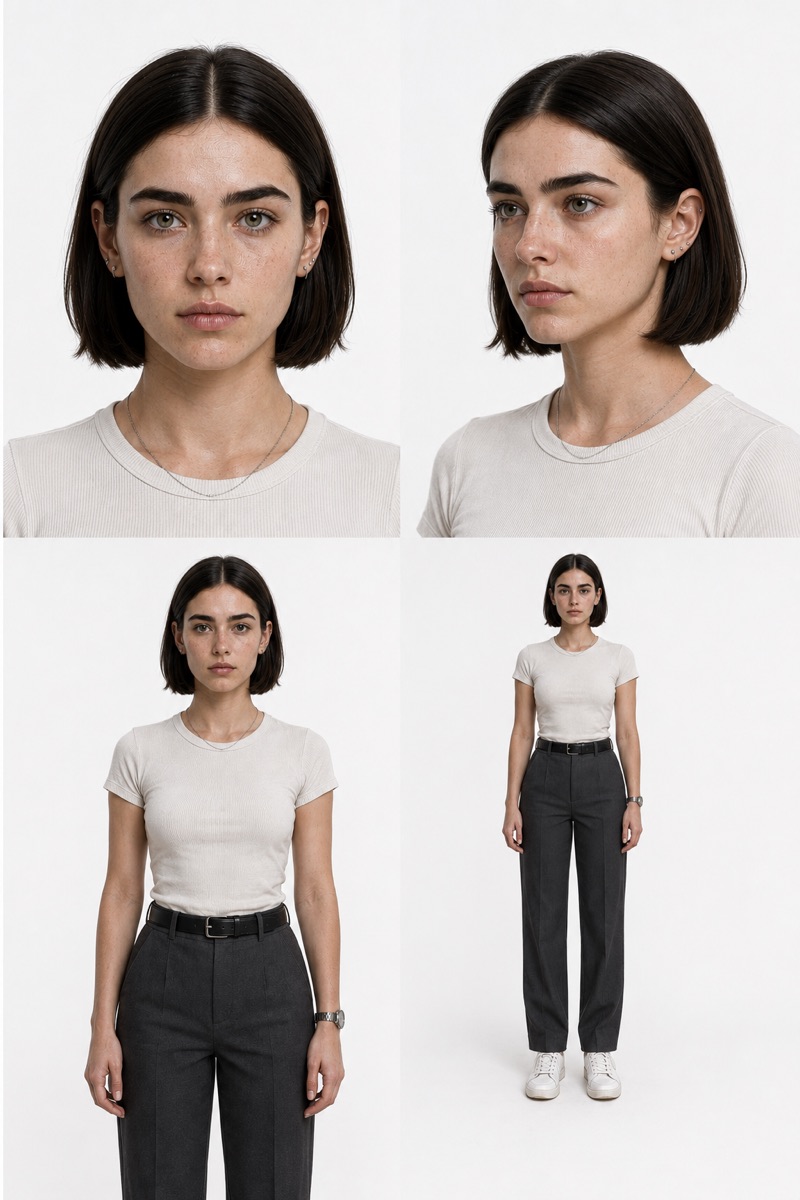
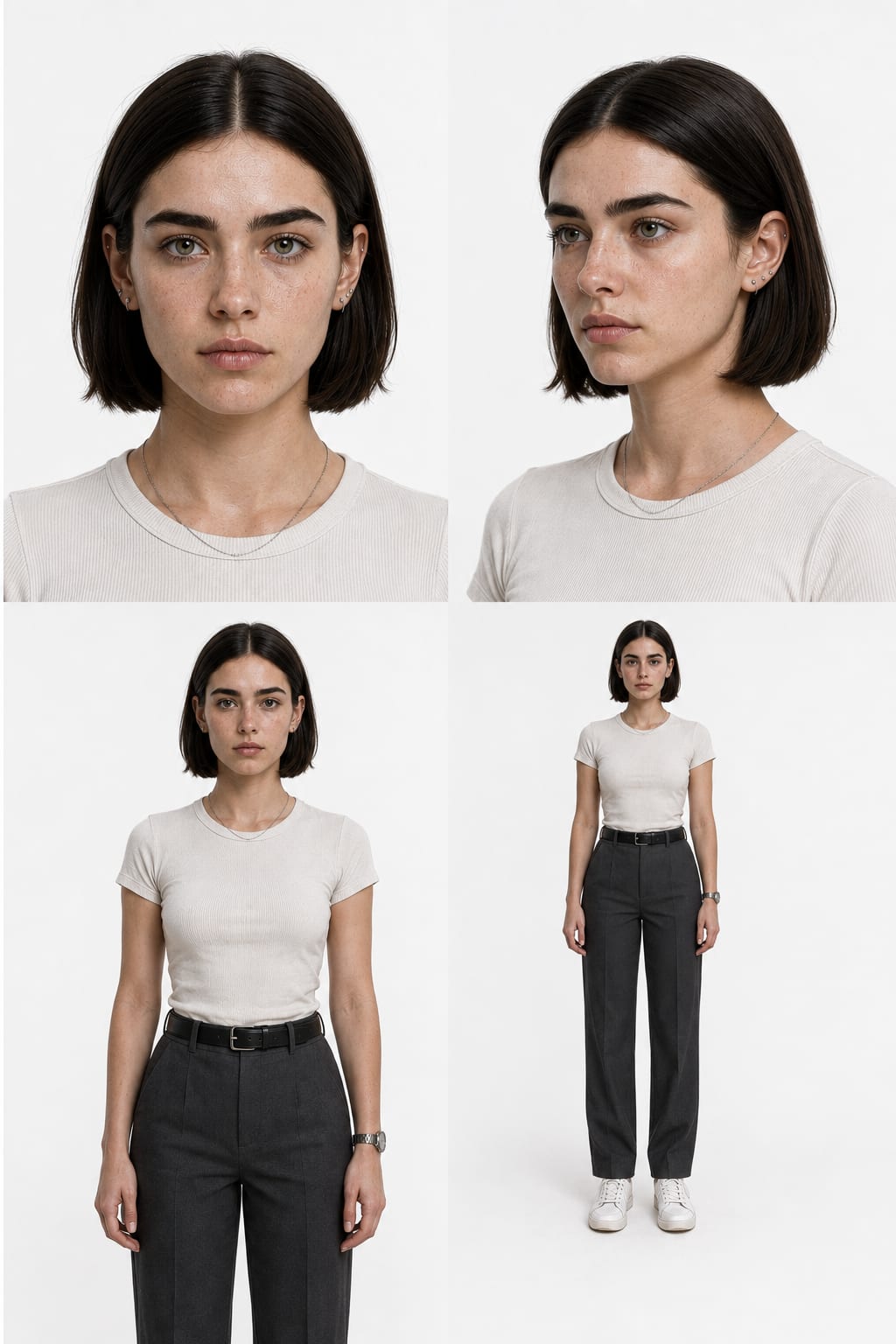
A female character reference sheet only works if the face survives every angle, and Iris is built to prove it. She is a 24-year-old woman with an editorial rather than glamorous look: a softly oval face, thick straight dark brows, muted gray-green eyes and a sleek center-parted espresso bob that curves in at the jaw. Her sheet lays out four aligned casting views, a straight-on headshot, a 45-degree portrait, a waist-up reference and a full-body A-pose in an off-white ribbed tee, charcoal straight-leg trousers and white sneakers, all on seamless white with soft even light. The skin is deliberately real, visible pores, faint freckles across the nose, subtle redness and natural under-eye tone, so she reads as a genuine person, not an airbrushed render. That restraint is also what makes her flexible: with no loud wardrobe or props baked in, she restyles cleanly while the four views keep her identity pinned.
Sofia, Resort Lifestyle Creator
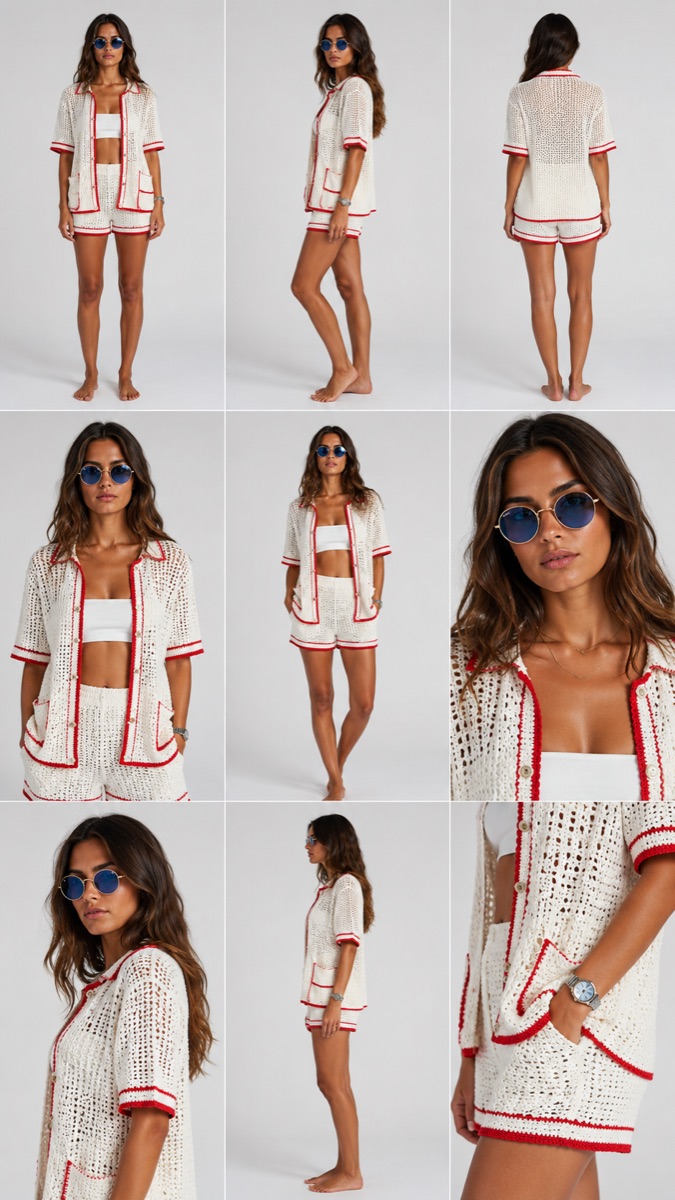
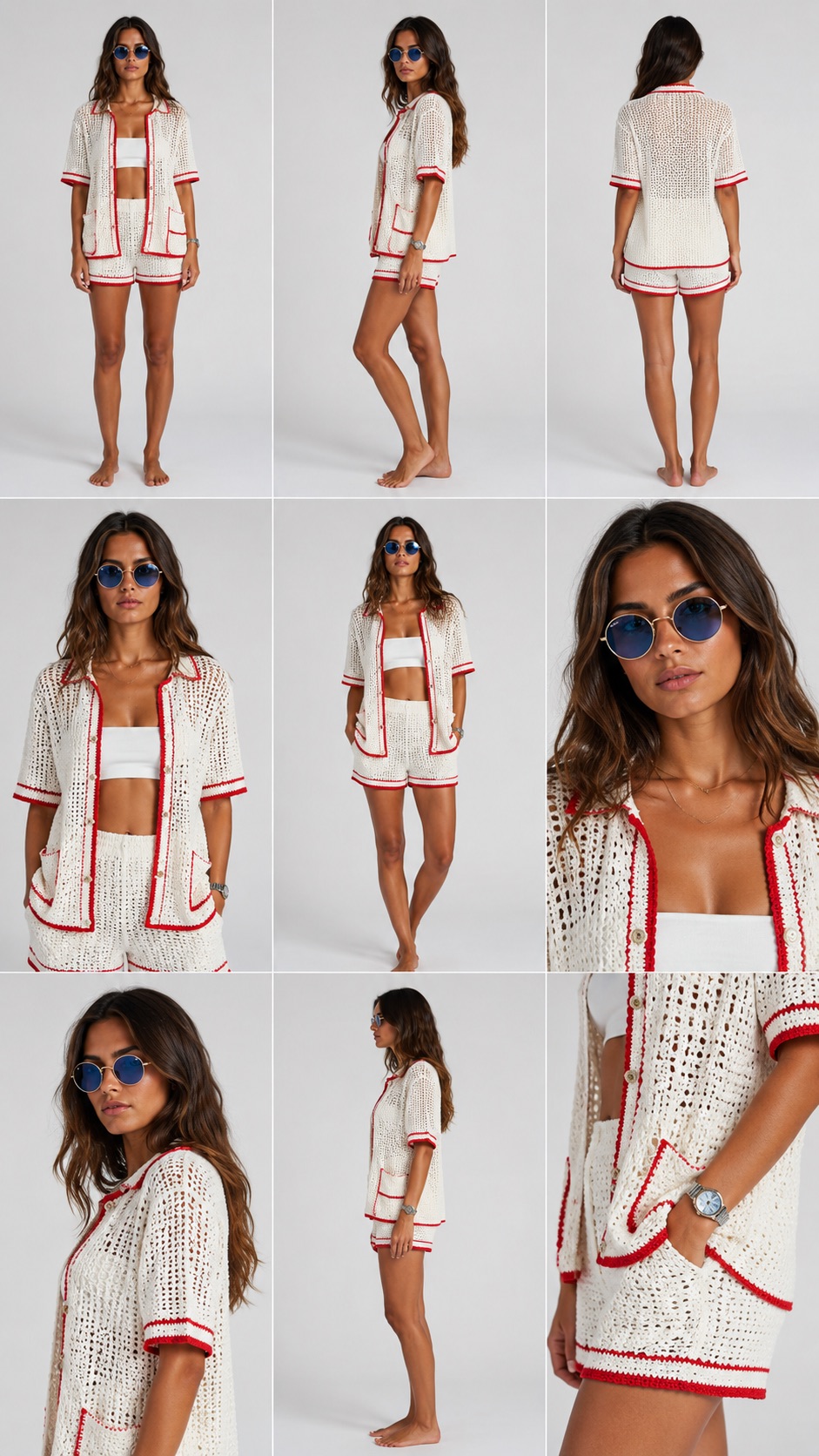
A fashion model character sheet has a harder job than a casting headshot: the face has to hold, but so does the garment, and most AI models quietly redesign the outfit the moment the camera angle changes. Sofia's sheet is built against exactly that failure. She is a 28-year-old Mediterranean woman with warm olive-tan skin, an oval face with defined cheekbones, thick softly arched dark brows, deep almond-shaped brown eyes and long chestnut-brown waves parted at the center, documented across nine panels on a seamless light gray studio backdrop: full-body front, three-quarter and rear views on the top row, a waist-up portrait, a walking three-quarter and a tight head-and-shoulders close-up in the middle, then a three-quarter portrait, a clean side profile and a macro detail of the crochet knit and wristwatch at the bottom. The outfit is pinned as tightly as the face, an oversized white open-knit crochet shirt with bold red trim on the collar, placket, cuffs and pockets, matching red-trimmed crochet shorts, a white bandeau underneath, small round blue mirrored sunglasses with thin gold frames, a delicate gold necklace and a silver watch, barefoot throughout. That combination of full turnaround plus garment macro is what lets her stay the same model and the same outfit from a product flat-lay to a walking travel clip, which is what resort, swim and apparel content actually needs.
Maya, Lifestyle Influencer
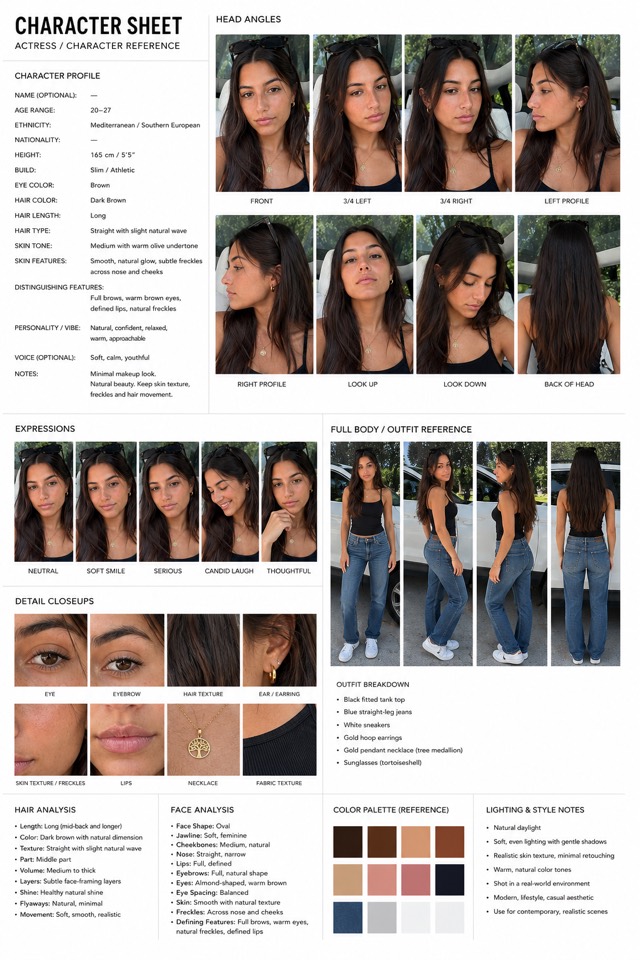
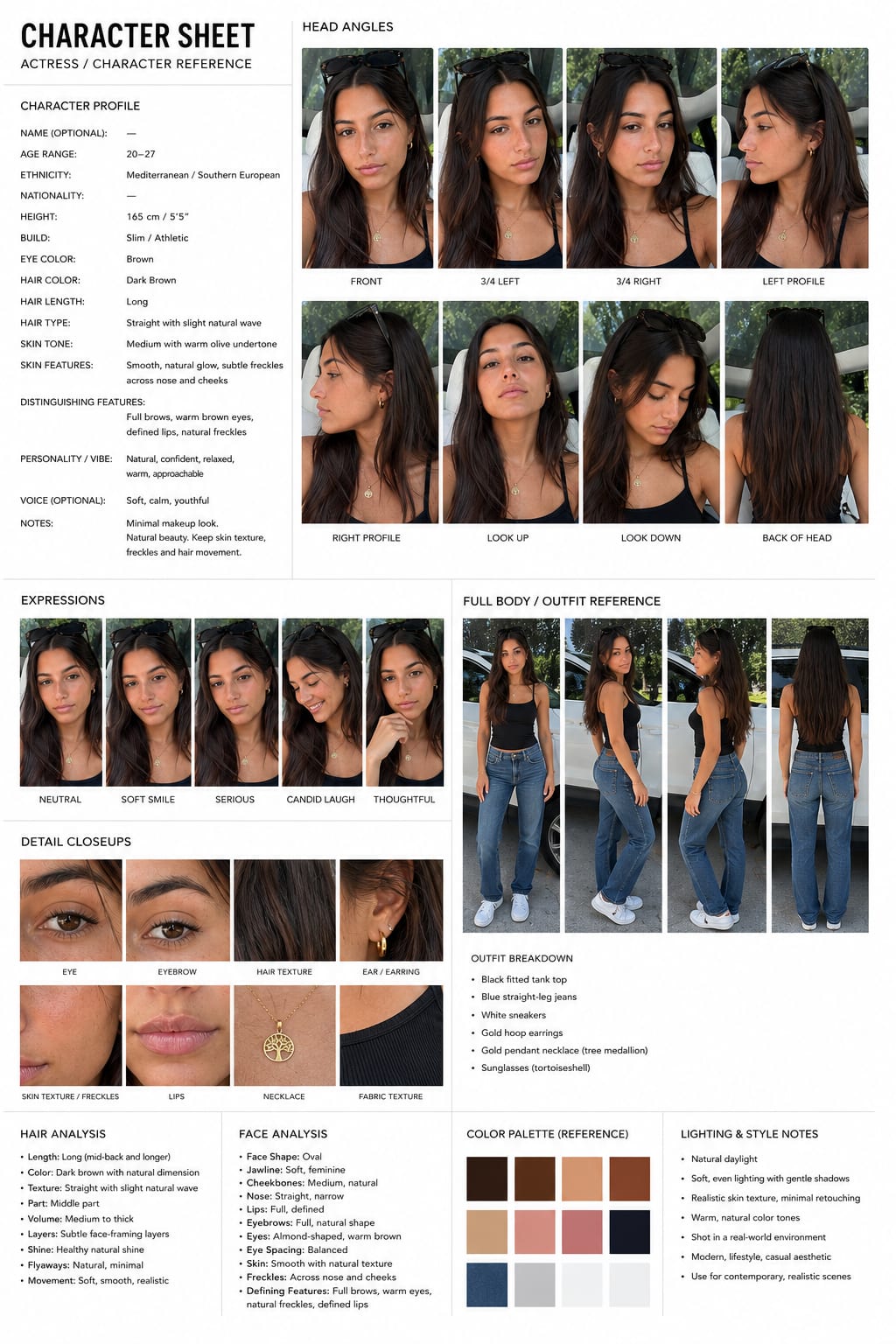
An AI influencer character sheet is the fastest way to build a virtual persona that stays recognizable across an entire content feed. Maya's sheet locks her identity in one document: long dark-brown waves, warm brown eyes, natural freckles across the nose and cheeks, gold hoops, the tree-of-life pendant and the tortoiseshell sunglasses pushed up on her head, captured across eight head angles, five expressions, macro close-ups and a four-view outfit reference. Attach the sheet every time you generate and she keeps the same face in a car selfie, a beach reel or a studio ad read, which is exactly what separates AI personas that build a following from one-off portraits.
Nora, Editorial Model
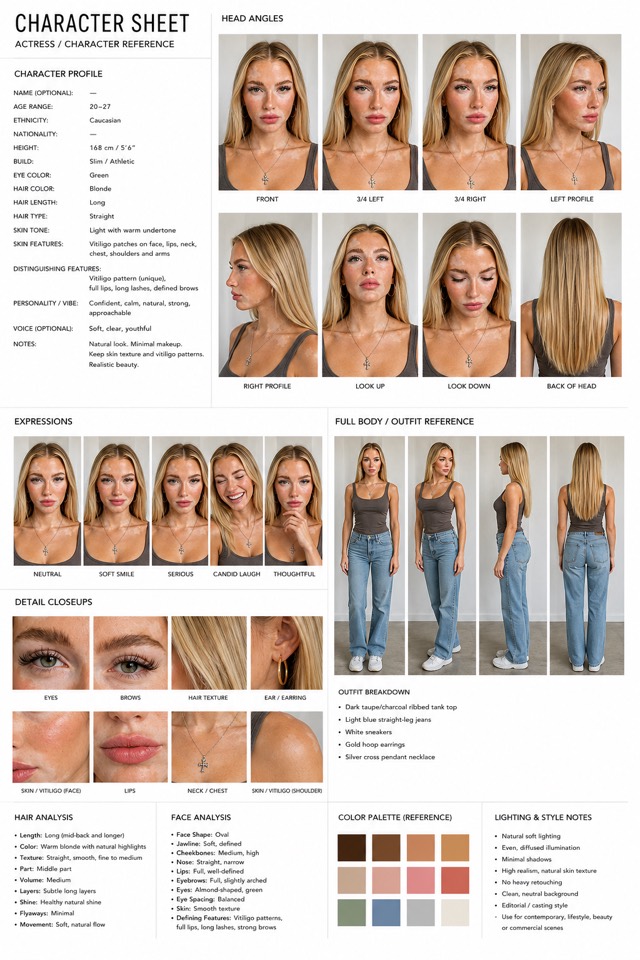
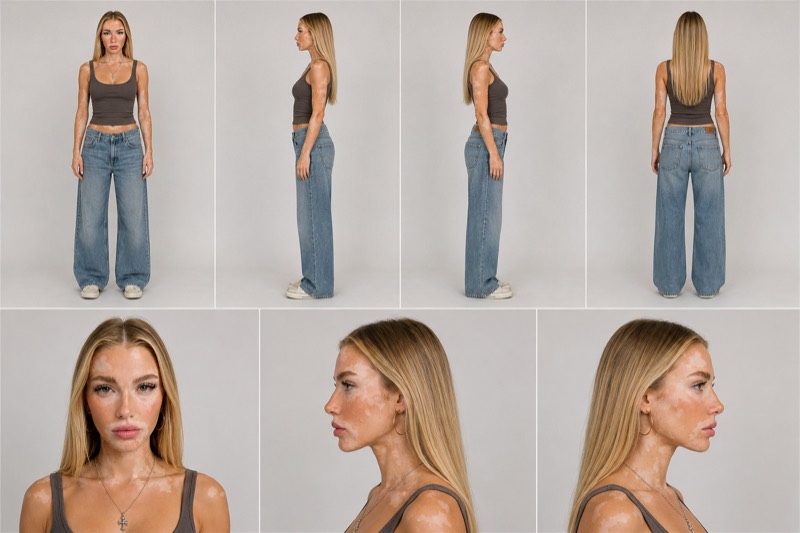
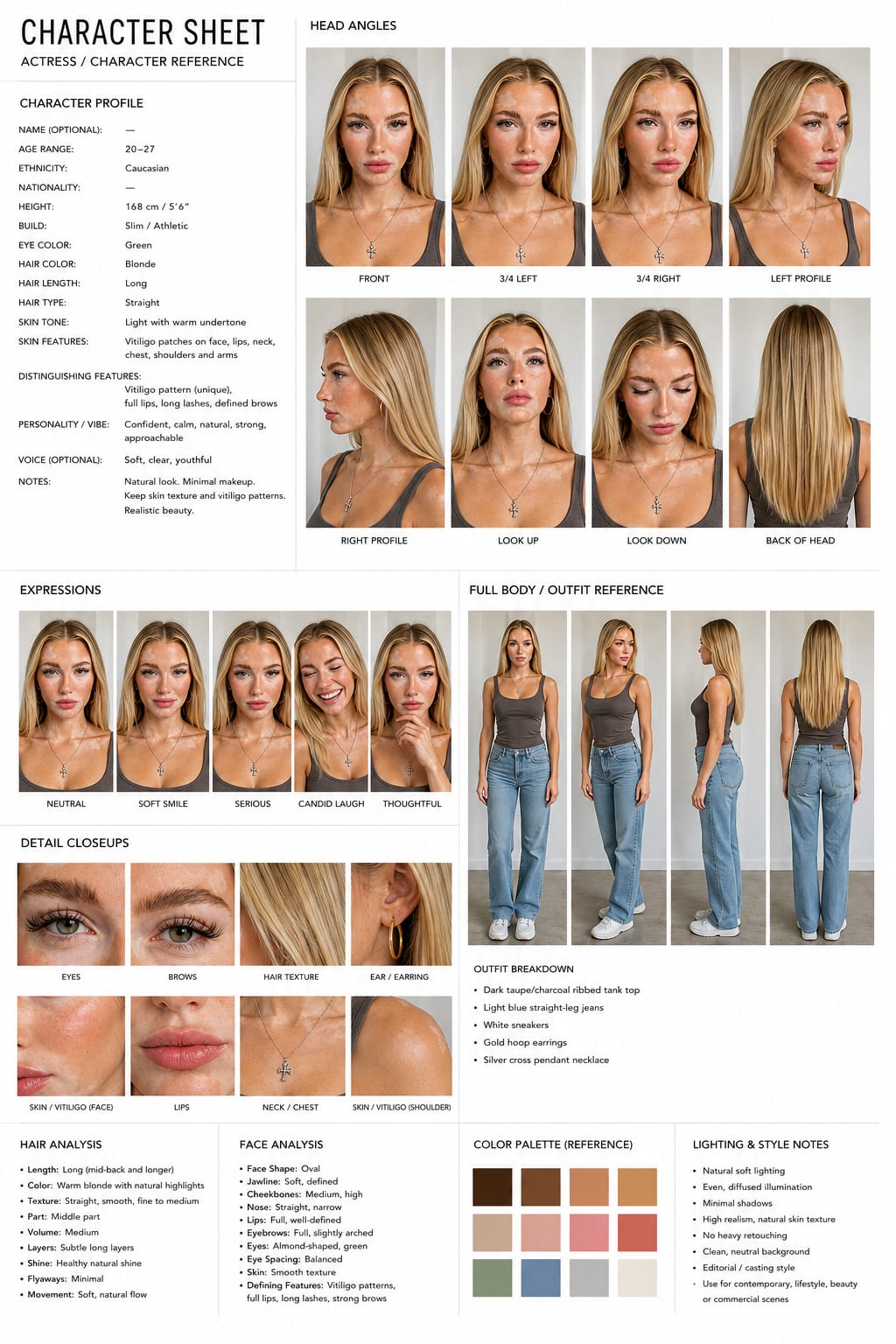
Distinctive skin features are the strongest identity anchors an AI character can have, and Nora is built around one: a unique vitiligo pattern across her face, neck, chest, shoulders and arms that makes her instantly recognizable and impossible to confuse with a generic blonde model. Her sheet documents the pattern panel by panel, alongside the long straight warm-blonde hair, green almond eyes, silver cross pendant and gold hoops, so the patches stay in exactly the same places across every angle, expression and outfit you generate. For editorial, beauty and casting-style AI content, that level of locked-in detail is what keeps a campaign feeling like one model, not twelve.
Ava, Athleisure Creator
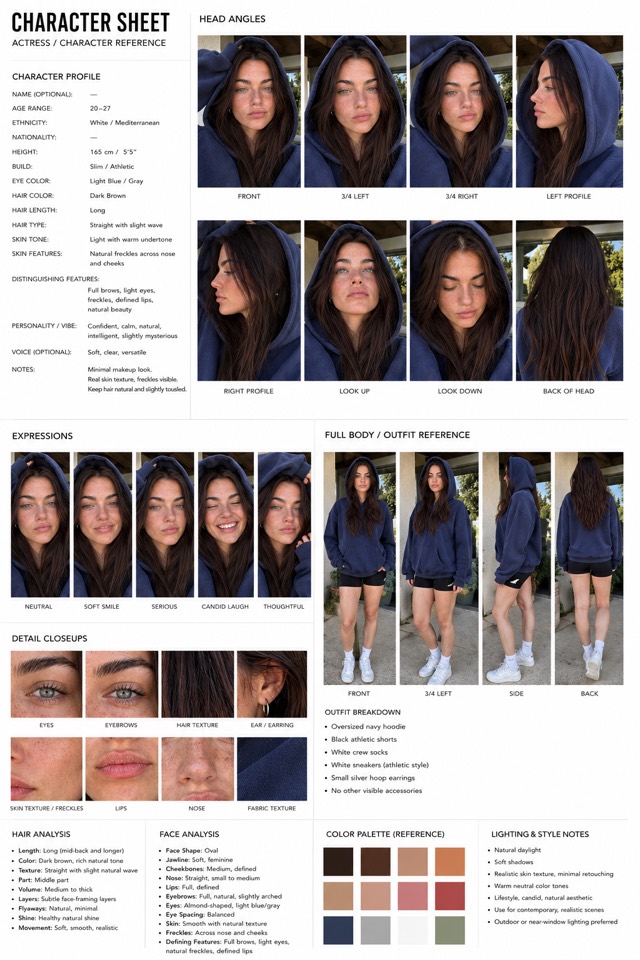
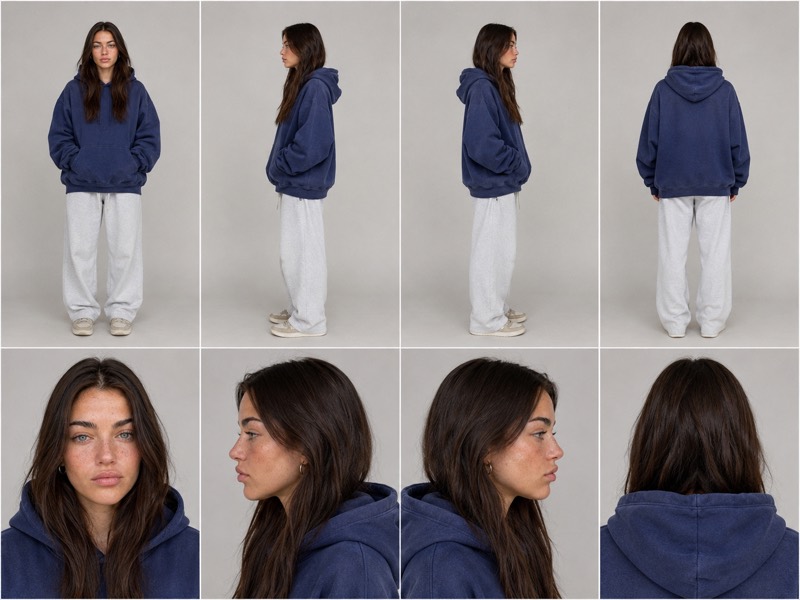
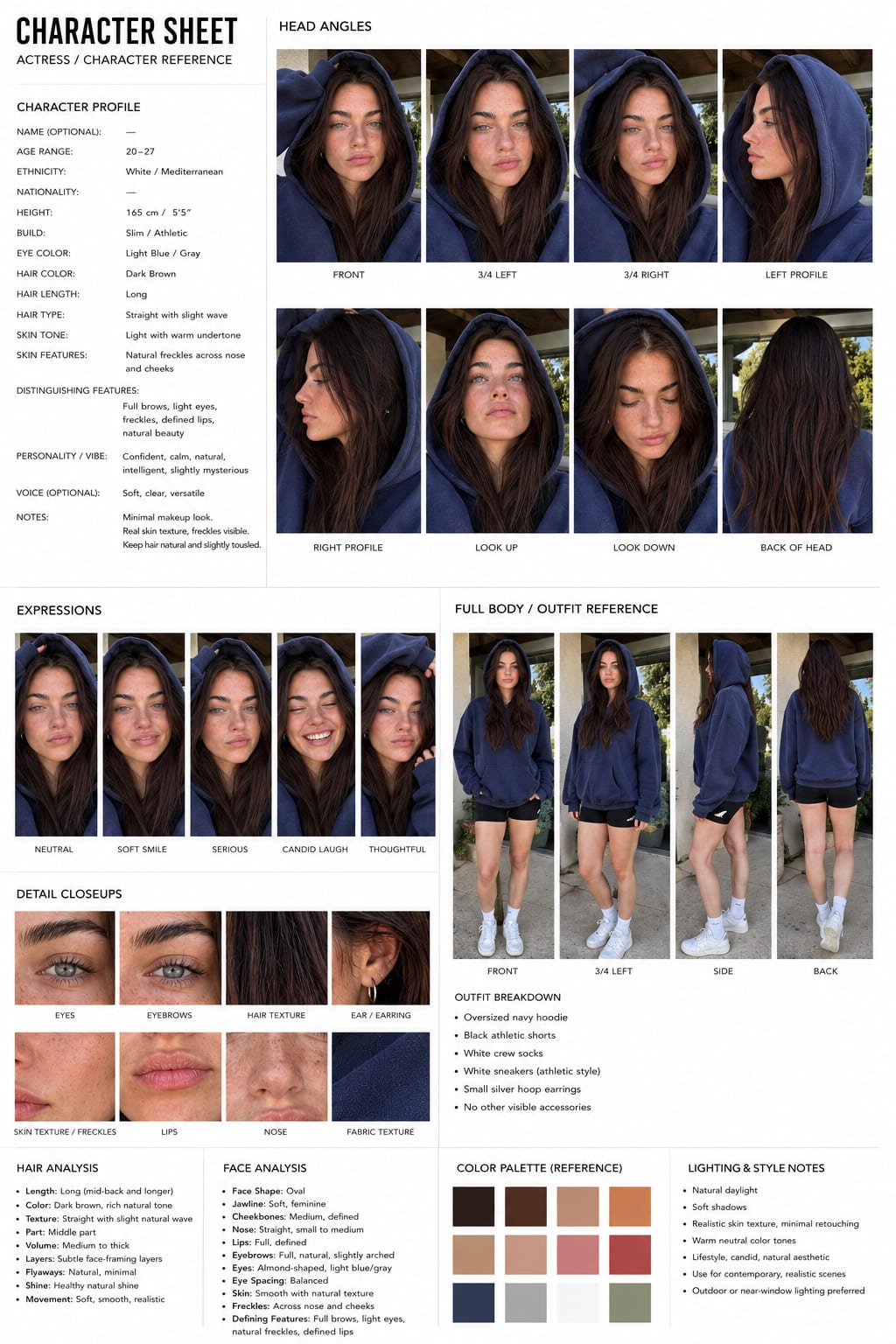
Fitness and wellness content lives on recurring faces: the audience follows the person, not the workout. Ava's character sheet pins down a deliberately casual identity: long dark-brown hair worn loose under the raised hood of an oversized navy hoodie, light blue-gray eyes, natural freckles, black athletic shorts, crew socks and small silver hoops, photographed in warm natural daylight across every angle and expression. Because the sheet documents the outfit and the face together, she survives the exact scenarios that break AI characters, hoods, movement, outdoor lighting shifts, and stays the same creator from a driveway cooldown clip to a gym mirror selfie.
Men
Kenji, Streetwear Lead
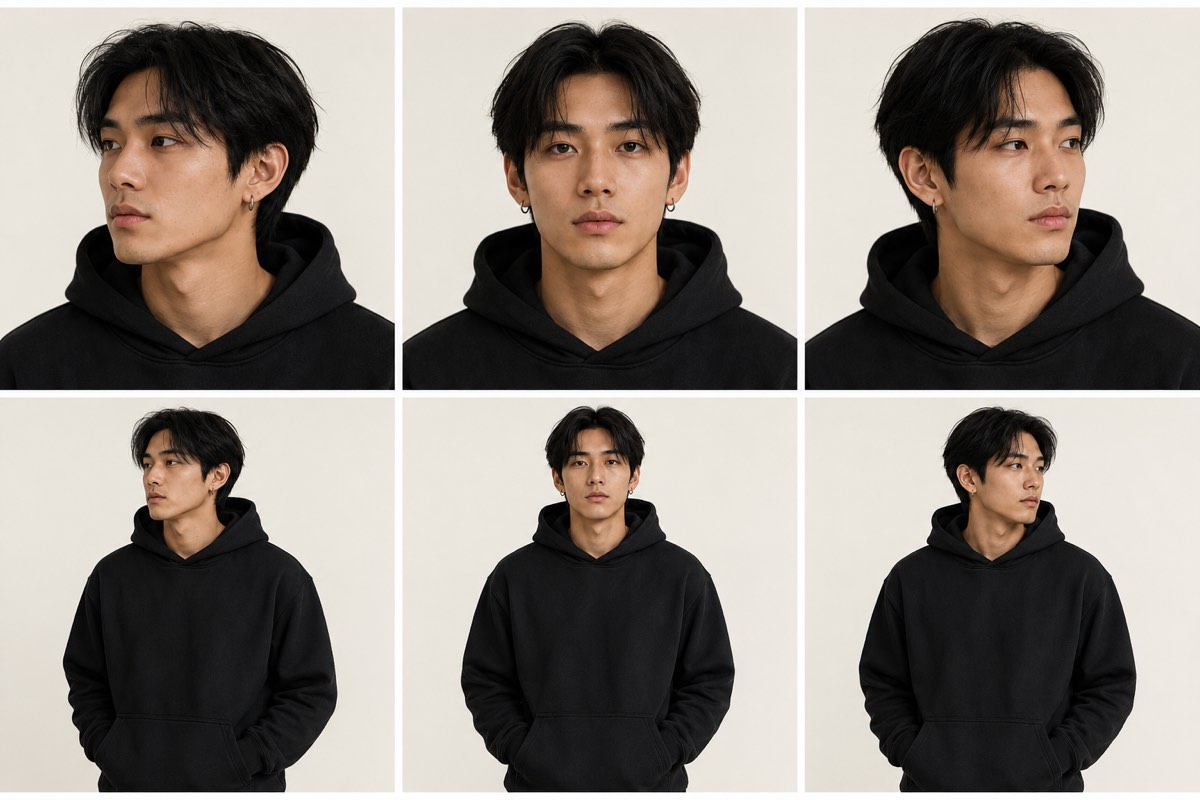
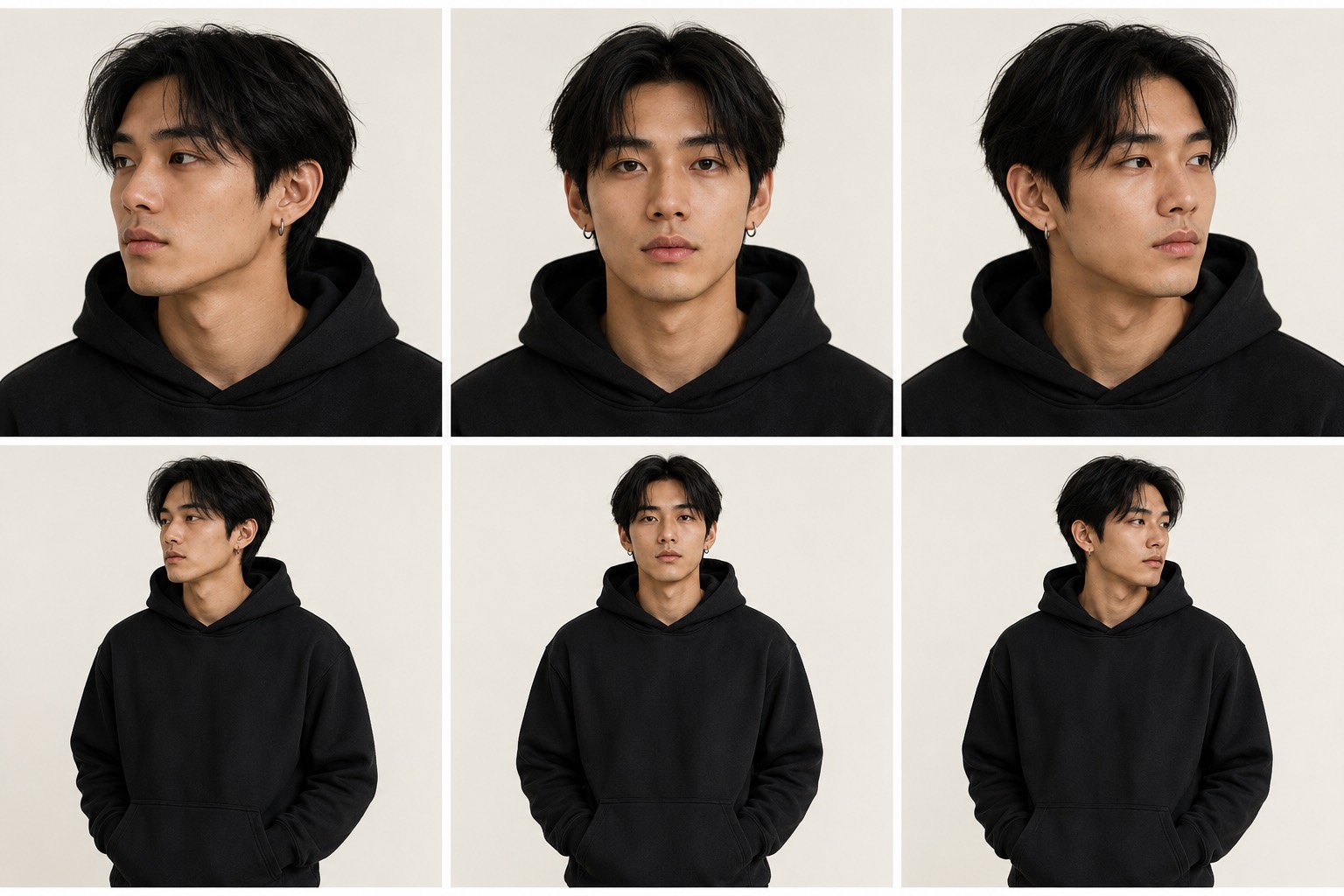
Most AI character sheets fail on the plainest characters, not the elaborate ones: a young guy in a black hoodie has almost no props to lock onto, so the model quietly redraws the jaw, the hairline and the hood every generation. Kenji's sheet is built to stop that. He is an Asian man in his mid-to-late twenties with a lean build, warm light-medium skin, dark brown eyes and straight black medium-length hair with a center part and slightly messy layered strands falling around his forehead, wearing small silver hoop earrings in both ears, documented across six panels on a plain warm off-white studio background: three-quarter left, straight-on and three-quarter right face close-ups on the top row, then the same three angles waist-up with his hands in the hoodie pockets. The plain oversized black hoodie is pinned as tightly as the face, matte cotton, relaxed fit, large front kangaroo pocket, no logos or graphics, so the silhouette does not shift when the camera moves. That is the reference to attach when you want a streetwear, skate, hoodie-drop or moody-portrait character who stays one identifiable person across a photo, a talking clip and a b-roll shot instead of turning into a different model every render.
Ren, Everyday Creator
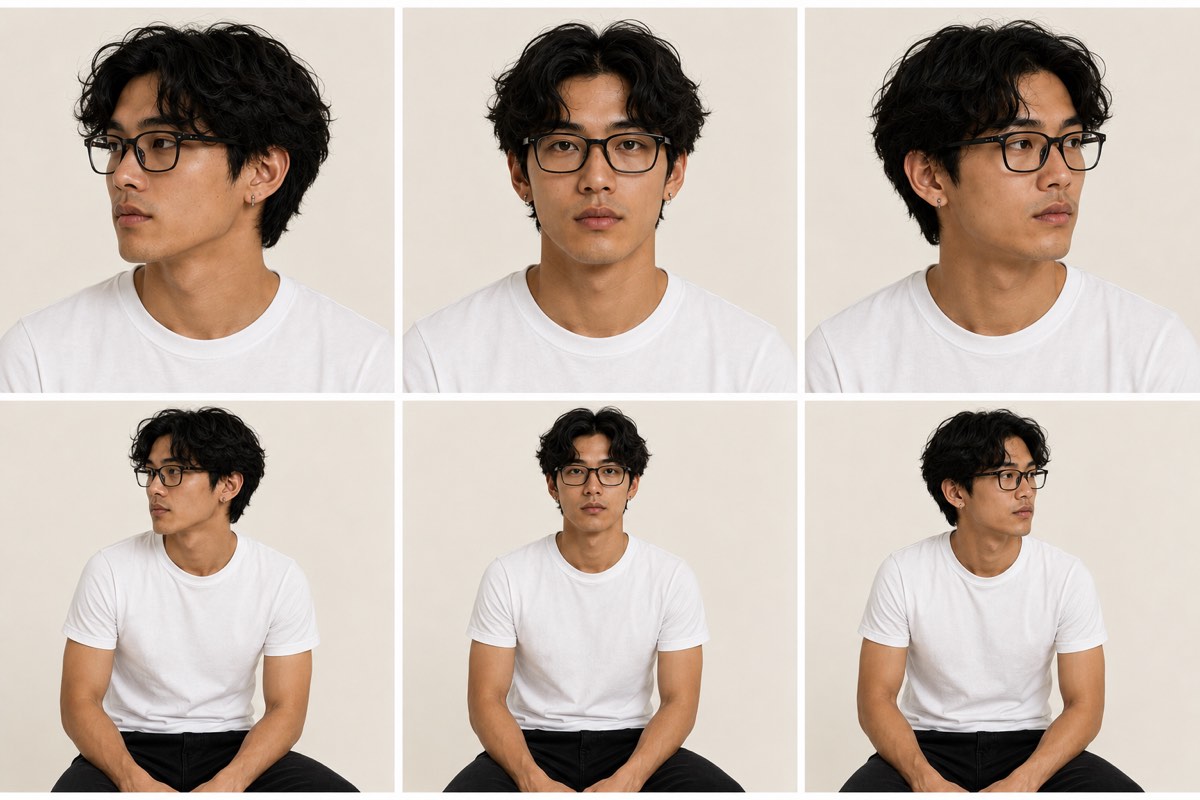
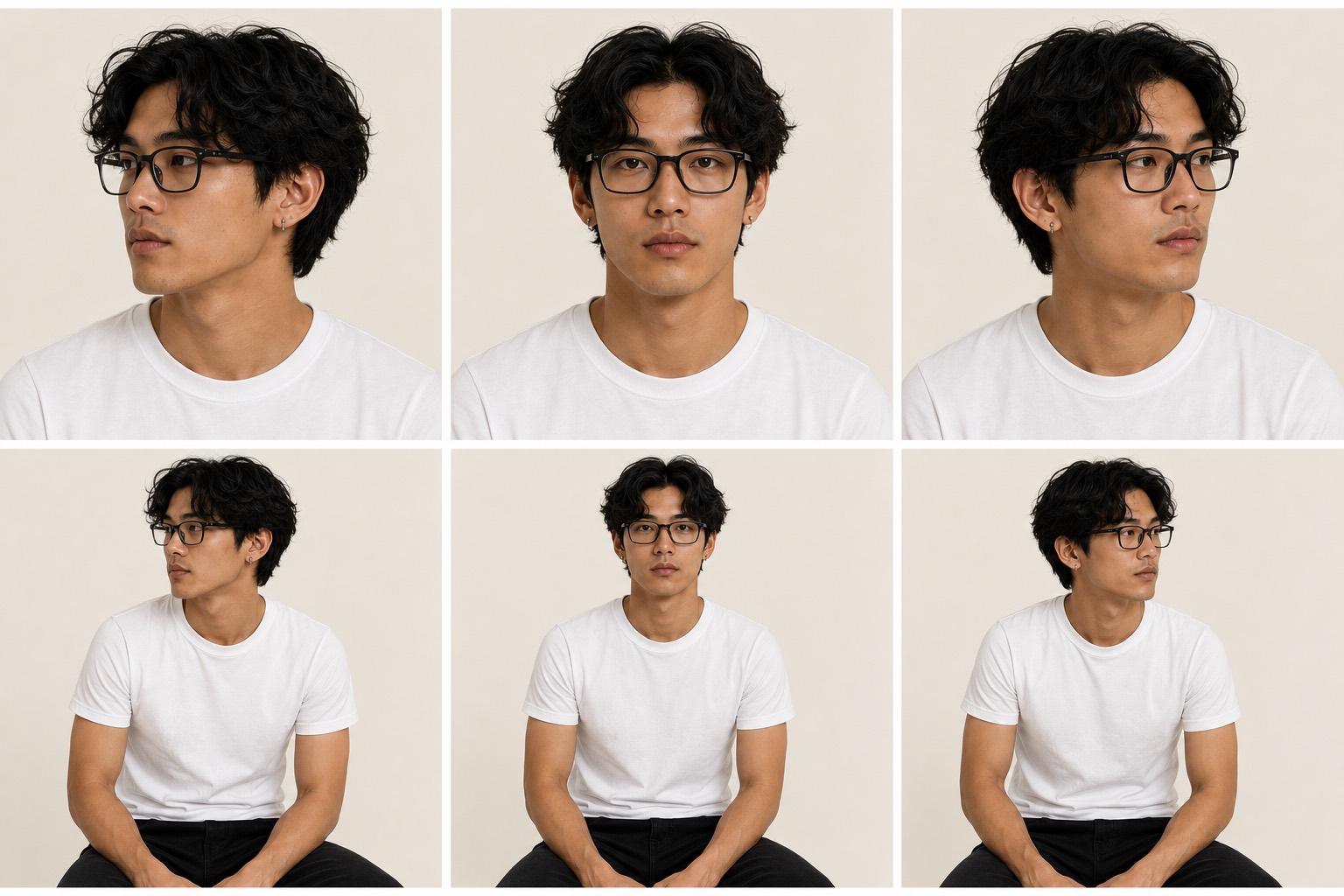
The talking-head character is the one people generate most and lock down least: a plain white tee and a pair of glasses give an AI model almost nothing to hold onto, so the curls change density, the frames change shape and the face drifts a little further every clip. Ren's sheet fixes those details in place. He is an Asian man in his mid-to-late twenties with warm light-medium skin, a realistic masculine facial structure, a defined but soft jawline, dark brown almond-shaped eyes and medium-length thick black hair, naturally wavy to curly with loose volume, a slightly messy middle part and individual curls framing the forehead, captured across six panels on a plain warm off-white background: three-quarter left, straight-on and three-quarter right face close-ups on the top row, then the same three angles seated in a plain white fitted crew-neck t-shirt. Glasses shape, curl pattern, skin texture and the small silver stud earrings are all specified, which is exactly what a UGC testimonial, a course intro and a podcast-style clip need in order to read as one recurring creator instead of a new face each time.
Elias, Game Protagonist
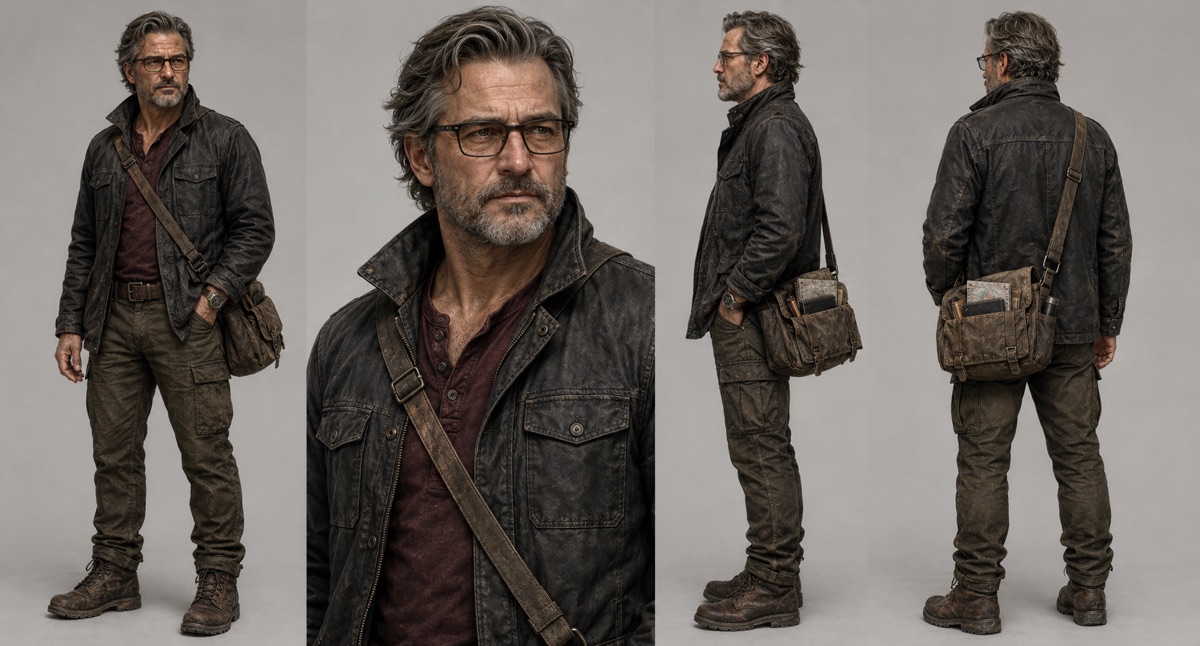
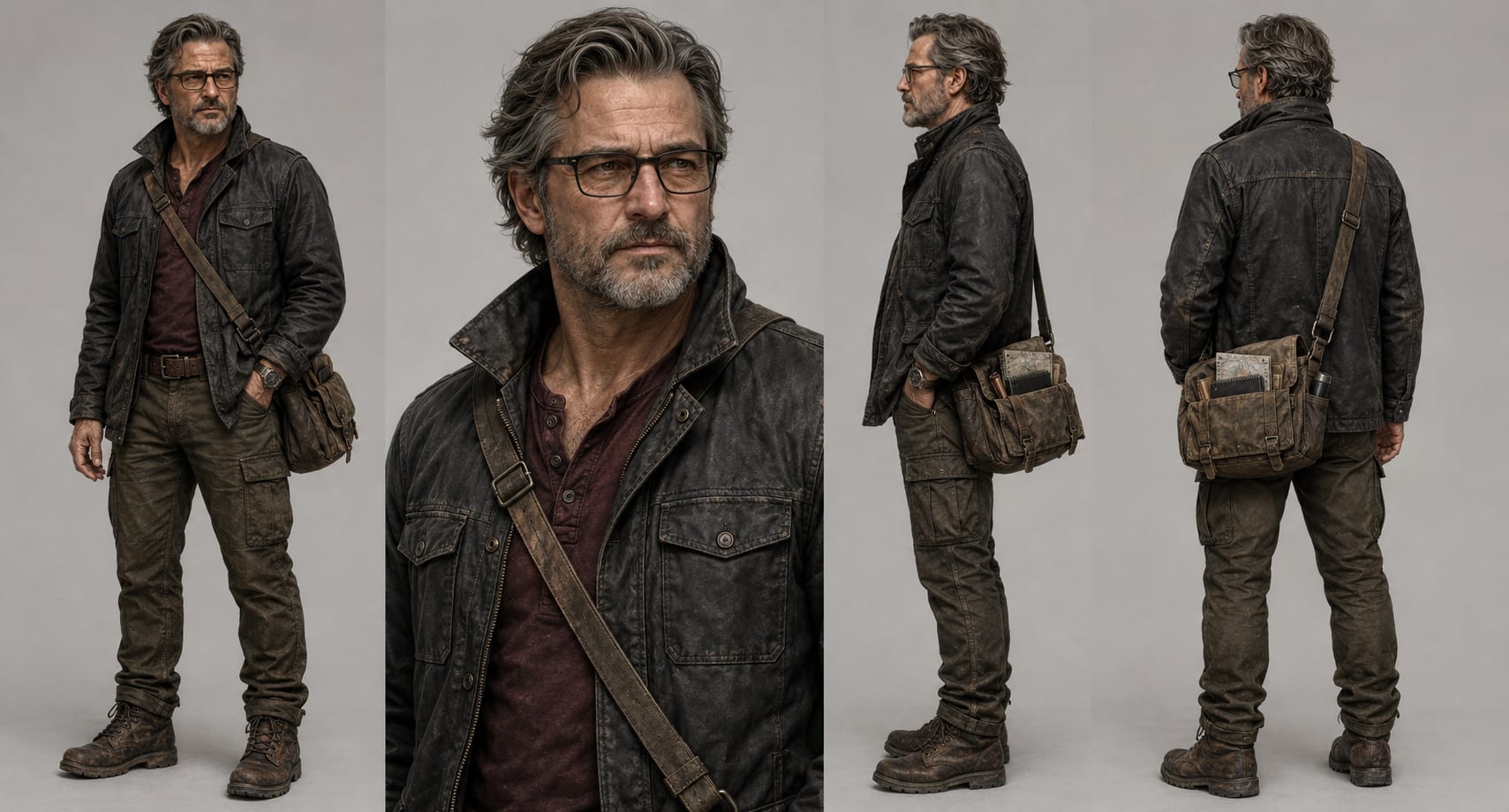
A character turnaround sheet is the format game and film studios actually use to lock a design before modeling or animation, and Elias is built in exactly that style: a four-panel turnaround, full-body front three-quarter, chest-up portrait, side profile and rear view, on a clean studio gray so every angle reads. He is a weathered man in his early 50s with swept-back salt-and-pepper hair, a trimmed gray beard, matte black rectangular glasses, a waxed charcoal field jacket over a faded burgundy henley, olive cargo trousers and a well-worn canvas messenger bag. Every material is documented, the waxed-cotton texture, the leather patina, the scratched steel watch, so the identity holds from any viewing angle. Rendered as painterly AAA concept art rather than a photo, it is the reference to reach for when you want a mature, cinematic protagonist that stays the same character across shots, not a generic older man who changes face every generation.
Matteo, Yacht Captain
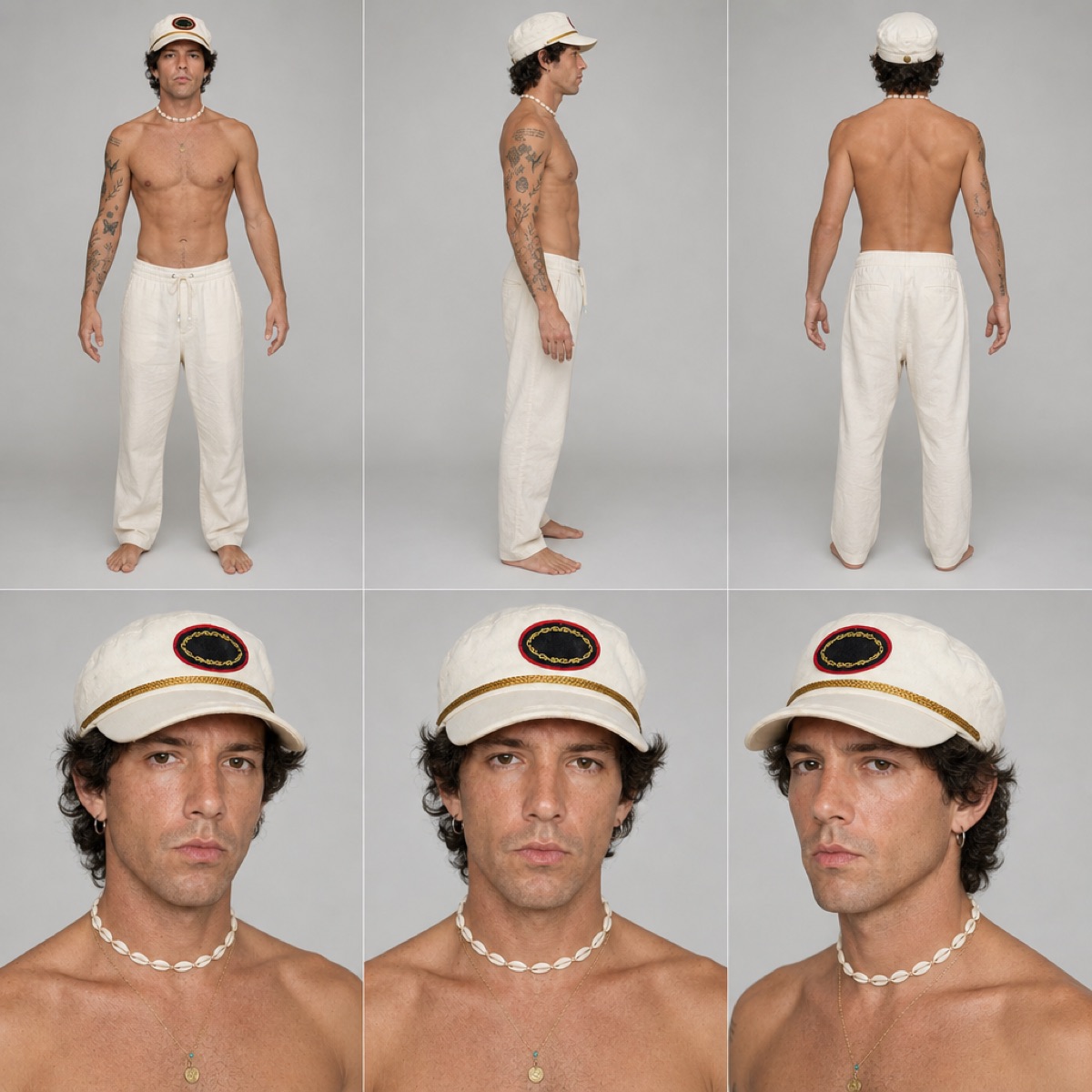
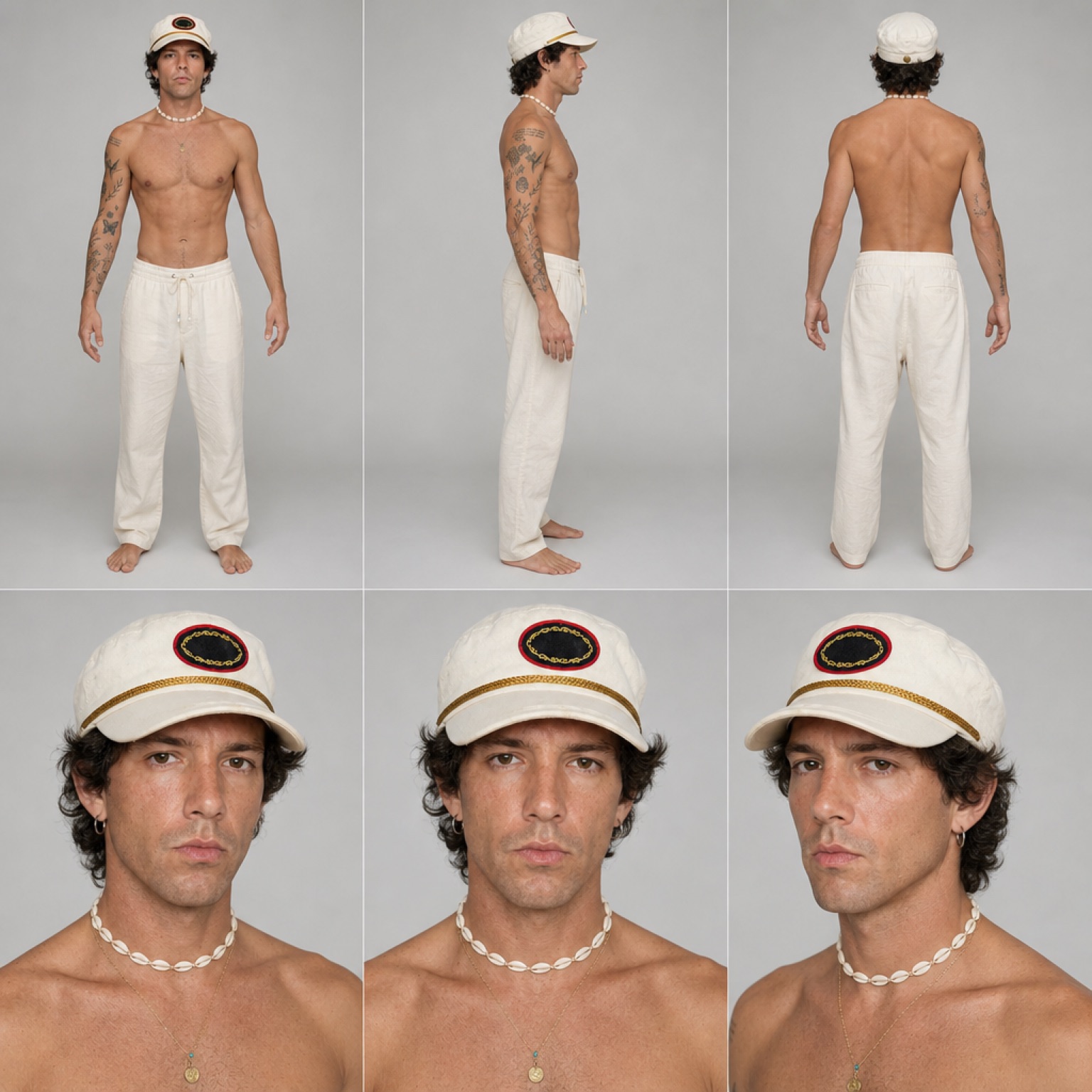
A shirtless character is the hardest kind to keep consistent, because there is almost no wardrobe for the model to lock onto: change the angle and the tattoos migrate, the build changes and the face resets. Matteo's sheet is built to stop that. He is a Mediterranean man in his early thirties with a lean athletic build, warm olive-tan skin, dark brown eyes, light stubble and medium-length dark brown curls, documented across six panels on a seamless light gray studio background: full-body front, left-side profile and rear views on the top row, then three head-and-shoulders close-ups underneath. Every anchor is specified: a cream nautical captain's cap with a gold braid band and a dark oval front badge ringed in red with gold laurel embroidery, a small gold hoop in one ear, a white puka shell necklace layered over a fine gold chain with a small round coin pendant, scattered fine-line black tattoos across both forearms and one upper arm, cream drawstring linen trousers, and bare feet. That is the reference to attach when you need a sailing, yacht, resort or Mediterranean-summer character who stays the same man across a dock shot, a talking clip and a b-roll pass instead of turning into a different model every render.
Jin, Techwear Lead
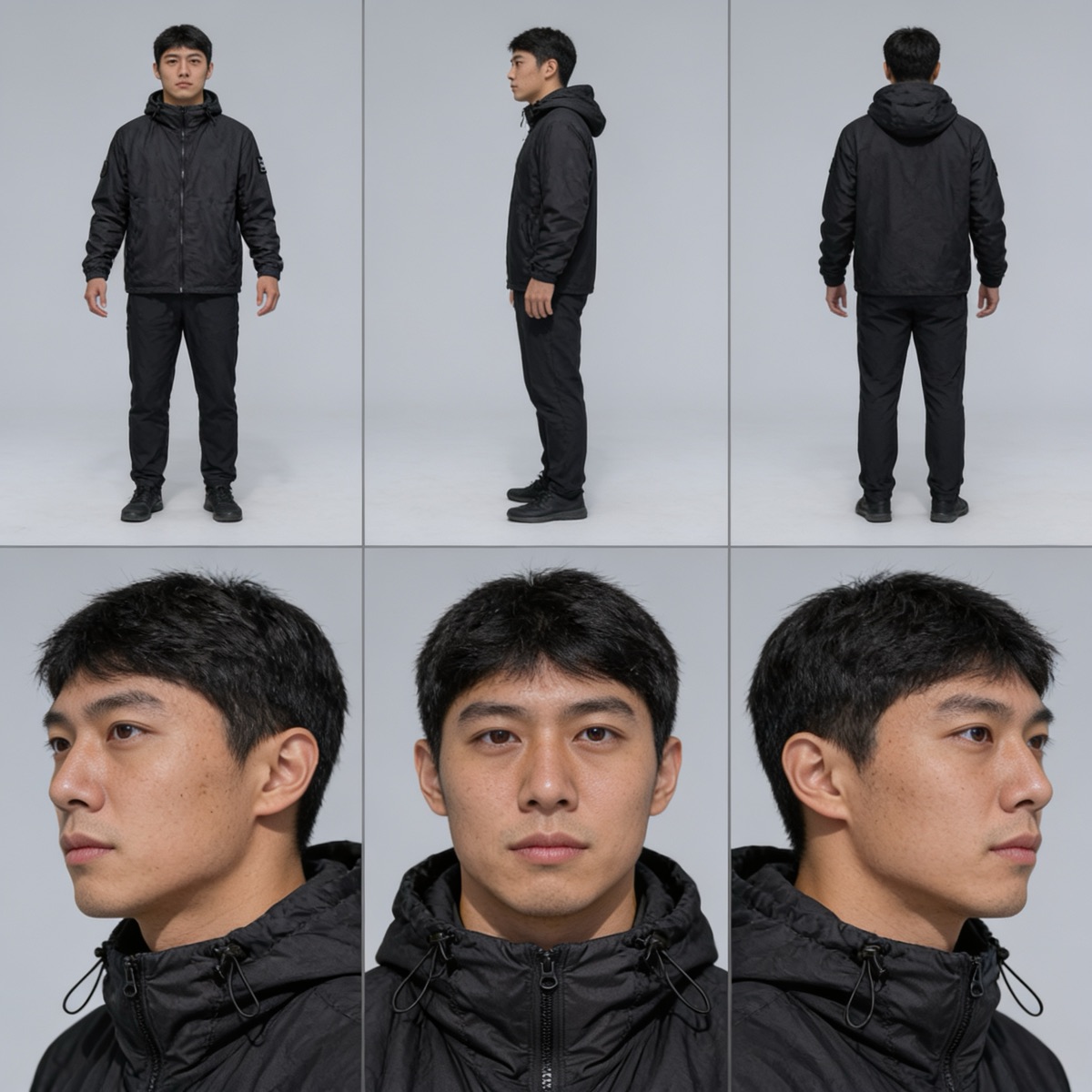
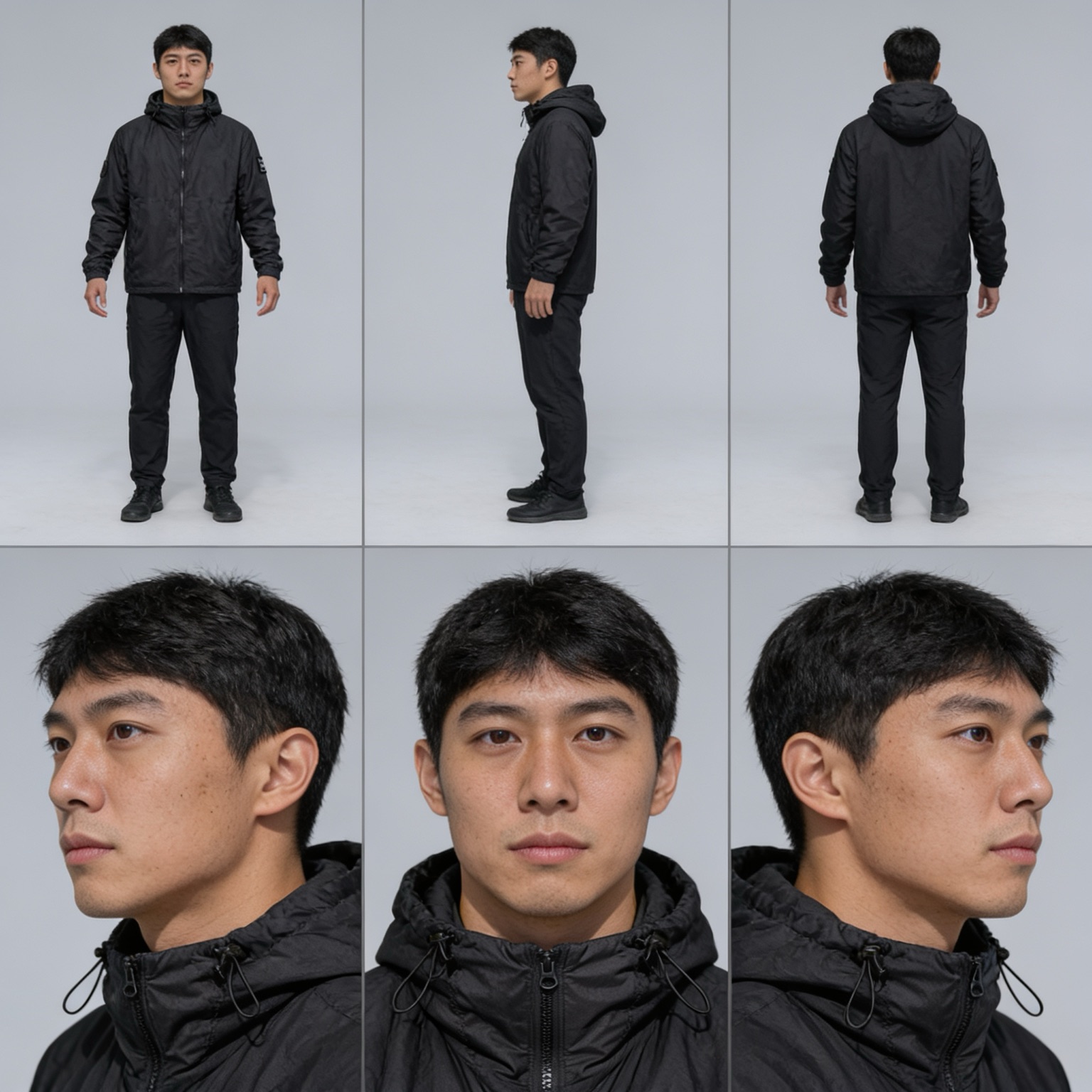
Head-to-toe black is where AI character sheets quietly fail, because a black jacket on a gray background gives the model almost no edge information: the hood collapses, the drawcords disappear and the silhouette changes shape every generation. Jin's sheet is built to hold it. He is an East Asian man in his mid-twenties with a lean build, warm light skin with realistic pores, dark brown eyes, straight dark brows and short cropped black hair with a slightly textured fringe, clean-shaven, documented across six panels on a seamless light gray studio background: full-body front, left-side profile and rear views on the top row, then a three-quarter left, straight-on and three-quarter right head close-up underneath. The garment detail is named explicitly so it survives the angle change, a matte black hooded zip shell jacket with a soft down-filled body, elasticated cuffs, black drawcord toggles at the hood opening, a small square patch on the left sleeve and a small round patch on the right chest, worn with black tapered technical trousers and plain black sneakers. That is the reference to attach when you need a techwear, urban, night-scene or plain-clothes male character who stays one person from a static frame to a walking clip, or a neutral base to redress entirely.
Yusuf, Desert Heritage Lead
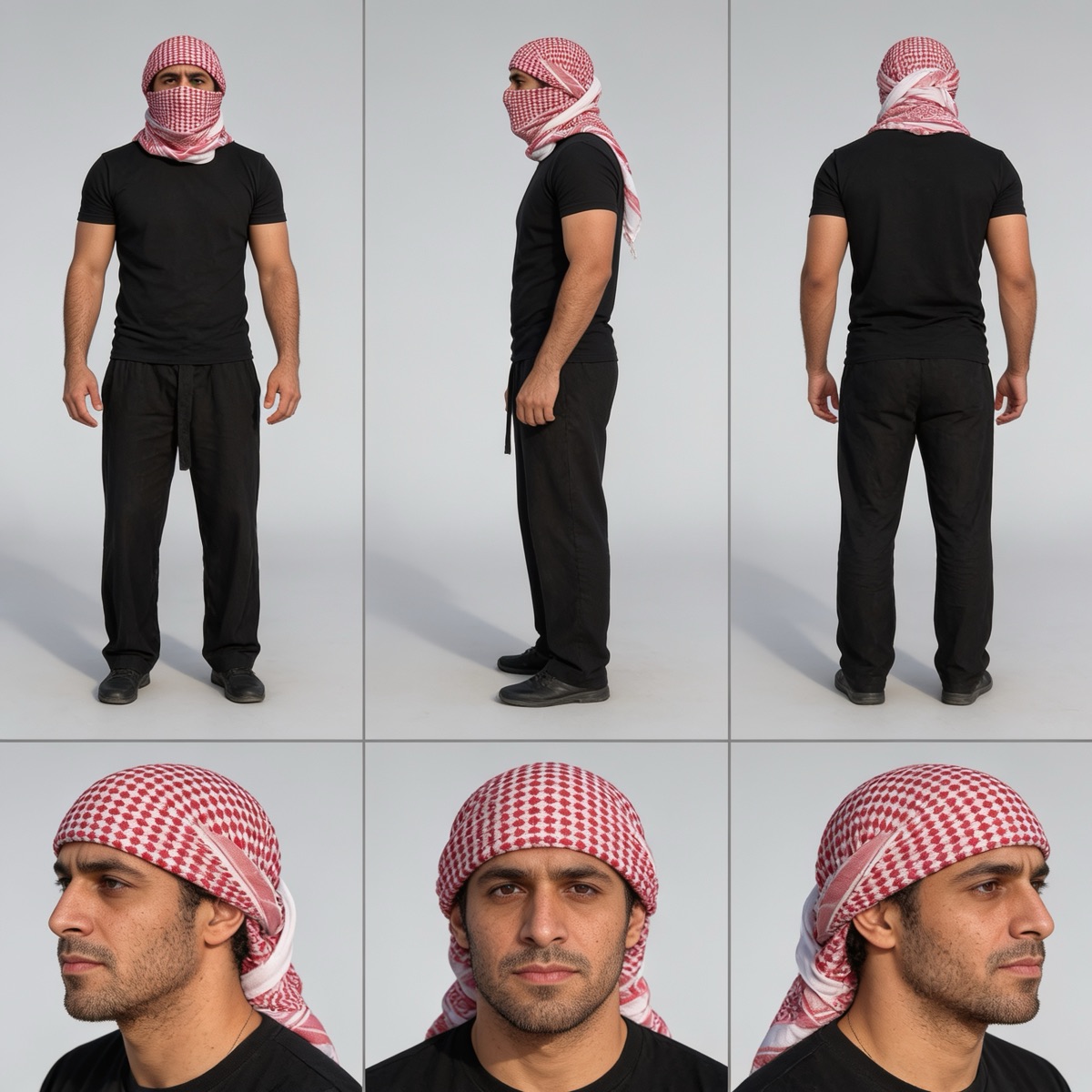
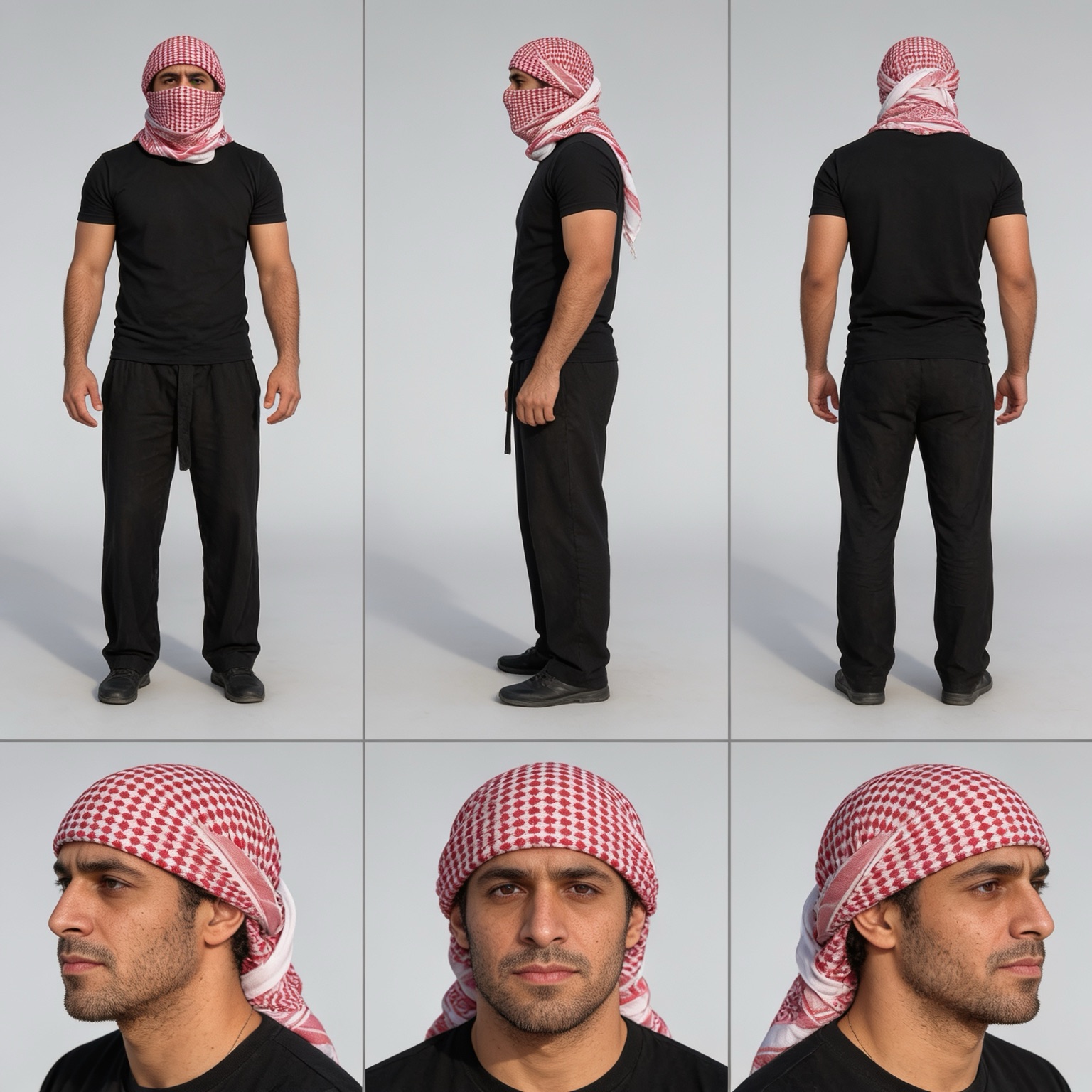
A wrapped headscarf is the single fastest way to lose an AI character, because the wrap hides the hairline, the ears and often the jaw, so the moment you unwrap it the model invents a new face underneath. Yusuf's sheet fixes that by documenting both states on the same page. He is a Middle Eastern man in his early thirties with a medium athletic build, warm olive skin, dark brown eyes, thick dark brows and a short trimmed beard, shown across six panels on a seamless light gray studio background: full-body front, left-side profile and rear views on the top row with a red-and-white checkered keffiyeh wrapped over his head and across his nose and mouth, then three head close-ups underneath with the same keffiyeh worn as a headwrap only, the face fully visible and the tail draped over one shoulder. The rest is deliberately plain so the wrap reads clearly, a fitted plain black short-sleeve t-shirt, loose black drawstring trousers and black shoes. That is the reference to attach when a desert, heritage, travel or adventure character has to stay one identifiable man whether his face is covered or not.
Amari, Athletic Lead
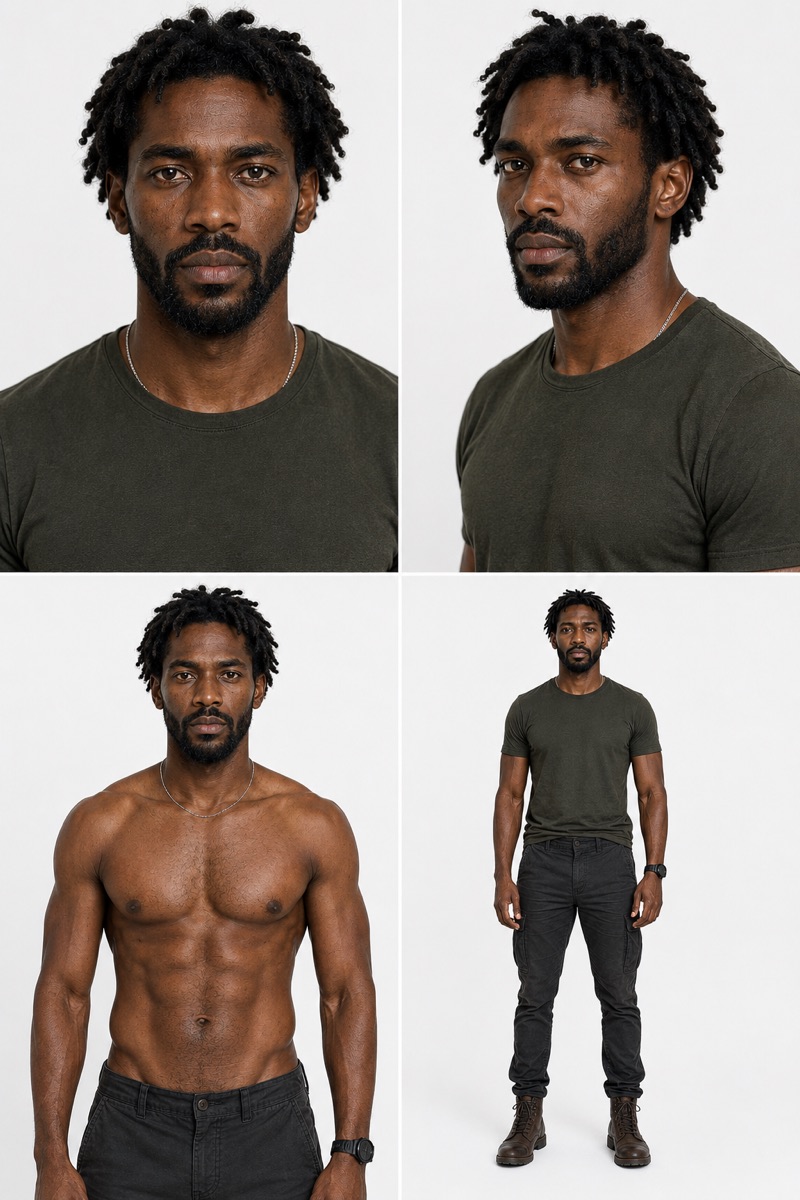
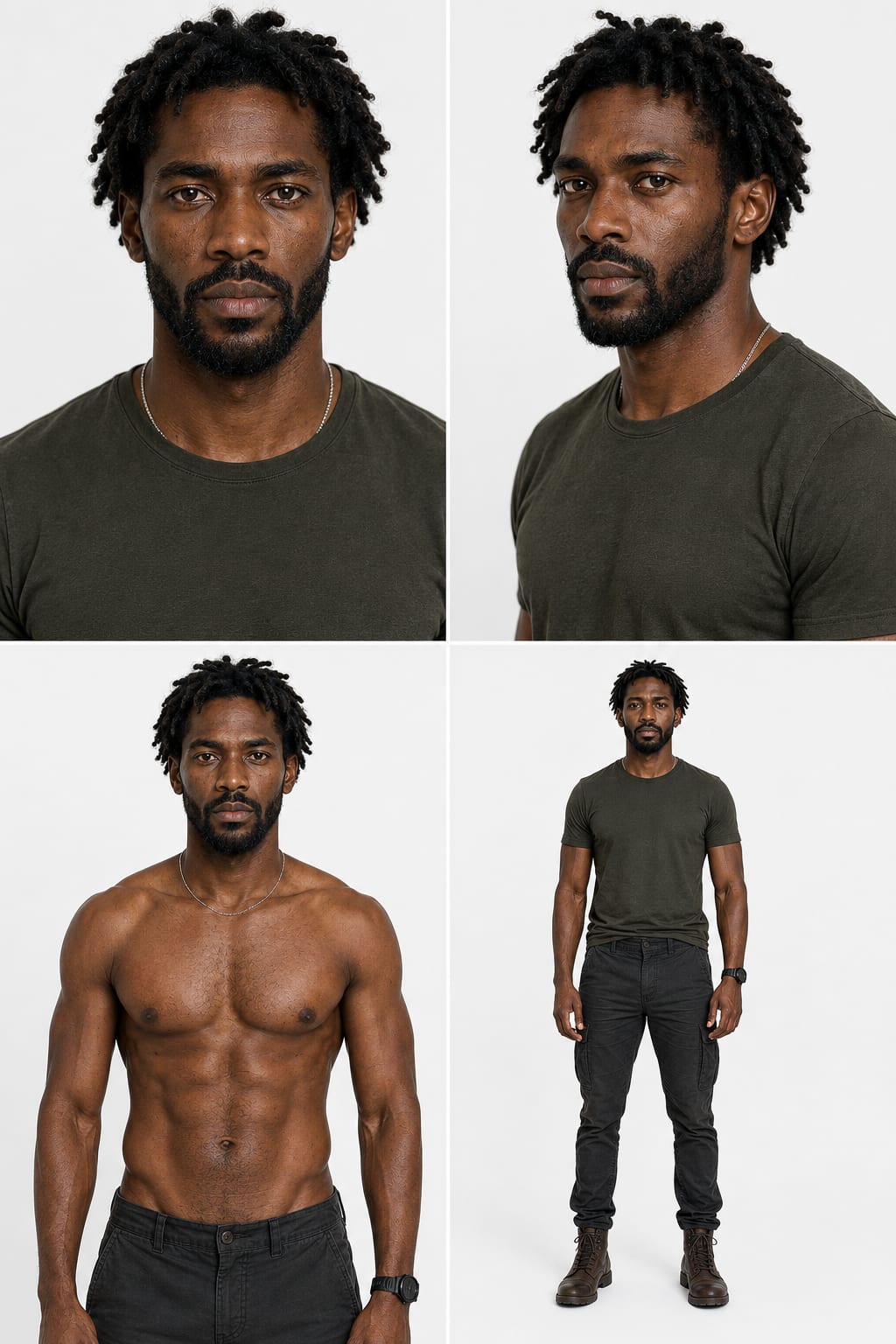
Most character reference sheets stop at the face, which is why AI characters drift the moment you generate a full body: the model was never shown one. Amari's sheet fixes that with a dedicated anatomy panel. He is a 30-year-old East African man with a lean, functional athletic build, rich dark-brown skin with realistic pores and subtle asymmetry, medium freeform twists and a boxed beard, documented across four aligned panels: a straight-on headshot, a 45-degree portrait, a shirtless waist-up torso reference and a full-body front A-pose in a washed olive crewneck, charcoal utility trousers and worn leather boots. Because the sheet pins both the face and the real body proportions, he stays the same person from a tight dialogue close-up to a full-body action shot, which is exactly what casting-style AI content for games and film needs.
Rowan, Alpine Archer
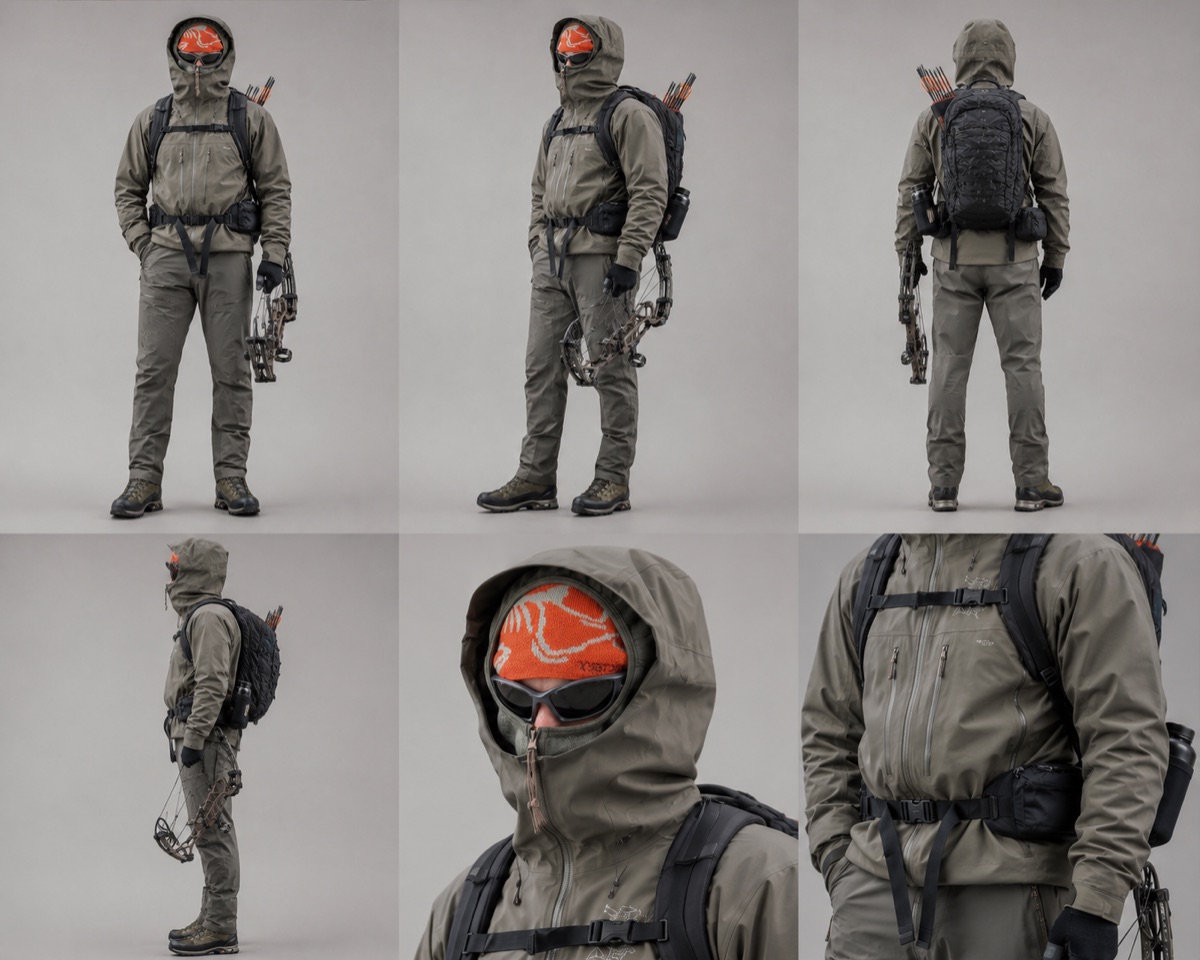
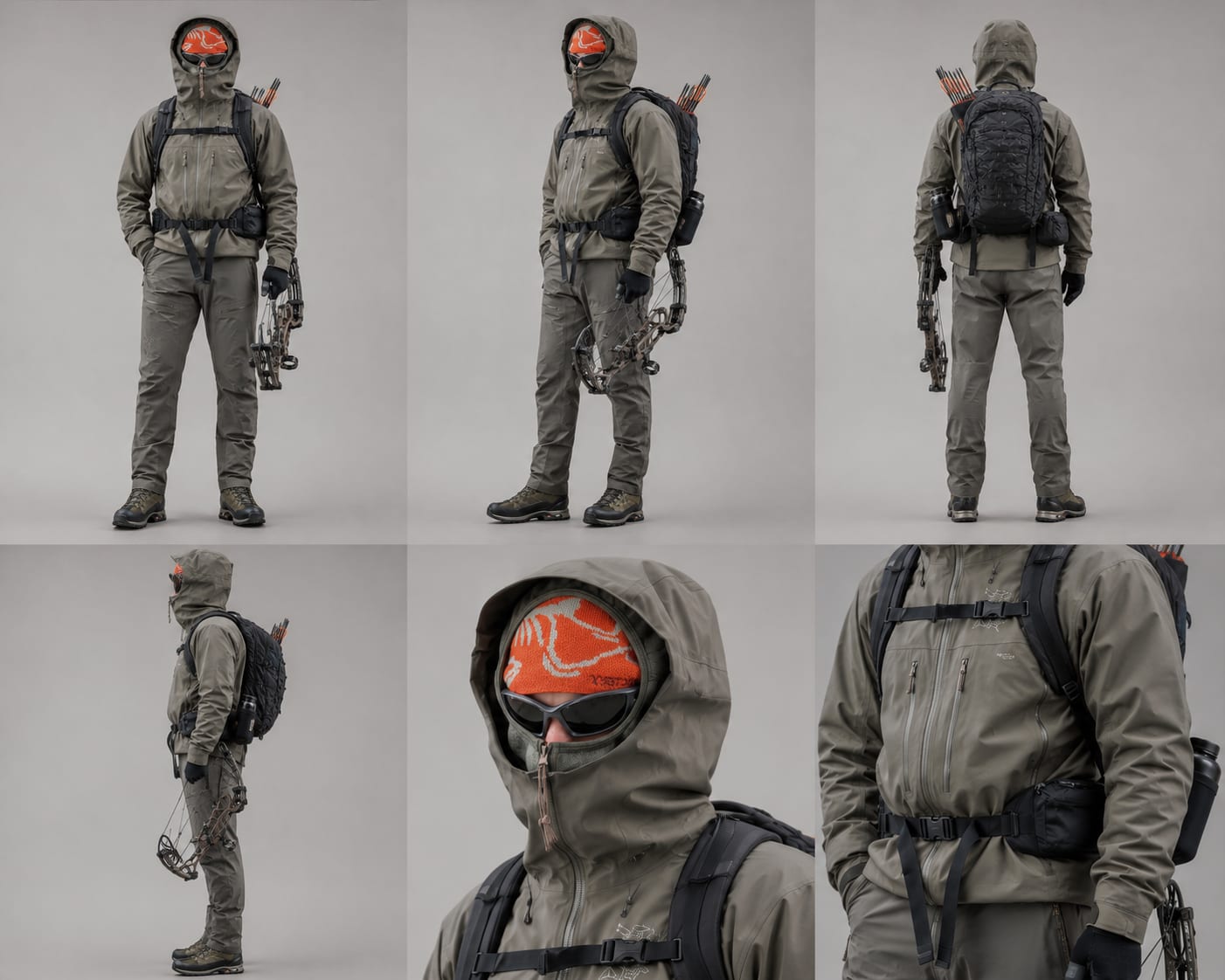
Most character sheets pin down a face. Rowan's sheet pins down something harder to keep consistent across generations: a fully concealed identity built entirely from gear. His hood, wraparound black alpine sunglasses and technical face covering hide everything but a sliver of nose and skin, so the burnt-orange patterned beanie underneath, the muted olive-gray waterproof shell, the compound bow with realistic cams and cables, and the orange-fletched arrow quiver mounted to his backpack become the actual identity anchors the model has to hold onto. Six panels, three full-body angles and three close-ups, document every strap, zipper and material at product-photography quality, which is exactly what outdoor, survival and tactical-adventure AI content needs: a recognizable character even when you never see his face.
Jabari, Noble Warrior
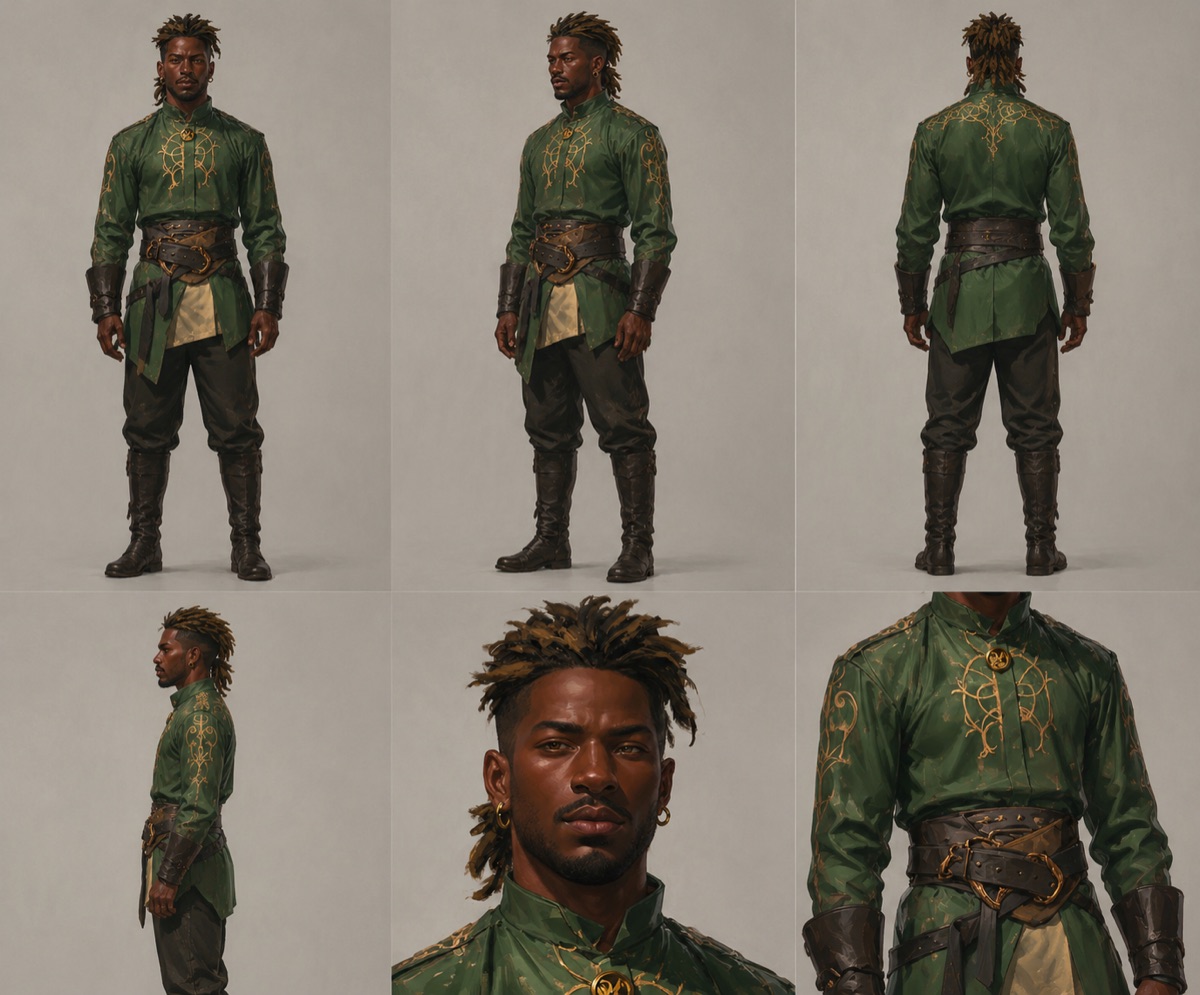
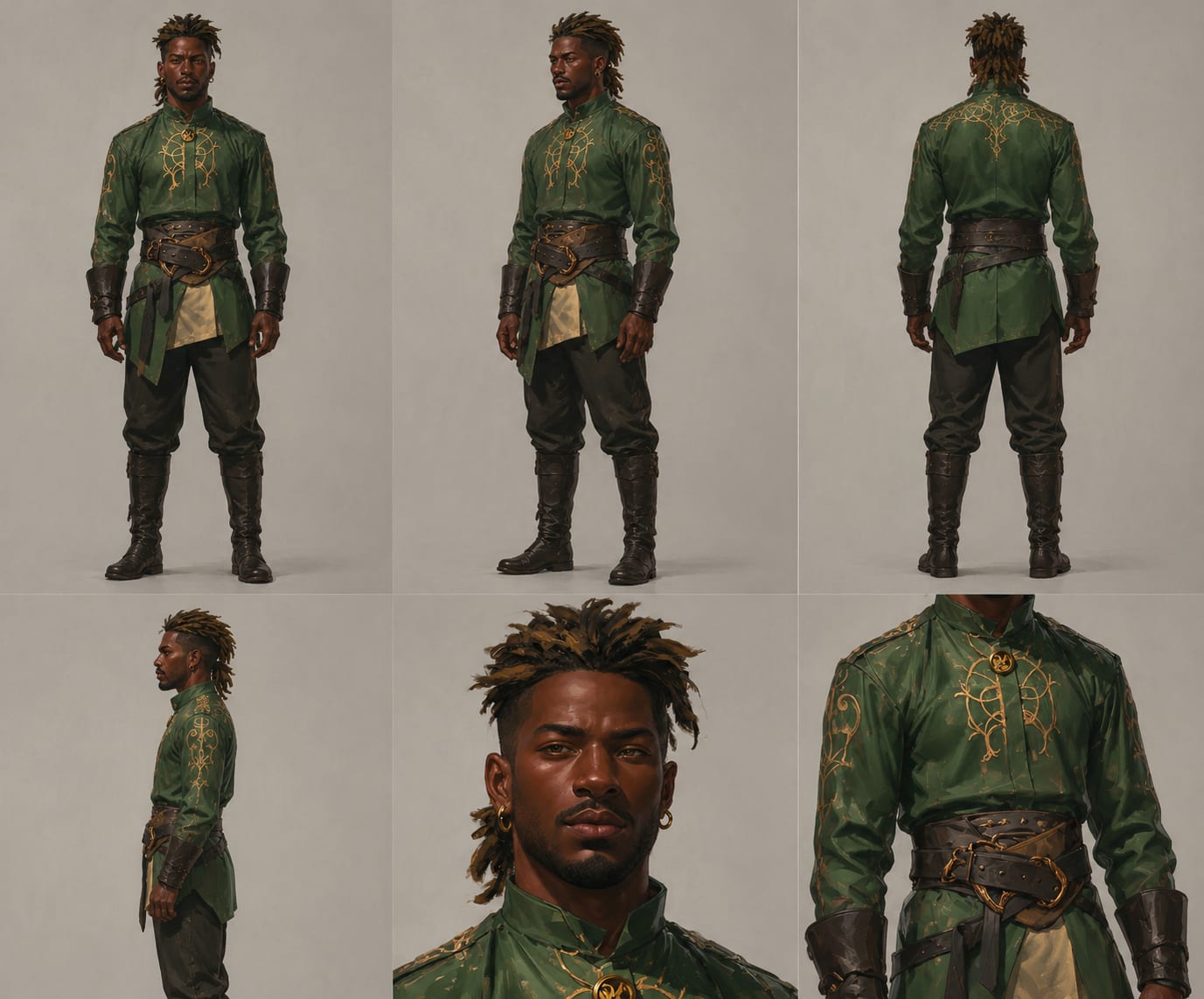
Fantasy character sheets usually lean on armor to read as 'RPG.' Jabari's sheet takes the opposite approach: a tall East African man with freeform dreadlocks and a calm, confident bearing, dressed in an elegant emerald-green tunic with intricate gold embroidered filigree flowing across the chest, shoulders and back, over a layered dark leather belt system with engraved brass buckles. Six panels, three full-body angles plus a portrait and torso close-up, document the embroidery, the aged leather and the tall riding boots in enough detail to survive re-generation. It reads like a premium RPG concept sheet from a studio like CD Projekt Red or Naughty Dog, refined fantasy realism rather than exaggerated armor, built for narrative games, cinematic shorts and story-driven AI video.
Bram, Tavern Keeper
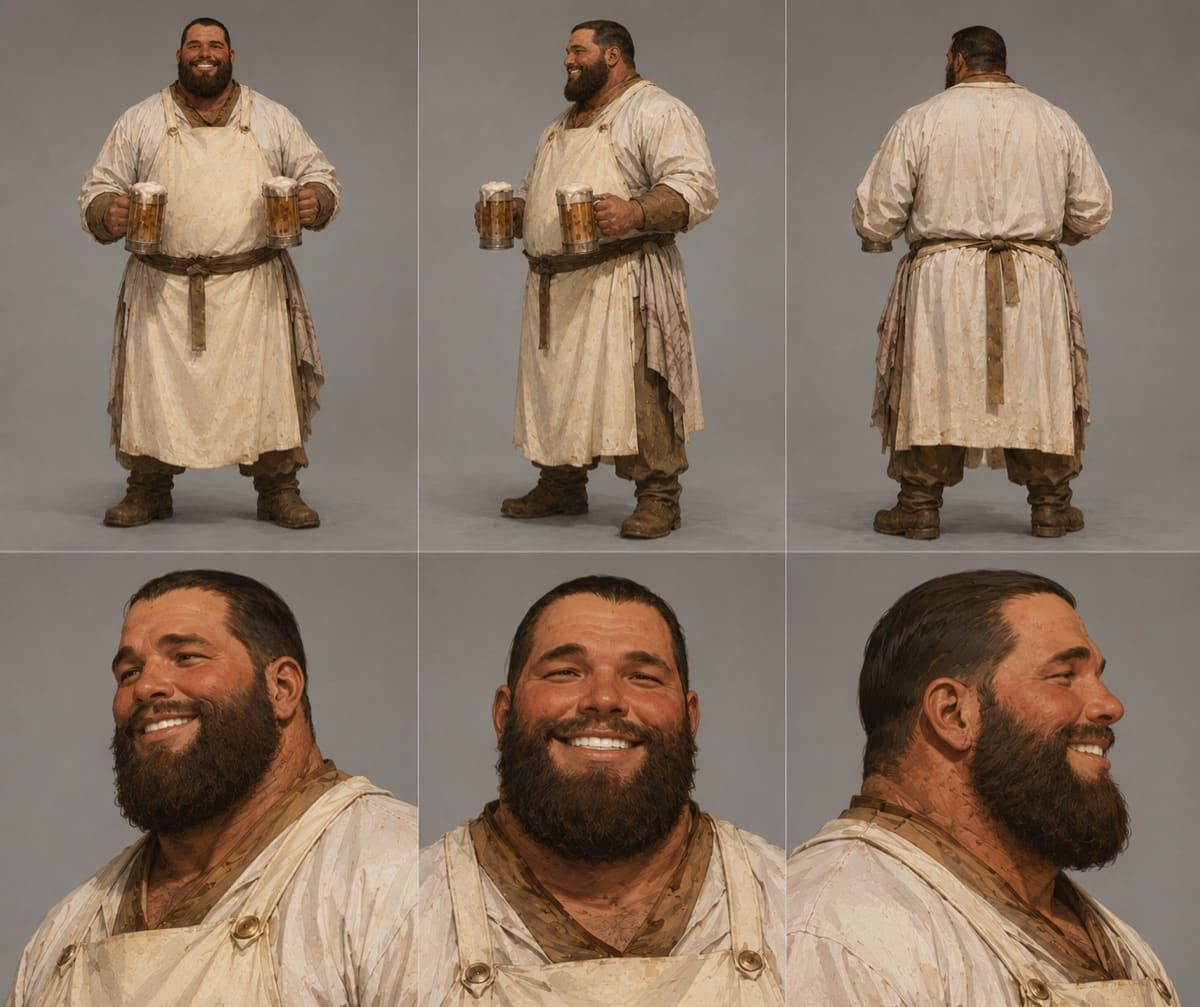
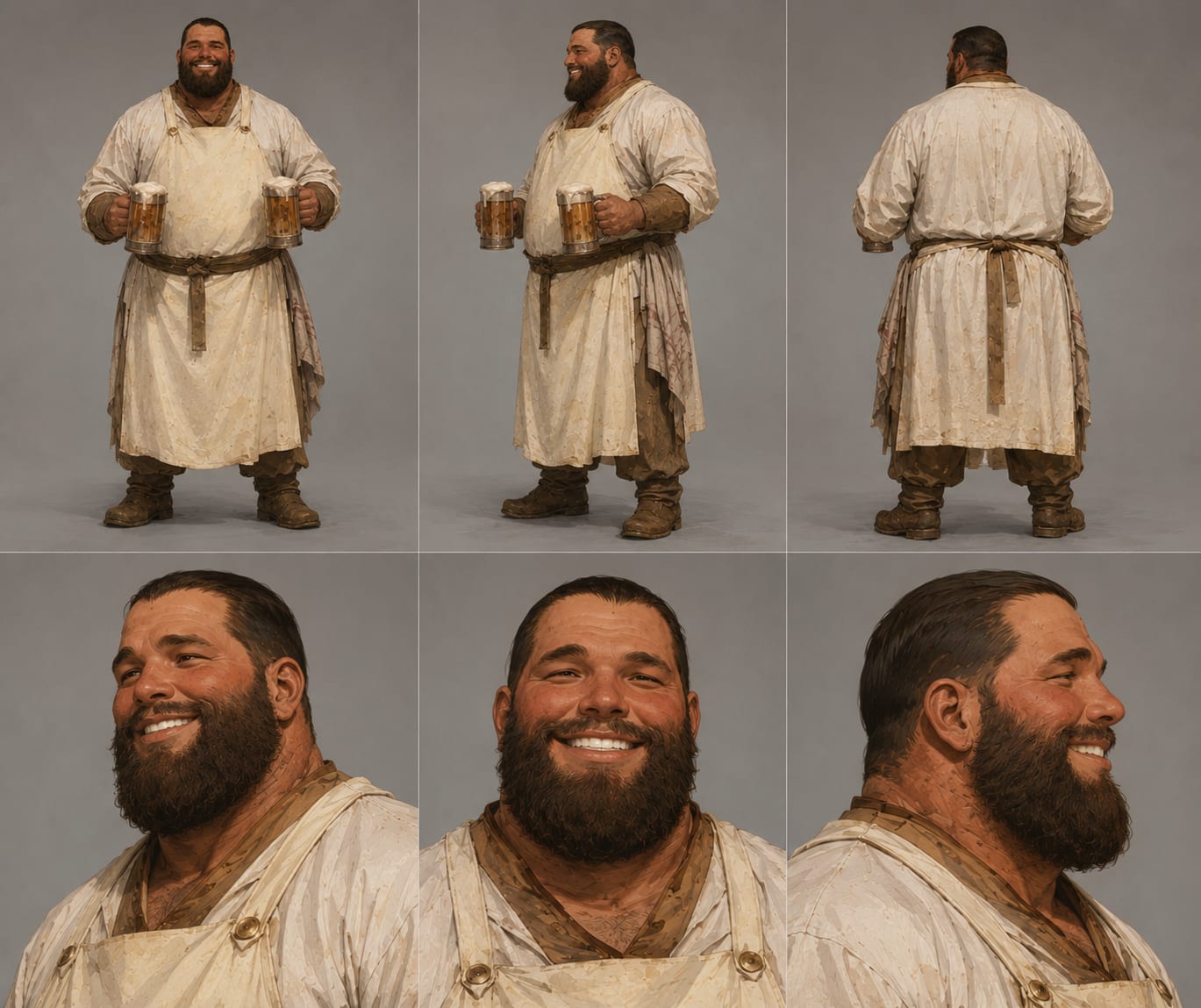
Good NPC design is about warmth and believability, not spectacle, and Bram's sheet is built entirely around that. He is a large, broad-shouldered man in his early 40s with a stocky heavyset build, warm olive skin with real texture, laugh lines and an incredibly genuine smile framed by a thick dark beard. Six panels, three full-body angles plus three portrait angles, document his worn linen apron over an earthy tunic and the two overflowing wooden tankards he casually holds, foam spilling slightly over the rim. Every stain, wrinkle and stitch on the handcrafted-looking clothing is captured under soft studio lighting, giving RPG and story projects a tavern keeper with real proportions, warmth and personality rather than a caricature.
Luca, Casting Model
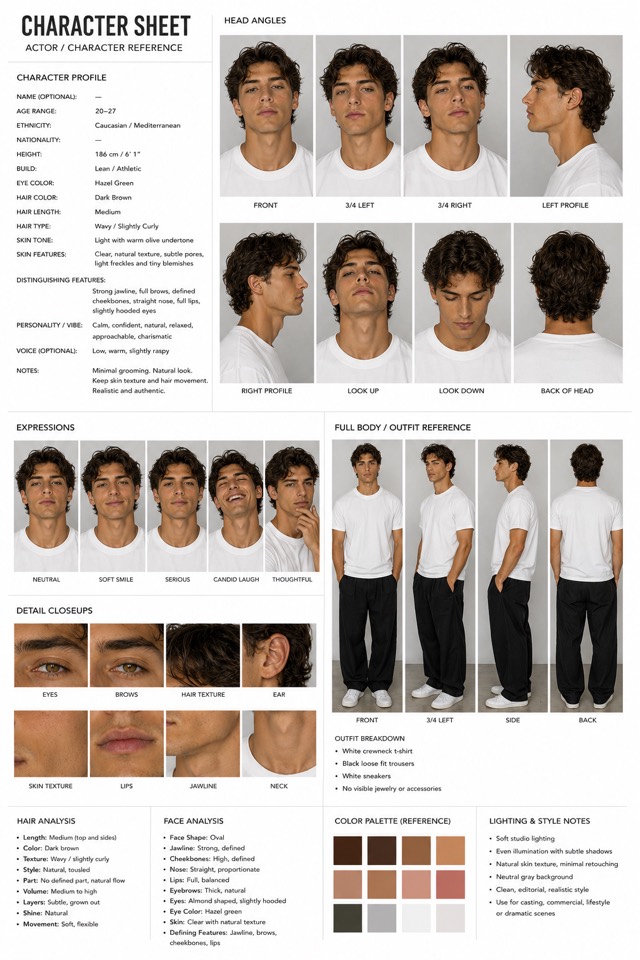
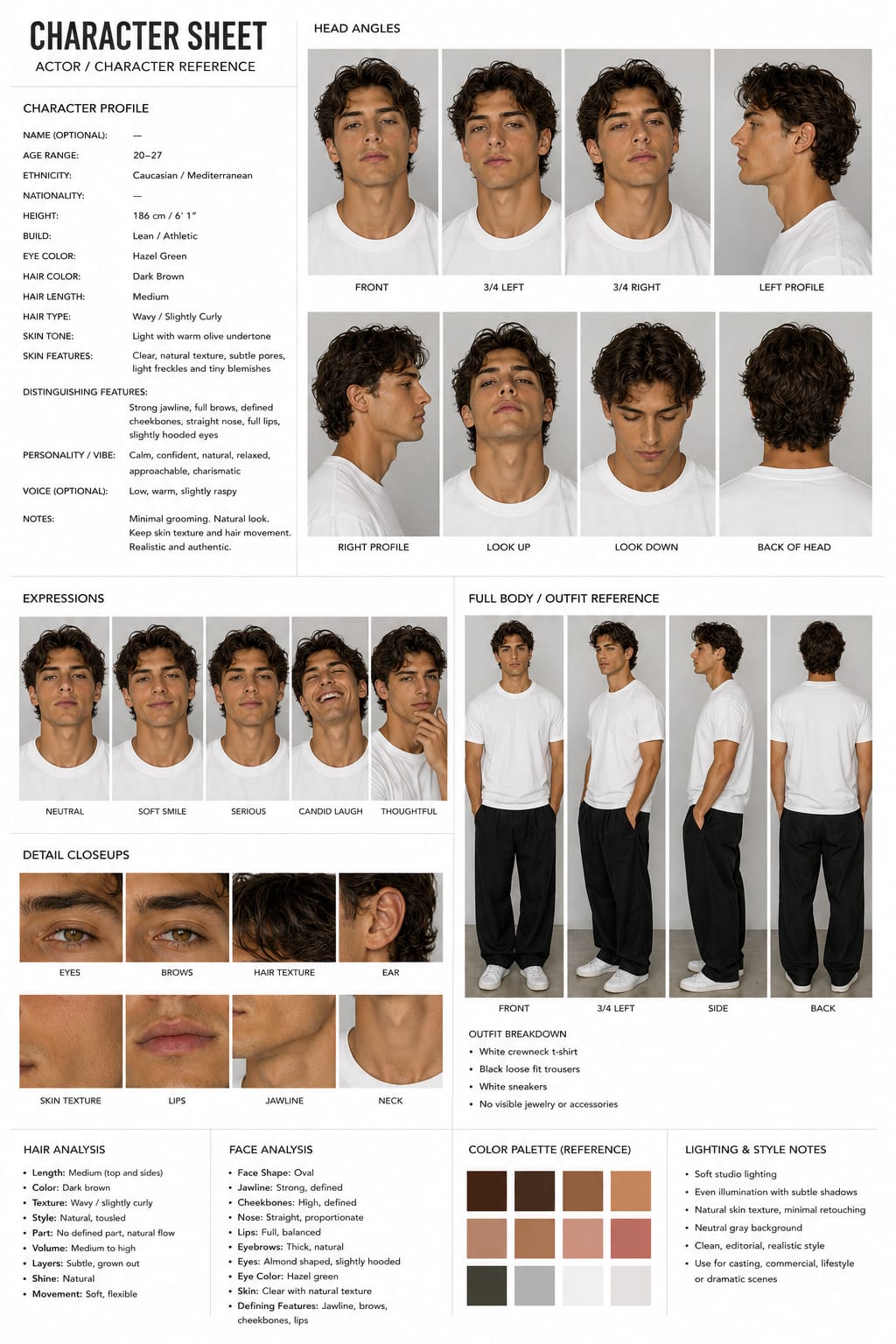
Sometimes the best character sheet is the most neutral one. Luca is a male model reference sheet in classic casting form: medium wavy dark-brown hair, hazel-green slightly hooded eyes, strong jawline, white crewneck tee, black loose-fit trousers and white sneakers on a seamless neutral gray background with soft studio light. That neutrality is the point: with no props, patterns or dramatic lighting baked in, he restyles cleanly into business wear, streetwear or costume using a wardrobe prompt, while the eight head angles and macro close-ups keep his face pinned. Ideal as the base persona for commercial, fashion and product content.
Theo, Casual Creator
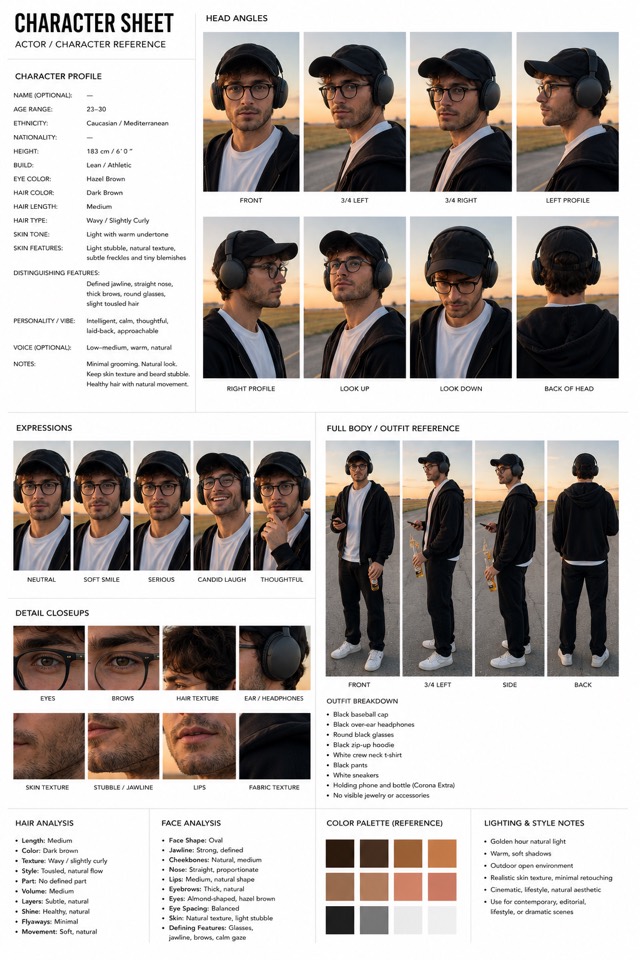
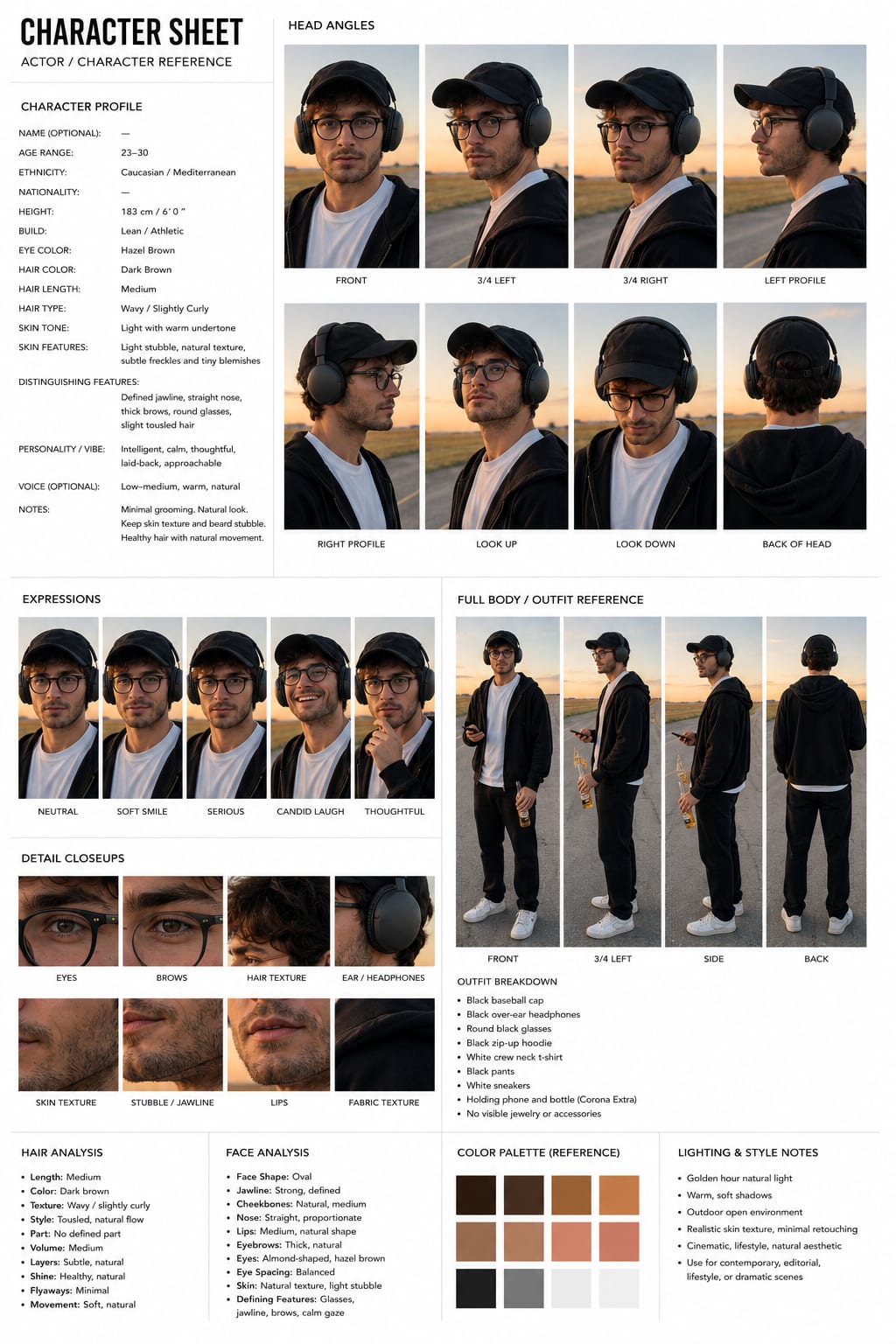
Accessories are where AI characters quietly fall apart: glasses reshape, hats change logos, headphones teleport. Theo turns that weakness into his signature. His sheet stacks three accessory anchors, a black baseball cap, round black glasses and black over-ear headphones, on top of light stubble, a black zip-up hoodie over a white tee, and documents each one in labeled macro close-ups. The golden-hour outdoor setting also bakes in a repeatable look for lifestyle and UGC-style product content: he reads as a real guy filming himself, not a model, which is exactly the trust signal that makes UGC-style AI ads convert.
Dante, Cinematic Lead
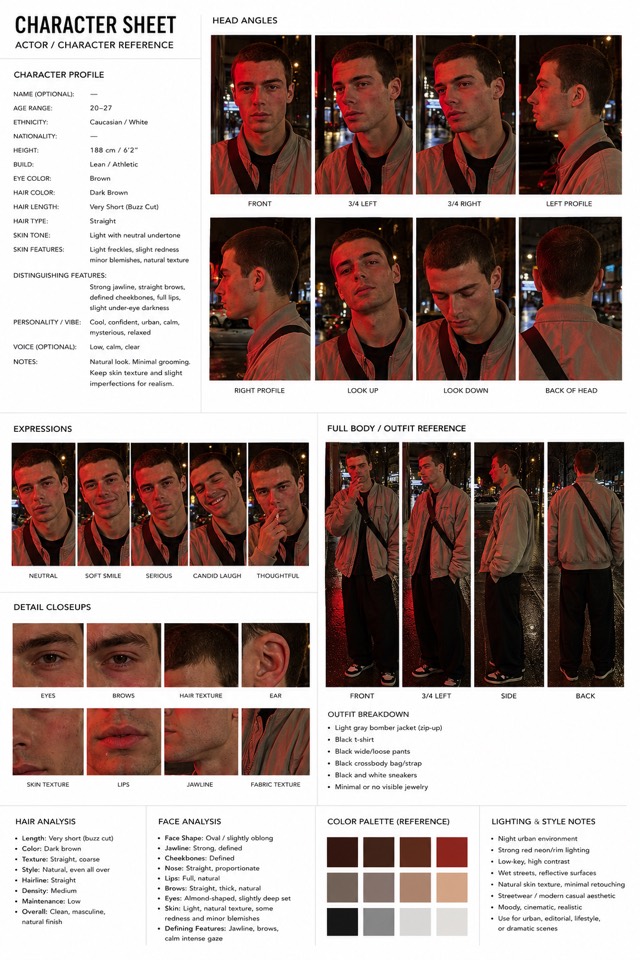
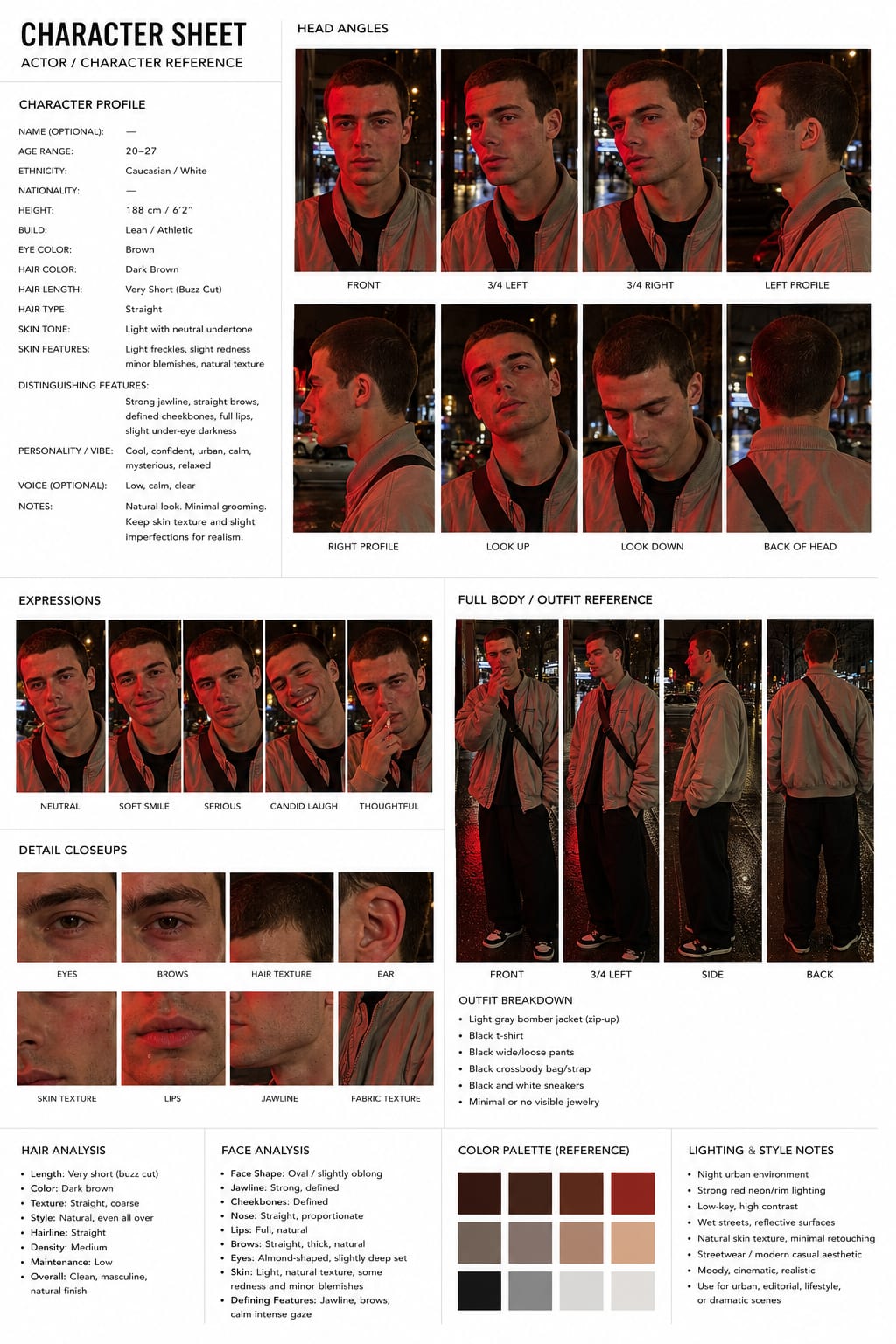
Dramatic lighting is usually the enemy of character consistency: a face established in daylight falls apart when you ask for neon and shadow. Dante solves it by being documented in his native lighting. His entire sheet, eight head angles, expressions, close-ups and full-body views, is shot in low-key, high-contrast red neon on wet night streets, so the strong jawline, buzz-cut dark hair, gray bomber jacket and black crossbody strap are all referenced exactly as they'll appear in your scenes. For cinematic AI shorts and music-video looks, referencing a sheet that already matches your color grade keeps both the identity and the mood locked from the first frame.
The sheet styles
Seven layouts for turning your own character into a reference sheet. Every template starts from one uploaded image and keeps the original visual style.
Game Concept Turnaround
This is the layout Elias in our library uses, and it is the format real game studios lock a design in before modeling begins: a four-panel character turnaround rendered as concept art rather than photography. You get a full-body front three-quarter view, a chest-up portrait, a perfect side profile and a rear three-quarter view, all on a clean studio gray. Because the render style is painterly AAA concept art, refined linework, muted cinematic tones, heavy material definition, it suits story characters, game protagonists and cinematic shorts where a photoreal casting sheet would feel wrong. The prompt keeps your character's identity pinned across all four angles while translating them into production-ready concept art.
Casting Board
The casting board is the layout behind Amari and Iris in our library: four evenly aligned photographic panels on seamless white, a straight-on headshot, a 45-degree portrait, a waist-up reference and a full-body front A-pose. It deliberately includes the body, because most reference sheets stop at the face and that is exactly where AI characters start drifting: the model was never shown real proportions. The prompt also insists on genuinely photographic skin, visible pores, subtle asymmetry, natural imperfections, so the result reads like an actor's casting package rather than an airbrushed render. Use it when your character has to survive tight close-ups and full-body shots as the same believable person.
Technical Gear Sheet
Some characters are their gear, and a face-first sheet wastes panels on the wrong thing. The technical gear sheet, the layout behind Rowan in our library, spends six panels documenting equipment like premium product photography: full-body front, three-quarter and rear views across the top, then a side profile, a tight head-and-shoulders close-up and a dedicated torso equipment close-up underneath. The prompt pushes physically accurate materials, fabric weave, stitched seams, zippers, straps, hardware, worn edges, so when you later prompt the character in action, the model reproduces the exact kit instead of inventing new pockets every generation. Built for tactical characters, athletes, explorers, sci-fi operators and anyone whose silhouette depends on what they carry.
Fantasy Concept Sheet
Fantasy costumes are where consistency goes to die: layered fabrics, embroidery, belts and props give the model a dozen details to forget between generations. The fantasy concept sheet, the layout behind Jabari and Bram in our library, locks all of it in six panels styled like a premium RPG studio concept sheet: full-body front, three-quarter and rear views on top, then a side profile, a tight portrait and a dedicated torso costume close-up. The prompt calls for physically based rendering of embroidered silk, aged leather, brass hardware and weathered fabric, and keeps signature props in hand in the front views. Use it for fantasy, medieval, historical and RPG-style characters where the costume is half the identity.
Editorial Casting Sheet
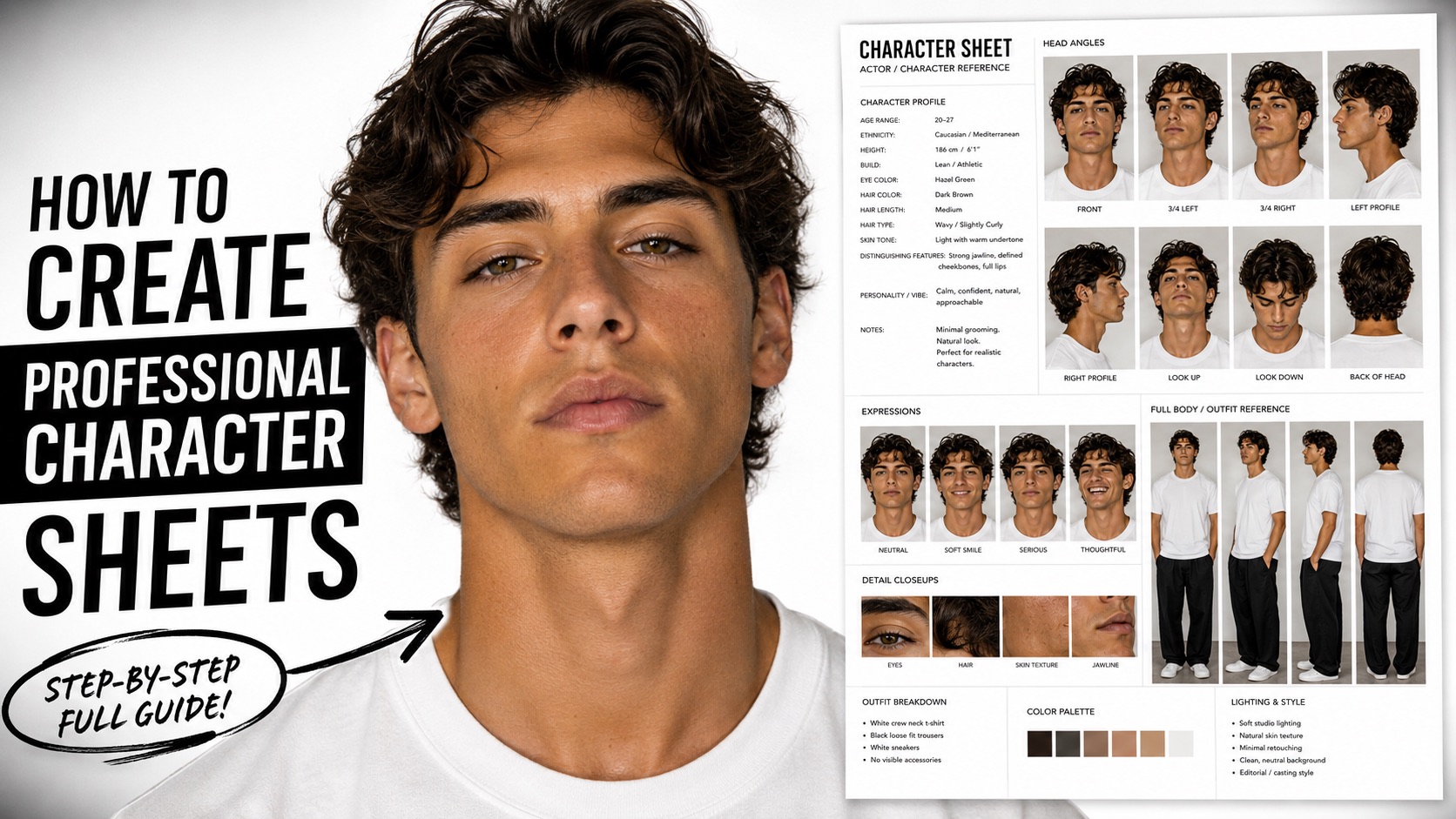
The editorial casting sheet is the most complete character reference format on this page and the one every downloadable character in our library uses. It reads like a real casting document: a written character profile, eight labeled head angles including look up, look down and back of head, a five-expression row, macro close-ups of eyes, brows, skin, lips and accessories, a four-view full-body outfit reference with a written outfit breakdown, plus hair analysis, face analysis, a color palette and lighting notes. The text sections matter as much as the photos: they give you copy-paste language for future prompts, and they give the model explicit written canon to obey.
Classic Turnaround
The classic turnaround is the standard character reference sheet layout and the one to start with: two rows, four full-body standing views on top (front, left profile, right profile, back) and three close-up portraits underneath. It covers every angle a video model will ever need to check against, which is why most consistency tutorials build exactly this sheet. The prompt below works from a single uploaded photo or render of your character and instructs the model to match the reference's exact style, keep an A-pose, and hold lighting identical across every panel.
Four-Column Grid
The four-column grid organizes the sheet by viewing angle instead of by shot size: each vertical column holds one angle, with the full-body view on top and its matching close-up portrait directly beneath. Models read this pairing well because the face and body for each angle sit together, and it produces a tidy sheet that is easy to crop into individual references later. Add DSLR and photorealism keywords at the end for live-action characters, or swap them for your render style. If both profile columns come back facing the same direction, re-upload the result and ask the model to flip one column.
Nine-View Sheet
The nine-view sheet is the maximalist option, modeled on multi-view workflows that generate nine coordinated views from one input image. You get the core turnaround, a dynamic action pose that shows how the character moves, four face studies from different angles and two half-body portraits with different expressions. It is the best sheet for long-running projects, a film, a comic series, an AI influencer feed, because almost any shot you later prompt has a close neighbor on the sheet. Expect to iterate once or twice: with nine panels there are more chances for one view to come back wrong, and a follow-up correction prompt fixes it.
Expression Sheet
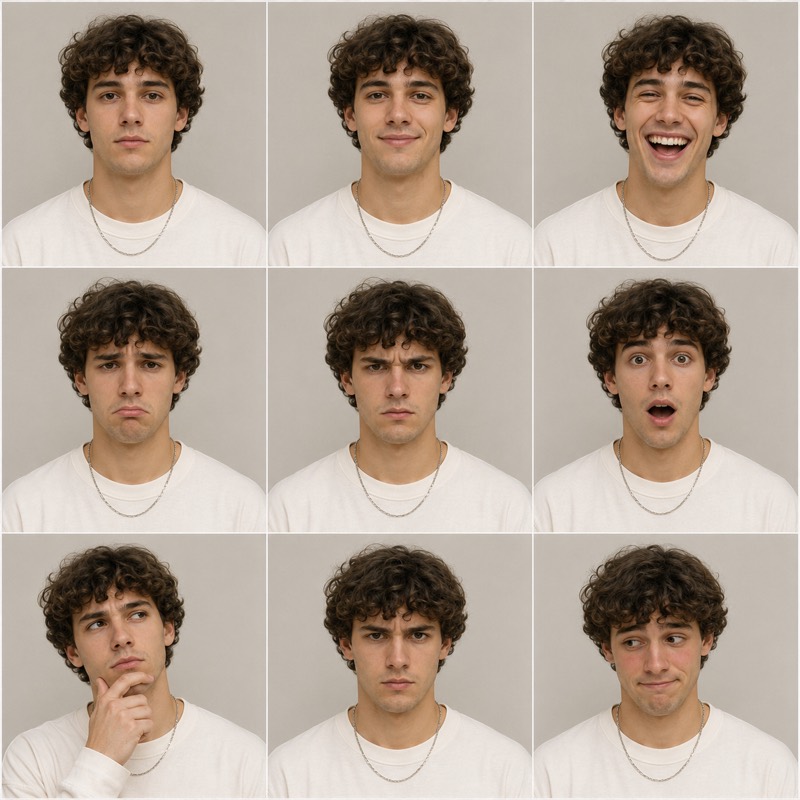
A turnaround tells the model what your character looks like; an expression sheet tells it how they emote, and that is what dialogue scenes and talking-head videos actually need. This layout generates a three-by-three grid of head-and-shoulders portraits with identical framing, scale and lighting, where the only thing that changes is the expression. Attach it alongside your main sheet when you prompt emotional beats, and the model stops defaulting to the same neutral face. It is also the fastest way to check whether your character's identity survives extreme expressions, a common failure point for AI-generated faces.
Cinematic Production Sheet
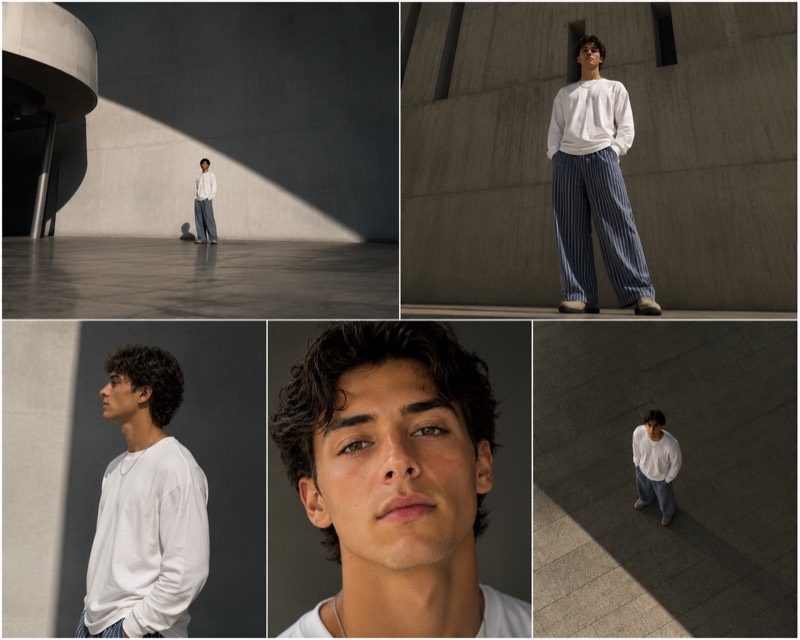
The cinematic production sheet treats your character like a director planning coverage: instead of neutral turnaround poses, it lays out five film-style shots on one sheet, an extreme wide establishing frame, a low-angle full-body hero shot, a medium profile, a tight close-up and a high-angle wide. It answers a different question than a turnaround does: not just what the character looks like, but how they read on camera at every shot size and angle. Generate it before an AI film project and you have a previsualization board plus a consistency reference in one image, which saves expensive video-generation retries.
Outfit & Wardrobe Sheet
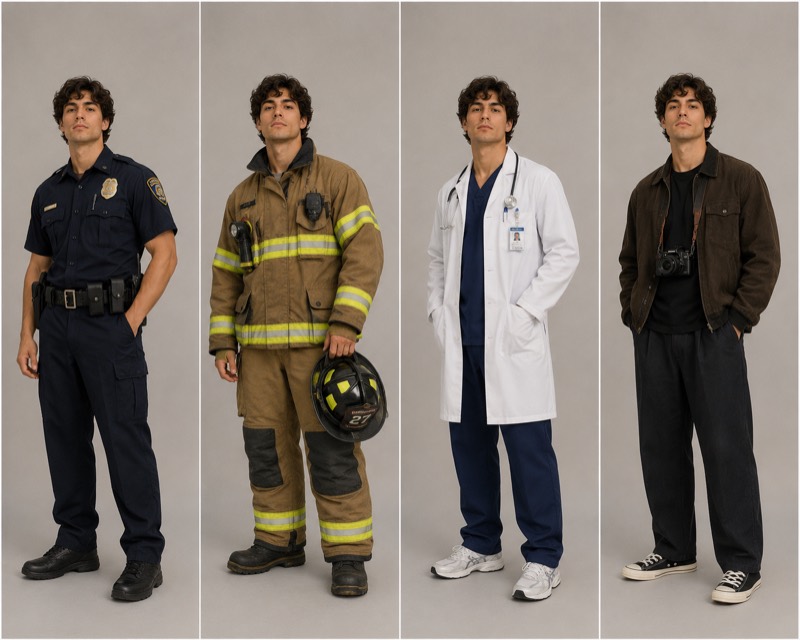
Changing clothes is where most AI characters quietly become someone else: the model treats a new outfit as permission to redraw the face. The wardrobe sheet separates identity from clothing explicitly. It renders the same character four times, full body, side by side, identical pose and expression, wearing four outfits you describe in the bracketed slots. AI influencer creators use this constantly, one persona needs gym wear, streetwear, eveningwear and swim content, and the wardrobe sheet plus the main turnaround keeps the face pinned while the closet rotates. It also works as a costume plan for story projects with wardrobe changes between scenes.