
How much does AI video generation cost?
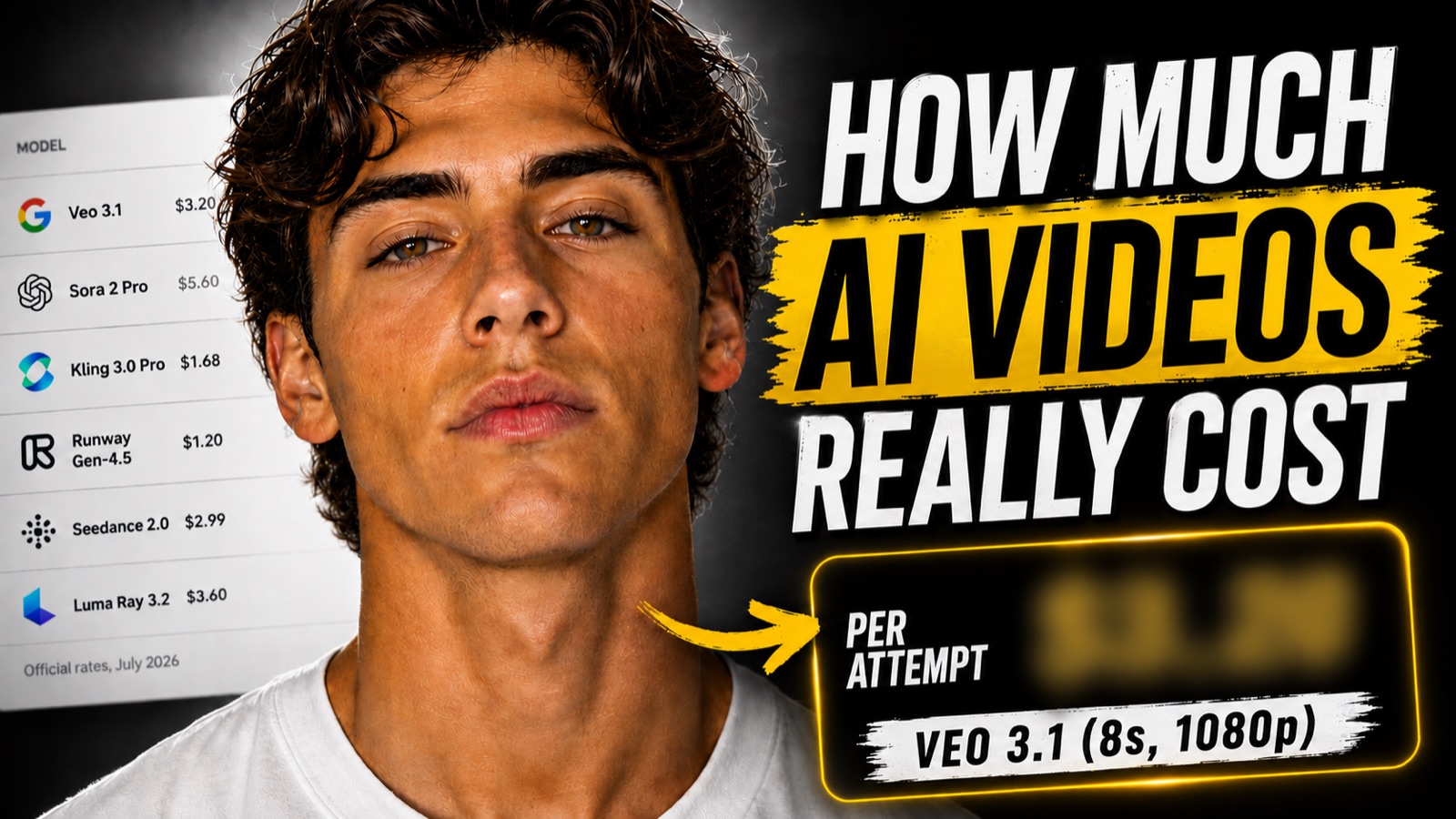
As of July 2026, generating AI video costs between roughly $0.05 and $0.70 per second of output at the raw model rates, depending on the model tier, resolution, and whether audio is included. A typical 8 second, 1080p clip runs from about $0.48 on a budget model to $5.60 on the priciest tier, per attempt. There are two ways to pay those rates. Developers hit the APIs directly and pay per second (or per video token on Seedance, computed from output pixels and frames). Everyone else, which is most creators, generates inside an AI video studio: a web app with a prompt box, reference image uploads, character tools and multiple models bundled into a monthly plan. The plan's credits are those same per-second rates wearing a friendlier interface, which is why the numbers in this guide matter even if you never write a line of code: they are what your credits actually buy. Every price here comes from the provider's own published price list.
Where can you run each model, and where is the best value?
There are three routes to any of these models. First, the model's own app: Runway's app, Kling's app, Pika's app, Google's Gemini app for Veo, LTX Studio, Luma's Dream Machine, each selling its own plan (each model section below lists its home and typical entry price). That is the best value if you genuinely live inside one model. Second, a multi-model studio app: one plan, all the major models in a single interface, with reference images and start frames. That is usually the best value for how people actually work, because the cheapest workflow on this page, iterate on a budget model, final-render on a premium one, requires switching models, which single-model apps cannot do and which would take several separate subscriptions to replicate. Third, the raw model rates through code, for developers only.
You do not need to code to use any of this
If you can type a prompt and upload a picture, you can use every model on this page. That is the whole point of a studio app: a prompt box, an upload button for reference images and start frames, character tools, a model dropdown and a gallery of everything you have made, all in the browser. No API keys, no code, no setup, and one predictable monthly bill you chose in advance instead of an open-ended meter. The market comparison above shows typical plans from $8 to $125 per month, with entry plans from €4.99. The raw model rates on this page exist for developers wiring models into software; if that is not you, you never need to touch an API, but the rates stay useful for one thing: they tell you what your plan credits are really buying, so you can spend them on the right settings.
The prompt is free. The retries are not.
No provider bills your text prompt: not per word, not per token, not at all. Even on token-billed models the tokens measure output pixels, not input text. That leads to the one insight that changes how you budget: the importance of the prompt comes from the fact that it costs nothing to make it long and detailed, while a short, non-detailed prompt costs you multiple regenerations, and every regeneration is billed in full. Some models never refund a failure: Kling explicitly keeps the credits for failed, stuck and moderation-rejected generations, while Veo and Seedance at least only charge on success. So the goal is simple: as few regenerations as possible, with as detailed a prompt as possible. Specify the camera movement, the lighting, the subject's exact appearance, the motion, how the shot ends, and what to avoid. That is what the free prompt generators on this site write for you, and pairing them with a character sheet removes the most common reason for re-rolls: your character looking different in every take.
Do reference images or inputs cost extra?
Mostly no, with instructive exceptions.Grok Imagine bills about $0.002 per input image and $0.01 per second of input video. Kling's multi-reference element workflows run about 1.5x the plain rate. Pika's start-plus-end keyframe feature is priced above plain image-to-video in its app. And Seedance 2.0 inverts the rule: starting from an input video bills at a lower token rate than generating from scratch. Everywhere else, image-to-video costs exactly the same as text-to-video, so attaching a start frame or a reference sheet is free insurance against drift.
How to make a small plan go far
The smart way in is the smallest plan, stretched with the same three levers the calculator teaches. Draft at 720p and short durations, since credits scale with pixels and seconds exactly like the rates above. Write detailed prompts so you skip the retry tax, and pin your character with a reference sheet so re-rolls stop being necessary. And iterate on a cheap model, final-render on a premium one, which is precisely what a multi-model studio makes possible inside a single plan, no second subscription needed. Start small, and upgrade only when you are consistently running out of credits, because at that point the upgrade is paying for itself.
What each model costs
Official API list prices in USD, verified July 2026. Every section links into the calculator with that model pre-selected.
Veo 3.1 pricing
Veo 3.1 pricing on the official API is $0.40 per second of output video at 720p or 1080p, and $0.60 per second at 4K, with synchronized audio included. An 8 second 1080p clip is $3.20 per attempt, and the same clip at three attempts is $9.60, which is why regenerations, not prompt length, decide your real spend. The text prompt itself is never billed, so a long shot-by-shot brief costs the same as one vague sentence: write the detailed prompt. The Fast tier ($0.10 to $0.30 per second) and Lite tier ($0.05 to $0.08) are the smart drafting lanes before a final full-quality render. Failed generations are not charged.
Where to run it: Google's own Gemini app (AI plans from about $20/month), or any multi-model studio app that bundles it, one plan, no code.
Veo 3.1 Fast pricing
Veo 3.1 Fast costs $0.10 per second at 720p, $0.12 at 1080p and $0.30 at 4K on the official API, audio included. That makes an 8 second 720p draft $0.80, a quarter of full Veo 3.1. The workflow that saves the most money: iterate your idea on Fast until the prompt reliably produces the shot you want, then re-run that exact proven prompt once on the standard tier for the final render. Prompt length is free on every tier, so the savings come from cutting retries, not from shortening the brief.
Where to run it: Same homes as Veo 3.1: Google's Gemini app, or bundled inside multi-model studio apps.
Sora 2 pricing
Sora 2 pricing is $0.10 per second of 720p output on the official API, with audio included, and Sora 2 Pro runs $0.30 per second at 720p up to $0.70 at 1080p. A batch tier halves all of it. The bigger story for anyone budgeting on Sora: the consumer app was discontinued in April 2026 and the entire Sora API is scheduled to shut down on September 24, 2026. Treat these prices as short-lived, and plan pipelines around models with a future. As everywhere else, prompt text is free and retries are billed in full, so a detailed prompt that lands in one attempt is the cheapest Sora video you can make while the API lasts.
Where to run it: Its own app was discontinued in April 2026, so until the September shutdown it only lives inside multi-model platforms that still host it.
Sora 2 Pro pricing
Sora 2 Pro is the ceiling of this comparison: $0.30 per second at 720p and $0.70 per second at 1080p (a 1024p middle tier sits at $0.50). A 12 second 1080p generation is $8.40 per attempt, so three retries cost more than an entire month of a budget subscription plan elsewhere. The same September 24, 2026 API shutdown applies as for base Sora 2. If you do render on Pro before then, do the iteration on the $0.10 base tier or another cheap model first and bring only a proven, detailed prompt to Pro.
Where to run it: Same situation as Sora 2: no first-party app anymore, only multi-model platforms, until the September 2026 shutdown.
Seedance 1.5 Pro pricing
Seedance pricing works differently: you pay per video token, and tokens are computed as width x height x fps x duration divided by 1024. In plain terms, you are billed for output pixels times frames, which converts to about $0.026 per second at 720p with audio ($0.013 without) and about $0.117 per second at 1080p with audio on Seedance 1.5 Pro ($1.20 per million tokens without audio, $2.40 with). Notice what is NOT in that formula: your prompt. Text costs zero tokens, so the 400-word structured brief and the one-liner bill identically, and only the one-liner will burn attempts. Billing is settled on successful completion.
Where to run it: No western first-party app; ByteDance's own home is Dreamina. Most creators reach Seedance through multi-model studio apps.
Seedance 2.0 pricing
Seedance 2.0 keeps the token formula (output pixels x frames / 1024) at a higher rate: roughly $7.00 per million tokens at 480p and 720p and $7.70 at 1080p, which converts to about $0.067, $0.151 and $0.374 per second respectively, audio included. A quirk worth knowing: generations that start from an input video (editing mode) are billed at a lower per-token rate than pure generation, so remixing existing footage is cheaper than generating from scratch. Reference images cost nothing extra. As with 1.5 Pro, the prompt contributes zero tokens: detail is free, retries are not.
Where to run it: Same as 1.5 Pro: ByteDance's Dreamina, or more commonly a multi-model studio app with it bundled.
Kling 3.0 Standard pricing
Kling 3.0 Standard converts to roughly $0.084 per second without audio and $0.126 with audio through the official credit system (6 credits per second at 720p without audio, 9 with; voice control adds 2 more per second). The number that should shape your workflow: Kling's own docs state that credits consumed by failed, stuck or moderation-rejected generations are not refunded. Every retry is real money even when you get nothing back, which makes Kling the strongest argument on this page for bringing a detailed, tested prompt instead of iterating with vague ones. Prompt length itself is free.
Where to run it: Kling's own app at klingai.com (credit plans), or bundled inside multi-model studio apps.
Kling 3.0 Pro pricing
Kling 3.0 Pro pricing lands around $0.112 per second without audio and $0.168 with audio, roughly 1.33x the Standard tier. A 10 second Pro clip with audio is $1.68 per attempt, $5.04 at three attempts, and Kling does not refund failures or moderation rejections. The cost-control play is the same as everywhere but with higher stakes: lock the shot on Standard (or a cheaper model), then run the proven prompt once on Pro. Multi-reference element workflows price at a premium over plain text-to-video or image-to-video, so count each reference pass as its own budget line.
Where to run it: Kling's own app at klingai.com, or bundled inside multi-model studio apps.
Runway Gen-4.5 pricing
Runway pricing is the simplest here: Gen-4.5 costs 12 API credits per second and credits are a flat $0.01, so every second is $0.12 regardless of resolution or whether you start from text or an image. A 10 second clip is $1.20 per attempt. Two traps to budget around: API credits and web-app subscription credits are completely separate pools (a $12 per month plan does not top up the API), and while genuine generation errors are refunded, moderation rejections are not. Prompt text is free, so the cheapest Runway workflow is a detailed prompt that lands in one or two attempts.
Where to run it: Runway's own app at runwayml.com (plans from about $12/month), or bundled inside multi-model studio apps.
Luma Ray 3.2 pricing
Luma Ray 3.2 is priced per video, not per second, and the table is steep at the top: a 5 second clip is $0.15 at 540p, $0.30 at 720p and $1.20 at 1080p, while 10 seconds costs $0.45, $0.90 and $3.60. Note the nonlinearity: doubling the duration triples the price, and 1080p runs 4x to 8x the 540p rate. HDR output doubles the price and HDR plus EXR triples it. Text-to-video and image-to-video cost the same. The budget play on Luma is to prototype at 540p, where a failed attempt costs cents, and only render 1080p once the prompt is proven.
Where to run it: Luma's own Dream Machine app (plans around $30/month for heavy use), or bundled inside multi-model studio apps.
Pika 2.1 pricing
Pika 2.1 has no first-party public API; through its official API partner it bills a flat $0.40 per video for both text-to-video and image-to-video, up to 5 seconds, at 720p or 1080p alike. Flat per-video pricing changes the retry math: a short clip and a maxed-out clip cost the same, but five retries still turn a $0.40 video into a $2.00 video. In the consumer app, credits scale with resolution, duration and tier instead, and the start-plus-end keyframe feature is priced above plain image-to-video, one of the few places where an extra input costs extra.
Where to run it: Pika's own app at pika.art (plans from about $8/month), or bundled inside multi-model studio apps.
PixVerse V6 pricing
PixVerse V6 bills credits per second of output: at the pay-as-you-go rate of $0.01 per credit that is $0.05 per second at 360p, $0.07 at 540p, $0.09 at 720p and $0.18 at 1080p, before audio. The 720p to 1080p step exactly doubles the price, the steepest resolution jump in this comparison, so 1080p retries hurt twice as much. Memberships cut the per-credit price by 35 to 45 percent for volume users. Text-to-video and image-to-video are priced identically, prompt length is free, and no failed-generation refund policy is documented, so budget retries as spent money.
Where to run it: PixVerse's own app (credit plans), or bundled inside multi-model studio apps.
LTX 2.3 Fast pricing
LTX 2.3 Fast is the value leader for full HD: $0.06 per second at 1080p, $0.12 at 1440p and $0.24 at 4K on the official API, with no subscription or minimums. A 10 second 1080p clip is $0.60 per attempt, cheap enough to be everyone else's drafting model as well as its own final renderer. The Pro tier runs $0.08, $0.16 and $0.32 per second for higher fidelity. Image-to-video costs the same as text-to-video, prompt length is free, and the retake and extend endpoints bill at $0.10 per second, so even revisions are priced predictably.
Where to run it: LTX's own LTX Studio app (plans from about $15/month), or bundled inside multi-model studio apps.
Grok Imagine pricing
Grok Imagine video is the floor of this comparison: $0.05 per second at 480p and $0.07 at 720p. It is also the only model here that bills inputs: each reference image adds about $0.002 and video input for extensions runs $0.01 per second, negligible amounts, but proof that inputs can carry a price. Text prompts remain free at any length. At these rates a 10 second 720p clip is $0.70 per attempt, so Grok doubles as a cheap iteration lab: refine the prompt here, then carry the proven brief to a premium model for the final render.
Where to run it: The Grok app on X (included with premium X plans), or bundled inside multi-model studio apps.
Happy Horse 1.1 pricing
Happy Horse 1.1 pricing through its official API partner is $0.14 per second at 720p and $0.18 at 1080p, billed on the actual seconds generated (3 to 15 seconds), with native audio and multilingual lip-sync included at no surcharge, version 1.1 cut the 1080p rate about 36 percent from 1.0's $0.28. Image-to-video costs the same as text-to-video and reference images are free. Because audio is bundled, comparing it against audio-off rates elsewhere flatters the competition; against audio-on rates it sits mid-pack. Prompt detail, as everywhere, is free; the retries are the bill.
Where to run it: No first-party consumer app; it is only available inside multi-model platforms that host it.