
Veo 3.1 Prompt Guide: Write Prompts That Get Better Shots
A Veo 3.1 prompt guide: the four-part structure (subject, camera, lighting, negative prompts) that turns a loose idea into a shot Veo can actually execute.
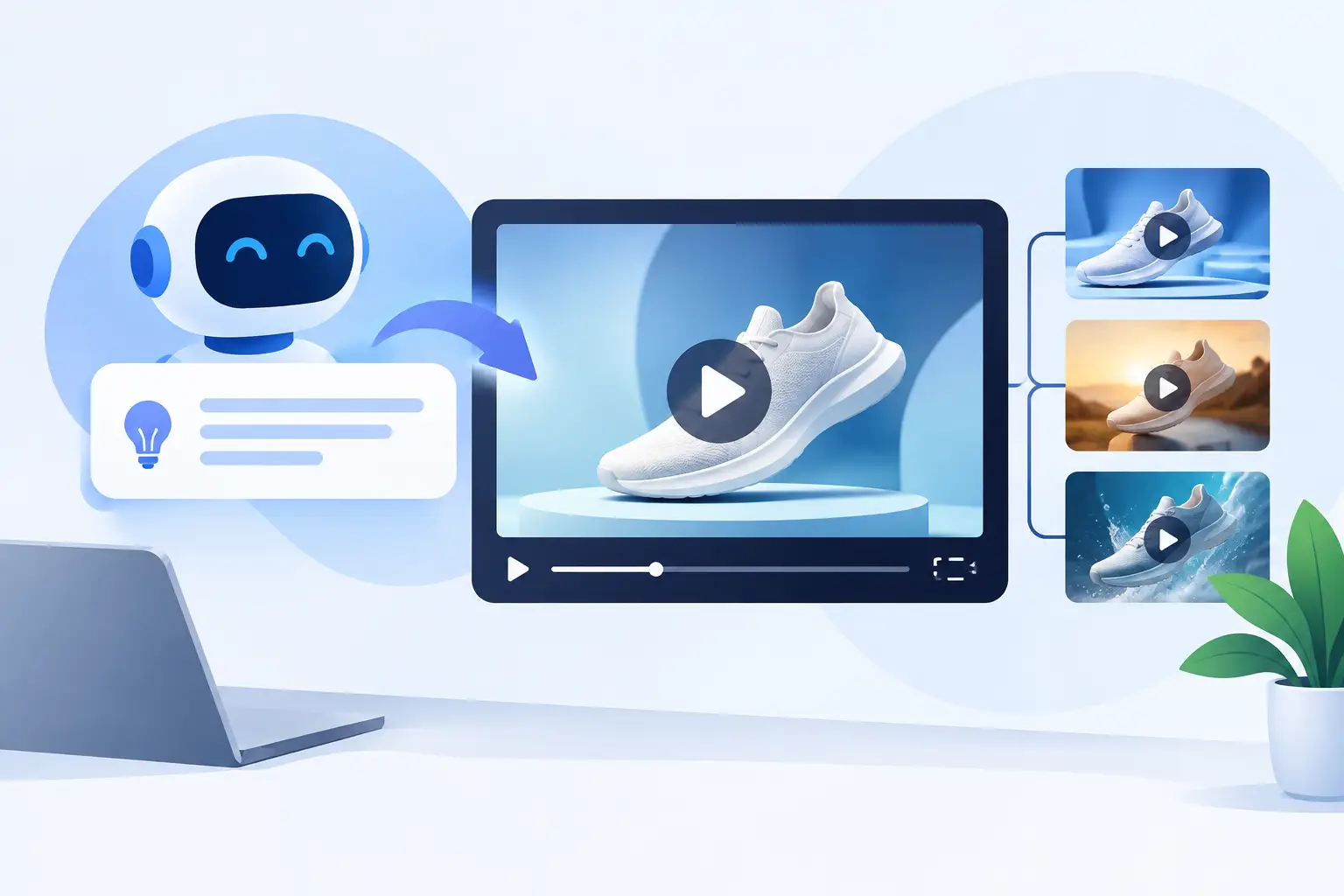
A product shot that looks like stock footage will not stop the scroll. A real-estate clip with a floating camera and warped furniture will not win a showing. The job of a Veo 3.1 prompt is to turn a loose idea into direction a video model can actually use: what is on screen, where the camera sits, how it moves, what light defines the image, and what must not change.
That distinction matters because most weak AI video starts with a weak brief. “Create a luxury skincare ad” gives the model a category, but no shot plan. It leaves the product scale, environment, framing, motion, material behavior, and pacing open to interpretation. The result may be attractive, but it is rarely specific enough to sell.
What a Veo 3.1 prompt should include
A useful prompt is not a pile of adjectives. It should read like a fast creative director's brief, translating your input into production-ready direction. For Veo 3.1 workflows, that means separating the prompt into controllable visual decisions instead of piling description into one paragraph.
Start with the subject and action. For ecommerce, this is the actual product and the exact behavior you want to show: a serum bottle catching condensation, a sneaker rotating on a plinth, a coffee machine pouring a crema-topped espresso. For property marketing, it may be a camera gliding through an open kitchen toward a view. For social ads, it could be a creator lifting a product toward camera during the first second.
Then add the cinematic controls that generic prompts skip: composition, lens feel, camera movement, lighting, setting, material detail, speed, and style. Finally, include negative instructions that protect the generation from costly mistakes such as extra fingers, unreadable labels, object morphing, jittery motion, text overlays, or distorted interiors.
The output should read less like a wish and more like a shot brief a cinematographer could execute.
Veo 3.1 Prompt Generator
Turn one line into the full structured JSON prompt below, with native-audio cues built in. Free, no signup.
Why generic prompts produce generic footage
Consider this common input: “Make a video ad for a reusable water bottle.” It has no commercial angle, no visual hierarchy, and no direction for the camera. The model has to invent nearly everything, which is why outputs often feel polished but interchangeable.
A structured version gives the model a job:
Premium stainless-steel reusable water bottle, matte forest-green finish, centered on a wet black stone surface with small water droplets. Start in an extreme close-up on the condensation, then execute a slow 120-degree orbit at product height, ending on the logo-facing side. Moody side lighting with a soft cool rim light, shallow depth of field, 85mm product-commercial look, dark charcoal background. Realistic metal reflections, crisp edges, controlled slow motion. No warped logo, no extra cap, no hands, no text overlay, no floating objects, no camera shake.
The second prompt is not better because it is longer. It is better because it reduces ambiguity. It tells the model what matters most: the product, finish, hero angle, movement, lighting, and failure points.
That is the real value of specialized prompting. You are not asking for “a cool video.” You are specifying the visual evidence needed to make someone click, book, or buy.
The core prompt structure for Veo 3.1
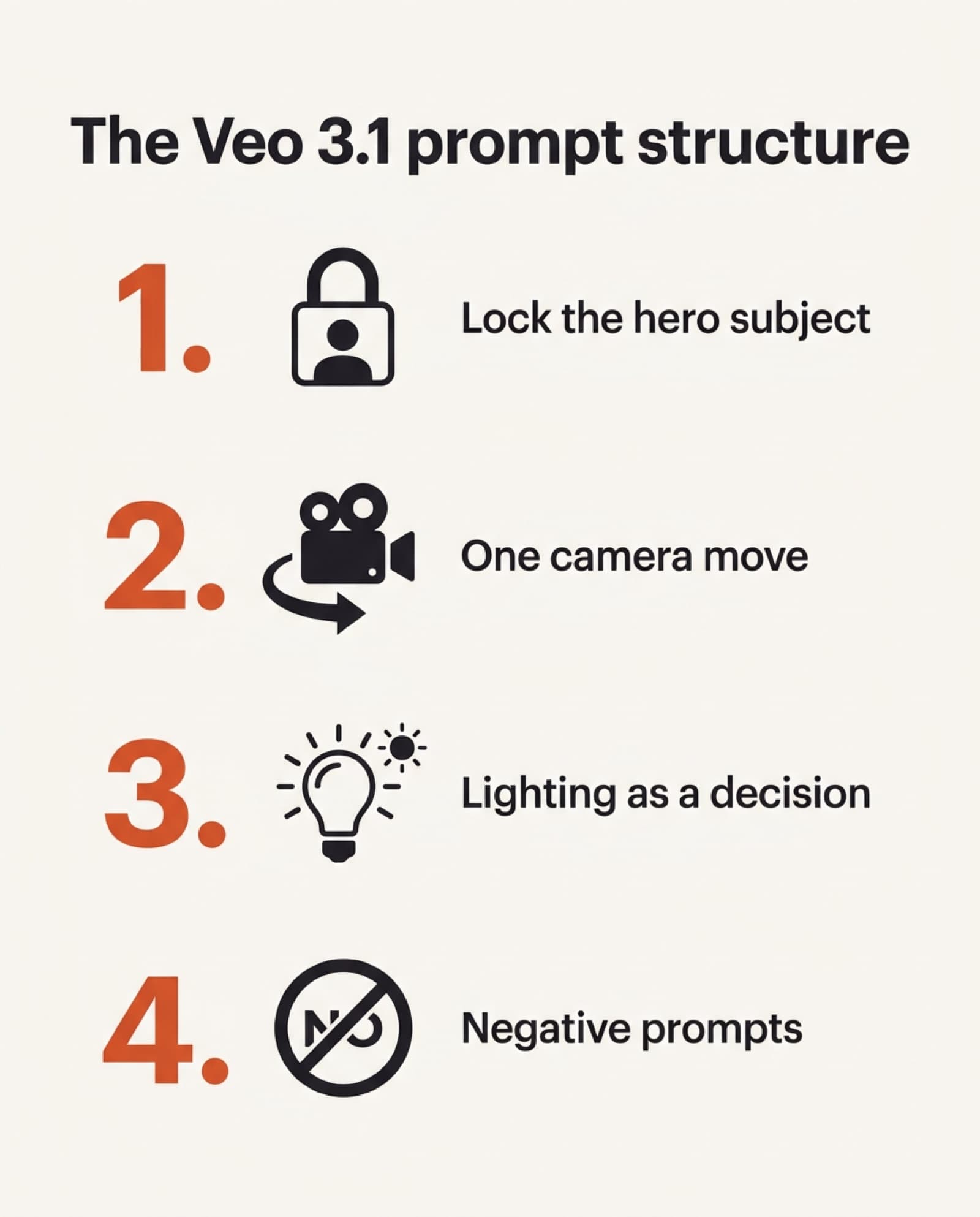
1. Lock the hero subject
Describe the item, person, or room with the details that cannot drift. Include color, material, shape, placement, and state. If a product has a distinctive cap, handle, pattern, or logo placement, say so. If you are working from a reference image, state that the product’s geometry, label layout, and proportions must remain consistent with the source.
Character work needs the same discipline. Define age range, wardrobe, hairstyle, styling, and emotional energy, then repeat the most critical continuity details across scenes. A character consistency workflow is usually more reliable when you create several short clips from the same locked brief rather than asking for a complicated multi-location narrative in one generation.
2. Direct one camera move at a time
Camera movement is where AI footage quickly looks either premium or synthetic. Choose the move based on the selling job. A slow push-in builds desirability around a hero product. A lateral slider move reveals depth in a room. A top-down tilt can make food, fashion, or unboxing content feel native to social feeds. An orbit works well for shape and materials but can cause distortion when the object has dense text or complicated logos.
Avoid stacking three moves into a short clip. “Dolly in while orbiting, crane up, then whip pan” may sound cinematic, but it asks the model to solve too many spatial changes at once. Generate the clean hero shot first. Create the transition shot separately if you need it.
3. Use lighting as a commercial decision
Lighting is not decoration. It signals product position and controls what viewers notice. Soft window light suits a natural skincare testimonial. Hard side light and reflective highlights make metal, glass, watches, and tech accessories feel more premium. Bright, high-key lighting helps a vacation rental feel clean, open, and bookable.
Name the direction and quality of light. “Warm golden-hour sunlight from camera left” is actionable. “Beautiful lighting” is not. Add the intended mood only after the physical setup: clean editorial, moody luxury, energetic creator-shot, or sunlit coastal listing.
4. Add negative prompts where errors cost money
Negative prompts are quality control, especially for commercial work. They should target likely failures instead of becoming a random blacklist. A product prompt may prohibit distorted branding, duplicate objects, melted packaging, unreadable labels, and unwanted hands. A property prompt may prohibit warped walls, curved cabinets, impossible windows, extra furniture, and people appearing in frame.
If a generation keeps failing, do not just add more negatives. Simplify the scene. Reduce the number of objects, camera moves, or lighting effects. Models perform best when the composition has a clear visual priority.
Build prompts around the asset you need
The strongest Veo 3.1 prompting workflow starts with the output, not the model. An Etsy seller needs a tactile product reveal that makes an item feel handmade. A performance marketer needs a scroll-stopping first frame and a clean product payoff. A realtor needs believable room scale and a path that makes a listing easy to understand. Those are different directing problems.
For a UGC-style ad, keep the camera intentionally human. Specify vertical framing, handheld-but-stable movement, a close conversational distance, a natural home environment, and a clear reaction or demonstration. Too much commercial polish can make creator ads feel like ads in the wrong way.
For a high-end product spot, do the opposite. Use controlled studio framing, minimal set design, deliberate reflections, macro texture shots, and slow movement. This is where a structured cinematic brief can replace a costly tabletop shoot for early creative testing, product launches, or listing assets.
For a rental or MLS video, prioritize spatial truth. Ask for a wide but natural lens perspective, slow movement through doorways, stable vertical lines, accurate architectural proportions, and daylight that matches the property image. An ultra-wide “wow” shot is useless if it makes the kitchen look fictional.
AI UGC Video Generator
Build the handheld, native-feeling ad without a creator shoot.
AI Real Estate Video Generator
Spatial clarity and stable lines, built from a real listing photo.
A fast three-step workflow
- 1Start with a real assetA product photo, listing photo, product-page details, or a concise offer, whenever possible. The more accurate your source material, the less the model has to invent.
- 2Choose one shot objectiveA hero reveal, a material close-up, a room walkthrough, a creator testimonial moment, or a transition. One clear objective produces cleaner footage than a prompt trying to cover an entire campaign.
- 3Change only one variable per testKeep the subject and setting fixed, then test a push-in versus an orbit, warm daylight versus studio side light, or a 50mm look versus macro close-up. This makes it easier to identify what actually improved the result.
Free AI Video Hub is built around this kind of specialized workflow: turn a product, property, or campaign idea into a detailed brief without starting from a blank prompt box or forcing every use case into the same template.
When to keep the prompt simple
More detail is not always more control. If you need a five-second social cutaway of a candle flame, a short prompt with one subject, one motion, and one lighting setup may outperform a dense film-school description. Extra details can compete with each other, especially when they are not visually compatible.
Use specificity for the details that affect revenue or credibility: product accuracy, room geometry, the hook frame, camera path, brand colors, and the final hero angle. Be flexible on minor set dressing unless it is central to the message.
The best prompt is the one that gives you footage you can use. Start with a single, well-directed shot, protect the details your customer will notice, and build the final edit from clean clips instead of betting everything on one overloaded generation.
Veo 3.1 Prompt Generator
Build the four-part brief above in one line, free, no signup, works with native audio.
Frequently asked questions
What's the difference between this guide and your Veo 3.1 Prompt Generator?
This guide explains the four-part structure (hero subject, camera move, lighting, negative prompts) so you understand why a prompt works. The free Veo 3.1 Prompt Generator builds that same structured JSON prompt for you automatically from one line, with native-audio cues included, no signup required.
What should a Veo 3.1 prompt include?
Four things, in order: a locked hero subject (color, material, shape, state, or reference-image accuracy), one camera move that matches the selling job, lighting described as a physical setup rather than a mood word, and negative prompts that block the specific failures that would make the clip unusable.
Why does a generic Veo prompt produce generic footage?
A prompt like "make a video ad for a reusable water bottle" has no commercial angle, visual hierarchy, or camera direction, so the model invents nearly everything. A structured prompt specifies the product, finish, hero angle, movement, lighting, and failure points instead, which is what makes the output usable rather than just polished.
How many camera moves should one Veo 3.1 prompt have?
One. Stacking several moves ("dolly in while orbiting, crane up, then whip pan") asks the model to solve too many spatial changes at once. Generate the clean hero shot first, then create a transition shot separately if you need one.
What negative prompts matter most for ecommerce and real estate?
For products: distorted branding, duplicate objects, melted packaging, unreadable labels, and unwanted hands. For real estate: warped walls, curved cabinets, impossible windows, extra furniture, and people appearing in frame. If a generation keeps failing, simplify the scene rather than piling on more negatives.
Should every Veo 3.1 prompt be long and detailed?
No. A five-second social cutaway of one subject, one motion, and one lighting setup often outperforms a dense, overloaded description, since competing details can fight each other. Save the detail for what affects revenue or credibility: product accuracy, room geometry, the hook frame, and the hero angle.
Keep reading
How an AI Video Prompt Generator Gets Better Shots
A generic prompt gets generic footage. The four-layer brief (composition, cinematography, art direction, control) that turns a rough idea into a shot a video model can actually follow.
Read more12 AI Video Prompt Examples That Stop the Scroll
Twelve production-ready AI video prompts, from ecommerce reveals to viral hooks, with the camera moves and negative prompts that make each one usable, not just pretty.
Read moreFree AI Video Prompt Generator (No Signup Required)
A generic prompt burns through generation credits fast. Go from a product photo, listing, or one-line idea to a model-ready brief, free, no account, before you know whether the output works.
Read more