
AI Video Generator Comparison: Veo vs. Kling vs. Runway (and More)
AI video generator comparison: when to reach for Veo, Kling, Runway, Seedance, Luma, Pika, or Grok Imagine for ads, ecommerce, real estate, and social hooks.

A beautiful five-second generation that cannot keep your product label straight is not an ad. A dramatic property fly-through that warps a doorway is not a listing video. That is why an AI video generator comparison should start with the job you need the footage to do, not with a leaderboard score or a viral demo.
For creators working on ads, ecommerce listings, Airbnb reels, or social campaigns, the best model is the one that turns a structured creative brief into usable shots with the fewest retries. Some models are stronger at cinematic realism. Others give you fast, attention-grabbing social effects. Others fit best when you need to direct motion from a source image, preserve a composition, or build a sequence from several shots.
What actually matters in an AI video model comparison
Do not compare models only by whether they can generate a pretty clip. Compare the failure points that cost you time and credits: subject consistency, product fidelity, camera control, motion quality, text rendering, scene continuity, output speed, and how easily the result fits your edit.
A model can be excellent for a moody fashion spot and still be the wrong choice for a Shopify product where the packaging, logo placement, and color need to stay recognizable. Likewise, a model that creates high-energy transformations may be more valuable for a TikTok hook than a cinematic model that takes more iteration to get exactly right.
The prompt matters as much as the model. “Luxury skincare ad” leaves too many creative decisions open. A production-ready brief specifies the hero product, setting, lighting direction, lens, framing, camera move, physical motion, pacing, and negative prompts.
Macro close-up of a frosted serum bottle on wet black stone, side-lit with a narrow softbox, 85mm product lens, slow slider push-in, condensation beads moving naturally, label fully legible, no warped typography, no extra bottles.
That level of direction gives every model a better chance. It also lets you test models fairly, using the same shot brief instead of comparing unrelated showcase clips. The free AI video prompt generators by model build that brief for you per model.
Model strengths for commercial video work
The market changes quickly, so treat this as workflow tendencies rather than permanent rankings. New versions, access tiers, and generation modes can shift the result. Run a small test with your actual inputs before committing a campaign.
| Model | Best fit | Watch for |
|---|---|---|
| Google Veo | Cinematic scenes, natural visual language, polished brand storytelling | Results can still need multiple takes for precise product or character continuity |
| Kling | Dynamic movement, image-to-video animation, stylized or dramatic shots | Complex scenes need tightly defined motion to avoid visual drift |
| Runway | Creator workflows, controlled experimentation, editing-oriented production | Best results depend heavily on reference quality and shot-by-shot planning |
| Seedance | Fast-paced, expressive scenes and multi-shot social concepts | Test consistency carefully when a campaign requires the same subject across clips |
| Luma | Atmospheric motion, cinematic environments, concept visualization | Fine product details and fixed architectural geometry require close review |
| Pika | Social-first effects, transformations, short-form hooks | Prioritize it for impact shots rather than an entire polished commercial |
| Grok Imagine | Rapid concepting and culturally current creative experimentation | Validate brand safety, visual accuracy, and repeatability before paid use |
Google Veo for polished story-driven scenes
Veo is a strong option when the brief calls for cinematic coverage: a chef plating a dish in golden window light, a vacation rental exterior shifting from blue hour to warm interior glow, or a lifestyle campaign with believable atmosphere. It responds well to directorial language when that language is specific.
For a real-estate agent, the opportunity is not “make a house video.” It is a defined series of shots: a stabilized approach to the front entrance, a slow wide reveal of the kitchen, a low-angle glide across the pool, and a dusk exterior with practical lights glowing. Generate those as separate clips, then edit them into a controlled listing reel. One all-in-one prompt invites layout changes and impossible transitions.
AI Real Estate Video Generator
Build that shot-by-shot listing reel from a real property photo, roofline and all.
Kling for movement that earns attention
Kling is often worth testing when movement is the creative idea. Think a sneaker kicking through shallow water, a handbag rotating from a still product photo, or a character moving through a dramatic environment. Strong motion direction gives the model something concrete to execute.
Do not ask for “energetic movement.” Name the action, direction, and camera response: “The runner takes two strides toward camera, water sprays backward, handheld tracking shot at chest height, brief rack focus from shoes to face.” For product work, keep the action simple enough that the item remains the hero rather than becoming a distorted prop.
Runway for a shot-based production workflow
Runway fits creators who think like editors. Rather than betting everything on one generation, build a sequence from purpose-built shots: hook, product detail, use case, proof moment, and call-to-action frame. This is particularly useful for UGC-style ads, where a clean close-up of a product, a believable creator reaction, and a simple demonstration can outperform a visually ambitious but confusing scene.
Use reference images whenever the campaign depends on a particular item, person, or location. Then limit each generation to one camera move and one primary action. This keeps iterations targeted. If the hand looks wrong, you are fixing a hand shot, not rebuilding a 15-second commercial.
AI UGC Video Generator
Build the hook, product detail, and proof shots as separate, purpose-built clips.
Seedance, Luma, Pika, and Grok Imagine for speed and variety
These tools can be valuable when speed, volume, and creative range matter more than perfect continuity. Seedance can be useful for expressive social concepts and fast campaign variations. Luma is a natural fit for mood-rich spaces, travel imagery, and cinematic environment shots. Pika is effective for short-form visual surprises: object transformations, playful effects, and thumb-stopping transitions. Grok Imagine can help with quick creative exploration when you need several directions before choosing a production route.
The trade-off is simple: the more specific the commercial requirement, the more aggressively you should test. If a short-term-rental host needs an aspirational reel, an atmospheric result may be enough. If an ecommerce seller needs the exact bottle cap, label, and product proportions preserved, visual excitement is not a substitute for accuracy.
Match the model to the asset, not the hype
For a product ad, start with image-to-video or reference-led workflows whenever possible. Your first priority is product fidelity. Use a locked composition, controlled lighting, and a simple motion cue such as a slow orbit, push-in, or tabletop slide. Add negative prompts for extra objects, warped logos, unreadable labels, duplicate products, and deformed hands.
Free AI Image to Video Generator
Turn a single product photo into a motion-ready reference frame before you pick a model.
For real estate and vacation rentals, protect geometry. Ask for slow, stabilized camera movement and keep each room or exterior angle as an individual shot. Avoid prompts that demand a camera to pass through multiple doors, floors, or tight hallways in one take. The more architectural facts the model must preserve, the more likely a complex route will fail.
For social ads, the first second matters more than cinematic perfection. Use Pika, Kling, Seedance, or another fast-moving option to create a strong visual interruption, then cut to cleaner product footage or a direct demo. A hook can be surreal. Your proof shot should not be.
For character-led content, consistency deserves its own test. Generate the same character in three common situations before you write a full campaign: close-up dialogue, full-body motion, and interaction with the product. If the identity shifts between clips, use the model for cutaways and environments instead of making it carry the spokesperson role.
A better testing method than random prompting
Run a practical model test with one commercial brief, not ten unrelated ideas. Make a six-shot mini campaign: an opening hook, hero product shot, detail shot, lifestyle use, proof or benefit shot, and final branded frame. Keep the reference image, aspect ratio, and creative direction consistent across models.
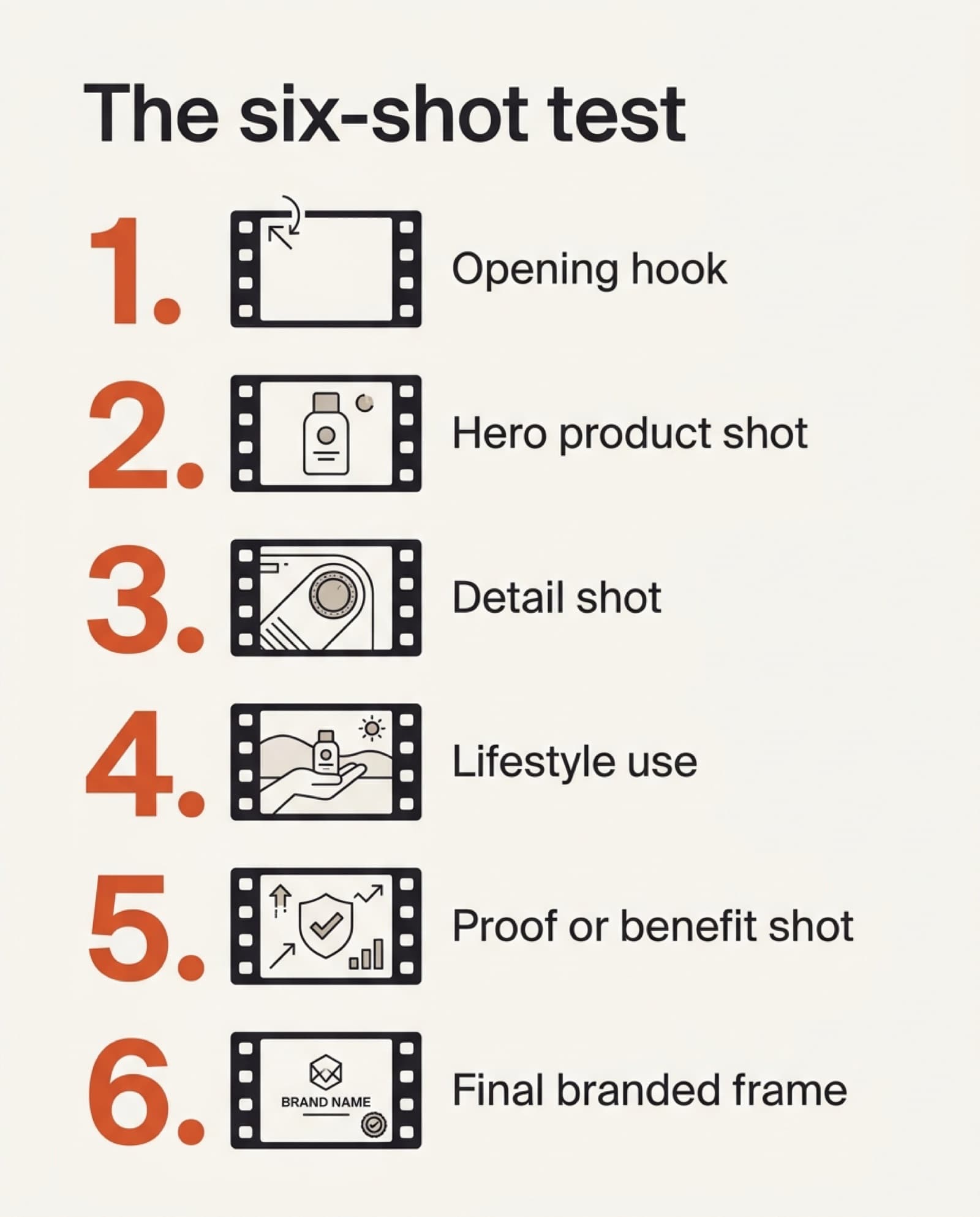
Score each output on four business questions: Can you use it without hiding mistakes in the edit? Does it preserve the product, property, or character? Does the motion support the message? And can you reproduce the look for the next campaign? A visually impressive one-off is less valuable than a repeatable workflow.
Free AI Video Hub is built around that production mindset. Instead of feeding a model a vague idea, turn the idea, listing, product page, or source image into a cinematographer-level brief that includes shot direction, camera language, lighting, motion cues, and negatives. Export the brief to the model you want to test, then adjust the model-specific details based on the footage you get back.
The winning setup is rarely one model for everything. Build a small working stack: one for polished hero scenes, one for controlled product or property shots, and one for fast social hooks. When every prompt starts with a clear commercial purpose, you spend less time chasing impressive accidents and more time producing video that earns the click, the booking, or the sale.
AI Video Prompt Generators by Model
Build the shot direction once, then export it to whichever model you're testing. Free, no signup.
Frequently asked questions
Which AI video generator is the best overall?
There isn't one. Google Veo tends to win for polished, story-driven scenes; Kling for shots where movement itself is the idea; Runway for a shot-based, editing-oriented workflow; and Seedance, Luma, Pika, or Grok Imagine when speed and creative range matter more than perfect continuity. The right model depends on the job, ecommerce, real estate, social hooks, or character-led content, not a leaderboard score.
What should I actually compare when testing AI video models?
Compare the failure points that cost time and credits: subject consistency, product fidelity, camera control, motion quality, text rendering, scene continuity, output speed, and how easily the result fits your edit. A pretty showcase clip tells you none of that.
Which AI video model is best for ecommerce product videos?
Start with image-to-video or reference-led workflows so the product's proportions, label, and color carry over from a real photo. Use a locked composition and a simple motion cue (a slow orbit, push-in, or tabletop slide), and add negative prompts for extra objects, warped logos, and duplicate products.
Which AI video model is best for real estate listing videos?
Favor models and prompts that protect geometry: slow, stabilized camera movement, one room or exterior angle per shot, and no camera path that passes through multiple doors or floors in one take. Google Veo responds well here when the brief is a defined shot list, not one all-in-one "make a house video" prompt.
Do I need to pick just one AI video model?
No. The winning setup is usually a small stack: one model for polished hero scenes, one for controlled product or property shots that need accuracy, and one fast-moving model (Pika, Kling, or Seedance) for social hooks. Forcing one model to do every job is what produces inconsistent campaigns.
How do I run a fair comparison between AI video models?
Build one six-shot mini campaign (hook, hero product shot, detail shot, lifestyle use, proof shot, branded frame) and run every model against the exact same reference image, aspect ratio, and creative brief. Comparing unrelated showcase clips from each model's marketing page is not a fair test.
Keep reading
How an AI Video Prompt Generator Gets Better Shots
A generic prompt gets generic footage. The four-layer brief (composition, cinematography, art direction, control) that turns a rough idea into a shot a video model can actually follow.
Read more12 AI Video Prompt Examples That Stop the Scroll
Twelve production-ready AI video prompts, from ecommerce reveals to viral hooks, with the camera moves and negative prompts that make each one usable, not just pretty.
Read moreHow to Turn Product Photos Into a Video (Free, No Filming)
Use a photo as a reference frame and let AI build a short 3-5s clip around it. The method, the prompt formula, and three prompts you can copy.
Read more